Digital Video Recorder Connections and settings | en 59
Bosch Security Systems User Manual F01U | 1.0 | 2007.11
3.24 System settings
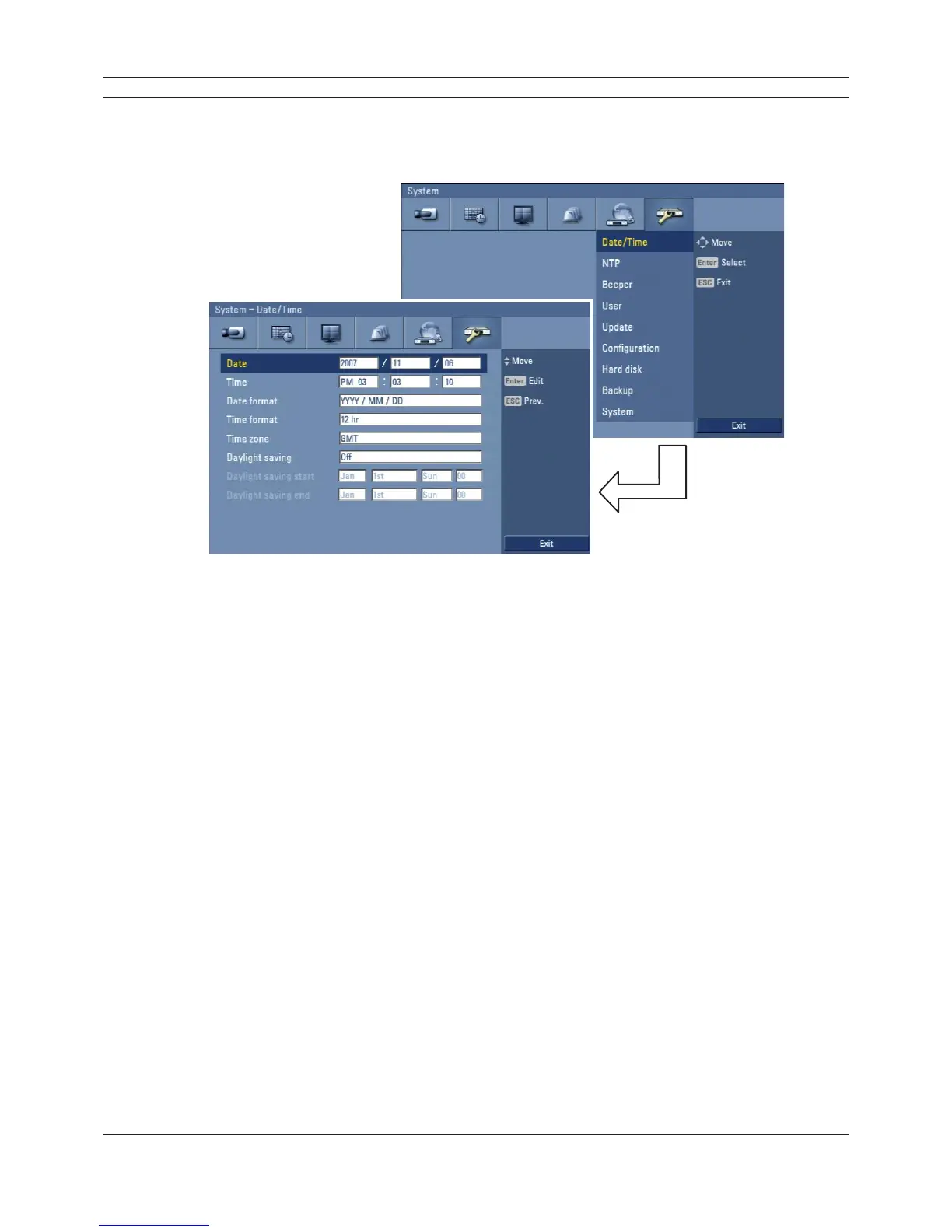
3.24.1 Date/Time
Figure 3.45 Date/Time setup menu
• Date: Enter the current date.
• Time: Enter the current time. (24 HR or 12 HR)
• Date format: Select the date display format.
• Time format: Select the time display format.
• Time zone: Select your Time zone (for more details see "8.3 Time zones").
• Daylight saving: Set to On to use the daylight saving function.
• Daylight saving start: Select the Daylight saving start time.
• Daylight saving end: Select the Daylight saving end time.



 To Next Page