76 en | Search and playback Digital Video Recorder
F01U | 1.0 | 2007.11 User Manual Bosch Security Systems
Notes:
• Recorded data shown on the time graph will be displayed in different
colors depending on the recording type.
- Green: Continuous/Instant recording.
- Red: Input recording.
- Blue: Motion-detection recording.
- Gray: No recording.
• Use the ZOOM + button to view the detailed time by 6 hour intervals.
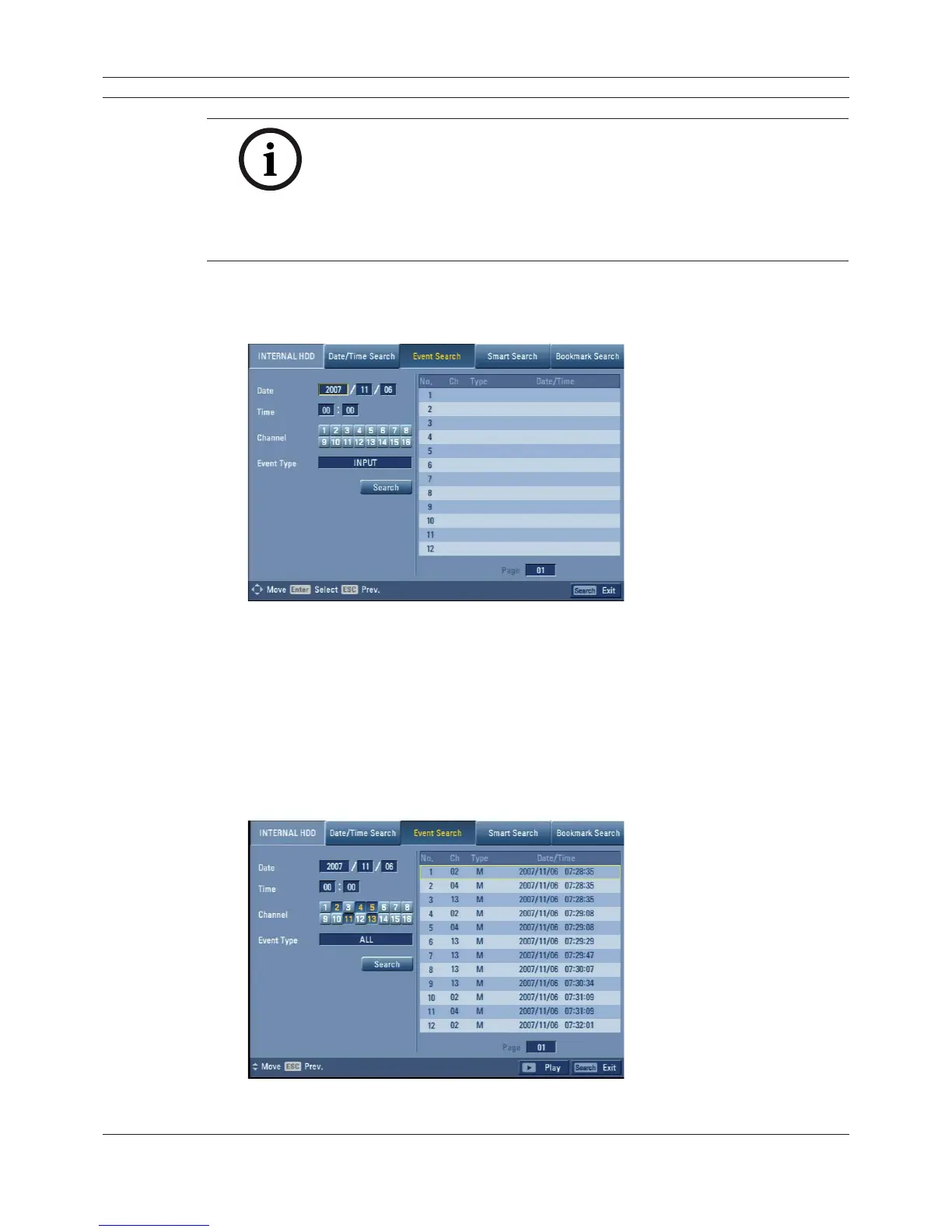
5.2.3 Event Search
Search a recorded picture by date and type of event.
Figure 5.6 Event search menu
1. Select the [Event Search] menu.
2. Set the year, month, day and time.
- v/V/b/B: Moves to the previous or next column or changes the setting at the current
position.
- ENTER: Selects the column or confi rms the setting.
3. Select the channel for event search using ENTER.
4. Use v/V/b/B to select the [Event type] then press ENTER.
5. Select the [Search] icon then press ENTER.
The event list menu appears.
Figure 5.7 Event list



 To Next Page