Digital Video Recorder Connections and settings | en 43
Bosch Security Systems User Manual F01U | 1.0 | 2007.11
3.20 Schedule settings
The DVR can record according to a schedule set by the user. It can also record manually regardless
of date and time. The recording can be made either continuously or triggered by events (input and
motion detection).
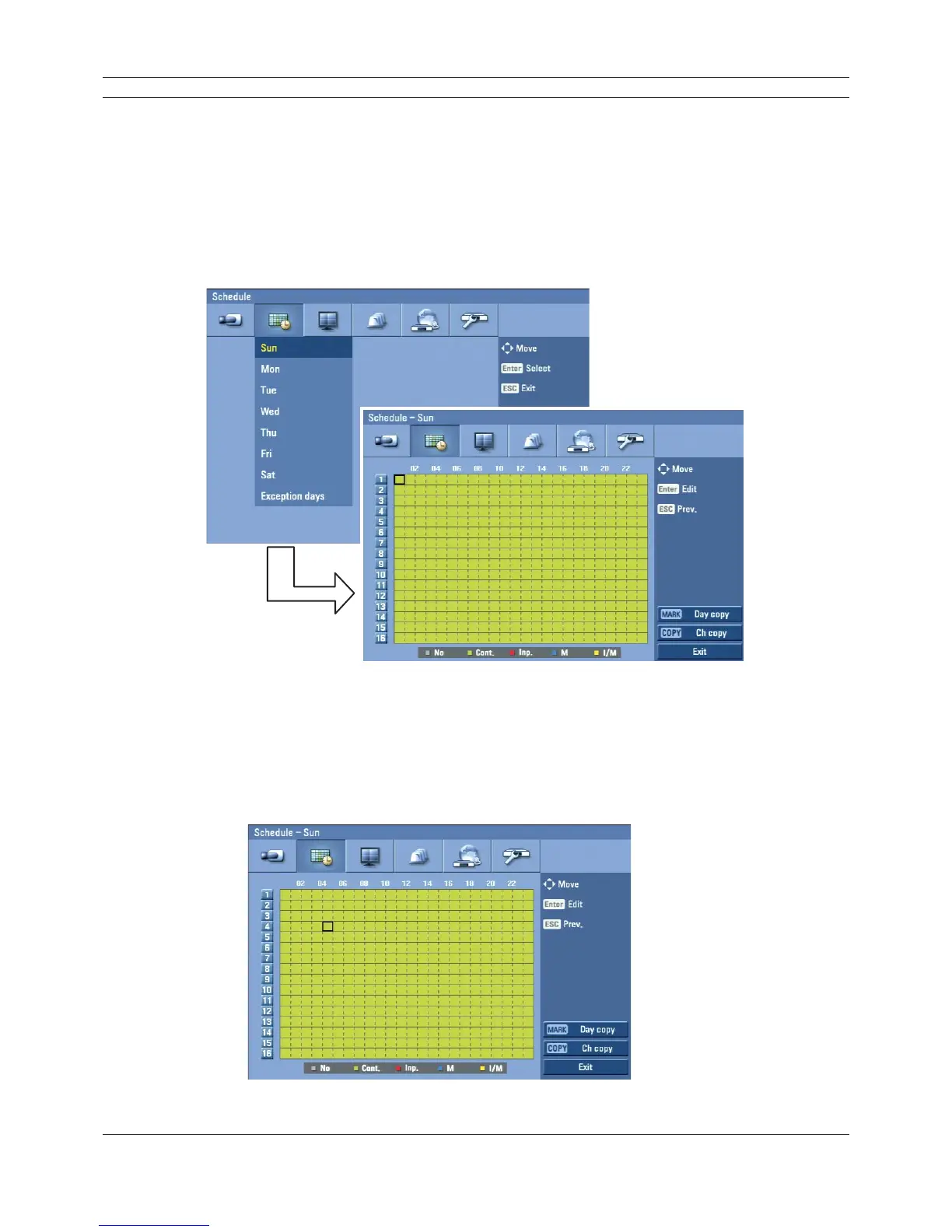
The recording schedule screen displays one day of the week showing the schedule of all channels
over a 24-hour period.
For each 1-hour cell block the recording method can be specified. The recording method for each
block is shown in color for easy viewing.
Figure 3.23 Schedule setup menu
3.20.1 To set the Recording Schedule for a typical day of the week
1. Select a day of the week. (Sun, Mon, Tue, Wed, Thu, Fri or Sat)
2. Select the desired channel to schedule recording.
3. Select the time cell block for the start time.
Figure 3.24 Schedule setup menu



 To Next Page