Digital Video Recorder Control Center | en 101
Bosch Security Systems User Manual F01U | 1.0 | 2007.11
6.7.3 Event setup
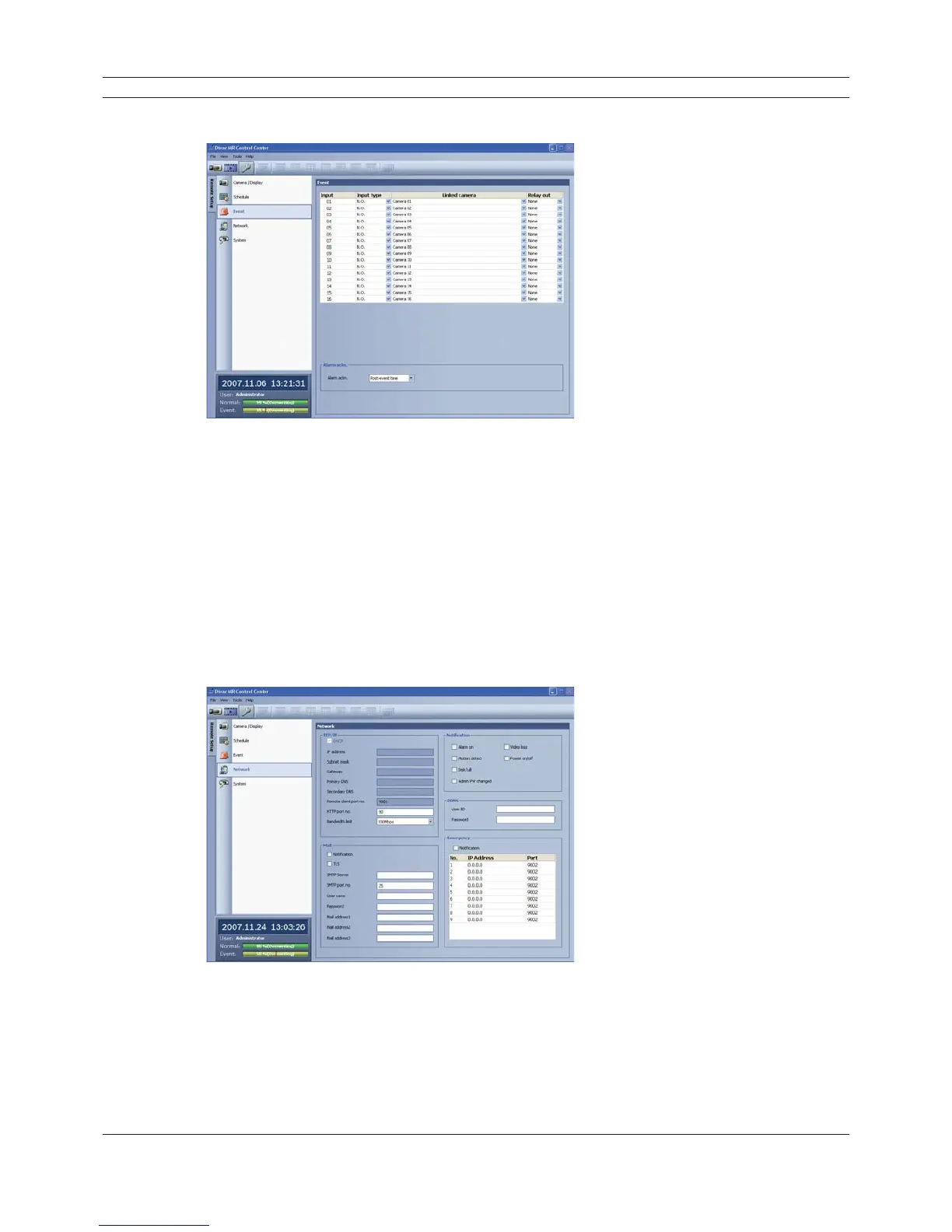
Figure 6.35 The Event setup window
1. Set the event options.
• Input: Displays the number of the ALARM I/O port.
• Input type: The alarm state can be set to either N.O. (Normally Open) or N.C. (Normally
Closed).
• Linked camera: Select the connected camera channel with the ALARM I/O port.
• Relay out: Select the alarm output number of the RELAY-OUT terminal for the output alarm
signal.
2. Setting [Alarm ackn.] options.
• Alarm ackn.: Set the “Manual” or “Post-event time” option to off.
6.7.4 Network setup
Figure 6.36 The Network setup window
TCP/IP settings
The [DHCP], [IP address], [Subnet mask], [Gateway], [Primary DNS], [Secondary DNS] and [Remote
client port no.] option settings are not available in the client program. You can set these options in
the system menu of the DVR.



 To Next Page