Digital Video Recorder Additional programs | en 109
Bosch Security Systems User Manual F01U | 1.0 | 2007.11
> Exit: Exit the program.
- Lang(L): Select the language for Archive Player program.
- Help(H)
> About Archive Player: Displays Archive Player information.
• Control Icons
-
: Pauses playback.
-
: Starts playback.
-
: Stops playback.
• Watermark Setting
Check the option “Check watermark”. If the file which is in playback differs from the file that
is originally recorded, a warning window will appear.
• Video Information
- File Name: Displays the fi le name.
- Video Format: Displays the video type of the data.
- Time: Displays the recorded date and time of data.
- Recording Mode: Displays the save mode of the data. (continuous, motion or other).
- Camera Number: Displays the camera channel number of recorded data.
7.3.2 Playing data
1. Double-Click the [Divar MR Archive Player] icon on the PC or [Archive Player] folder of the
external USB device. If you insert the exported data CD or DVD disc, the Archive Player
program run automatically.
The Archive Player window is displayed.
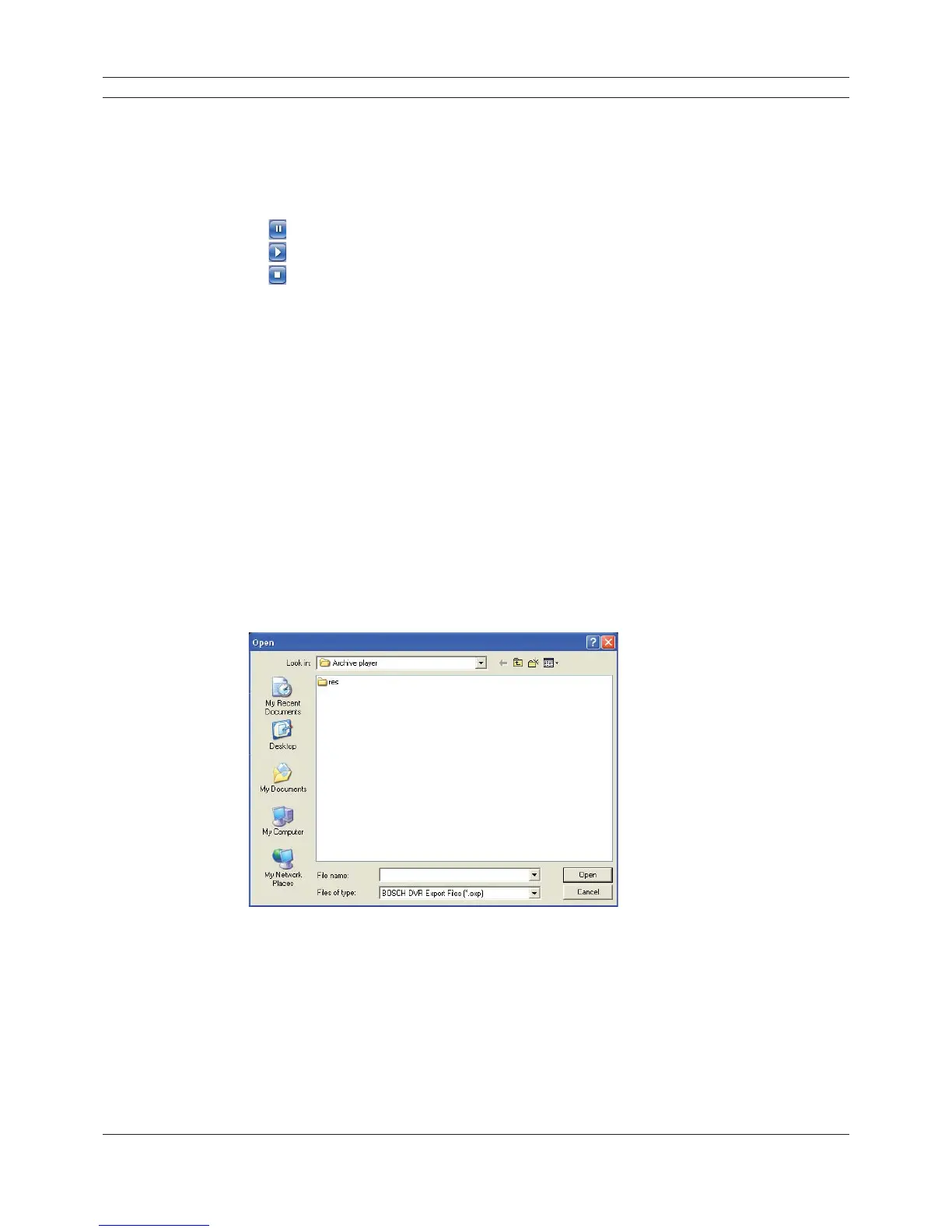
2. Select [File(F)] > [Open].
The open window is displayed.
Figure 7.8 The open window
3. Select the root directory of the USB device and select the desired fi le.
An example of playable fi le format is “Channel name_date_time.exp”.
4. Click the [Open] button.
The selected data is played back automatically.



 To Next Page