Digital Video Recorder Connections and settings | en 55
Bosch Security Systems User Manual F01U | 1.0 | 2007.11
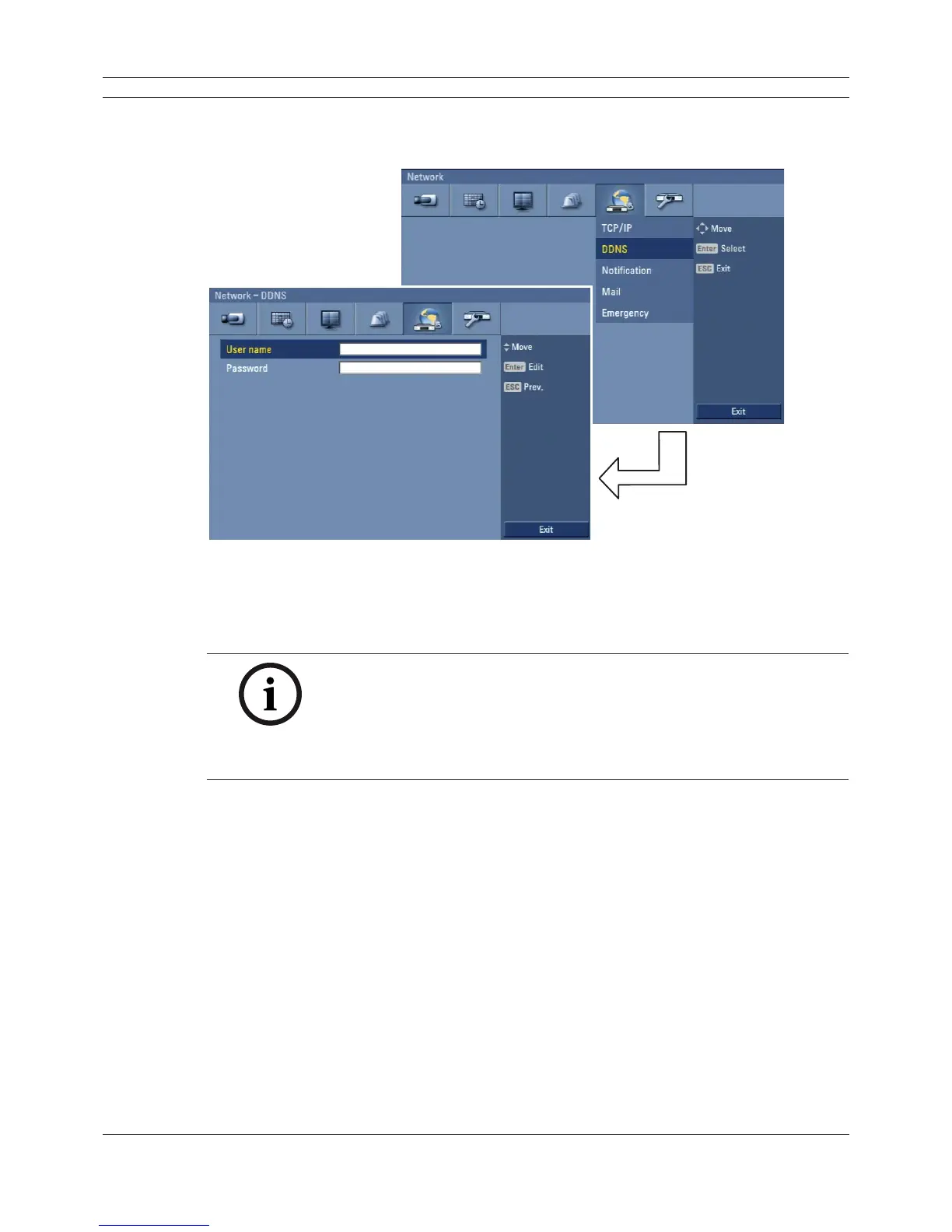
3.23.2 DDNS (Dynamic Domain Name System)
Figure 3.41 DDNS setup menu
• User name: Enter the DDNS registered user name using the virtual keyboard.
• Password: Enter the user password in [User name] using the virtual keyboard.
Note:
The DDNS function is serviced using a TCP 8245 port by “No-IP” (http://
www.no-ip.com/).
In case the DVR is used in the network system with a firewall, open the
TCP 8245 port so that DDNS data can get into firewall. For more detail
on firewall setup, ask your network administrator and/or network service
provider.



 To Next Page