66 en | Connections and settings Digital Video Recorder
F01U | 1.0 | 2007.11 User Manual Bosch Security Systems
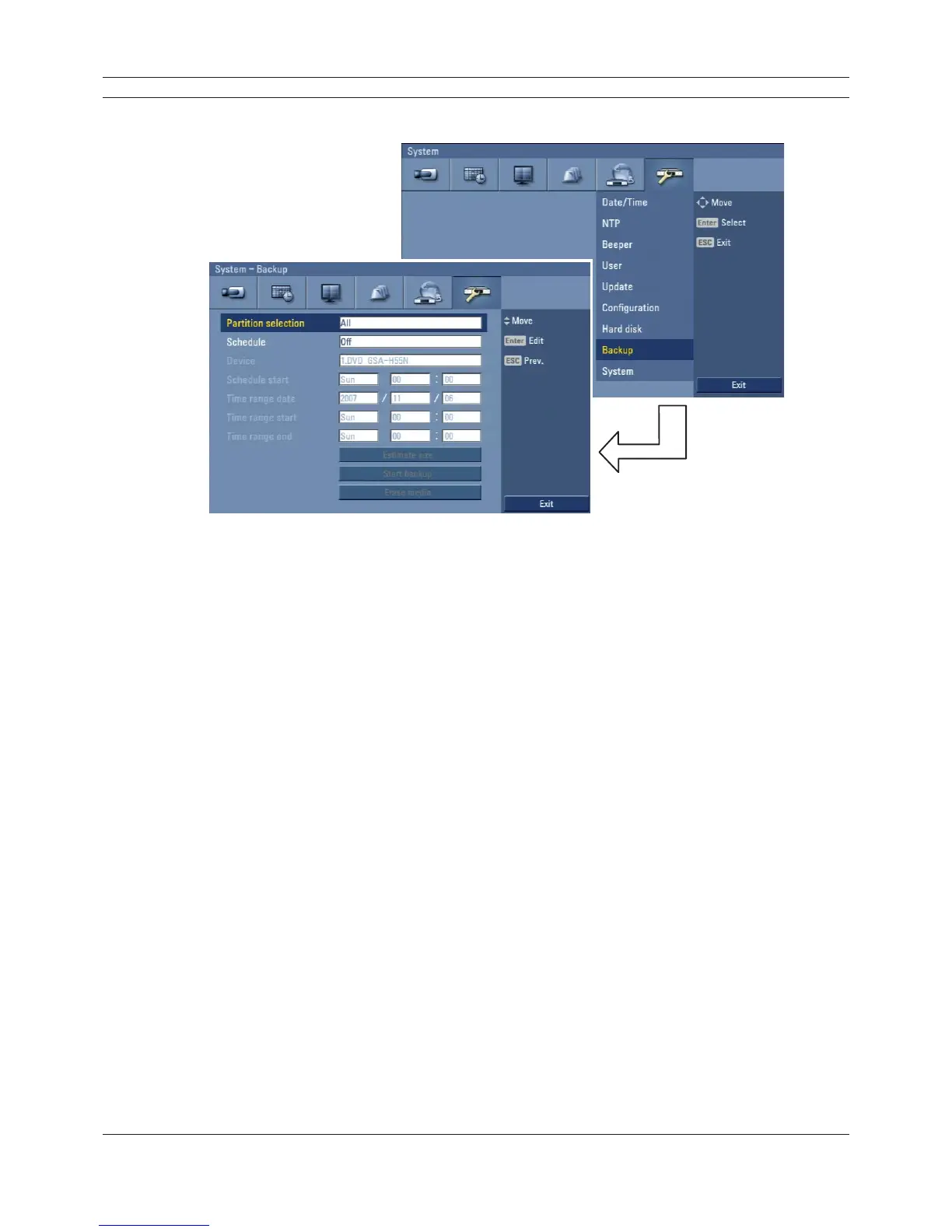
3.24.8 Backup
Figure 3.52 Backup setup menu
• Partition selection: Select a backup partition.
• Schedule: You can set the backup schedule.
- Off: All options are disabled.
- Instant: The backup data is saved manually.
- Weekly or daily: The backup data will be automatically saved according to the setting.
• Device: Select a backup device.
• Schedule start: Set the schedule start date (a day of the week and time).
• Time range date: Enter the backup time range. Enter the date you want to backup.
• Time range start: Enter the start day of the week or time.
• Time range end: Enter the end day of the week or time.
• Estimate size: Displays the size of backup data and the free space of external devices.
• Start backup: To start backup.
• Erase media: To erase the media.



 To Next Page