80 en | Search and playback Digital Video Recorder
F01U | 1.0 | 2007.11 User Manual Bosch Security Systems
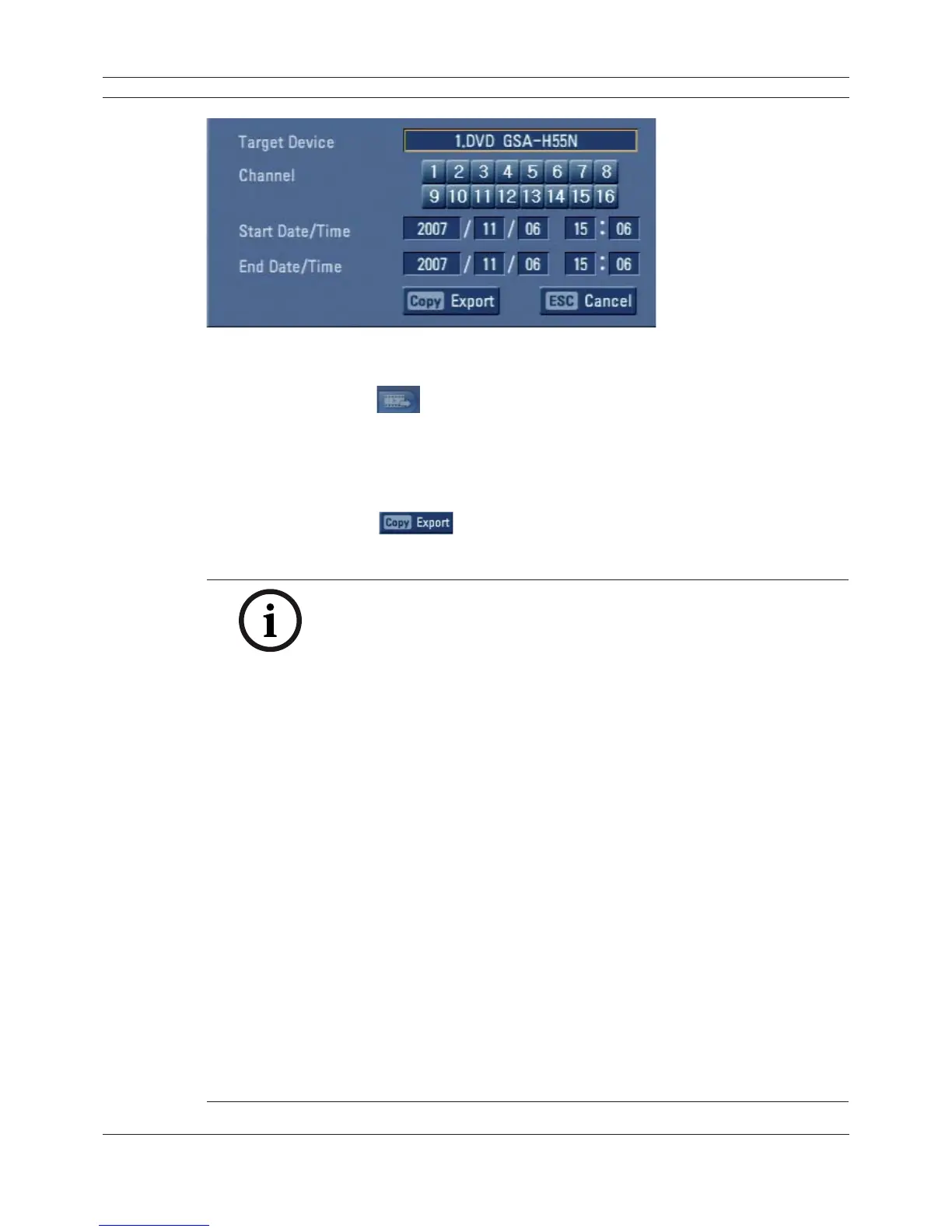
Figure 5.11 Export menu window
1. Press COPY or click
.
The export menu window appears.
2. Select a target device to export.
3. Select the channel number(s).
4. Set the start date/time and end date/time to copy.
5. Press COPY or Click
icon to start exporting.
The exported data will be authorized by the unit before saving and it can only be played back
with the Archive player.
Notes:
• You can also use the COPY button on the front panel for export func-
tion.
- DVR-16K/DVR-16L: Press ALT and then COPY button.
- DVR-8K/DVR-8L: Press COPY button only.
• You can export the recorded data only in the live mode.
• If you use the external USB memory device, the external USB memory
device has to be formatted on this unit.
• Check the export device before you proceed.
• Export can not be executed while the backup is in progress.
• You can view the exported data with the supplied Archive player soft-
ware.
• When you export the recorded data, the audio data will also be export-
ed.
• When you export the recorded data the Archive player program will also
be exported in the [ArchivePlayer] folder of the device. The exported
data file name is made automatically as the [Channel name_export date_
export time.exp] type.
• Do not remove the USB device while the export is in progress, it may
cause a malfunction. If you reuse the removed device, you must format
the media by using erase media options.
• The warning message appears for the conditions listed below.
- When the start date/time and end date/time are the same value.
- When the start date/time is later than the end date/time.
- The export media does not have enough space.
- When you set the time for data that does not exist.
• An external media has to be formatted on this unit to prevent a malfunc-
tion.
• DVD+RW and DVD-RW discs have to be initialized before using.
• You can format the external media with the backup tab in the setup
menu.



 To Next Page