90 en | Control Center Digital Video Recorder
F01U | 1.0 | 2007.11 User Manual Bosch Security Systems
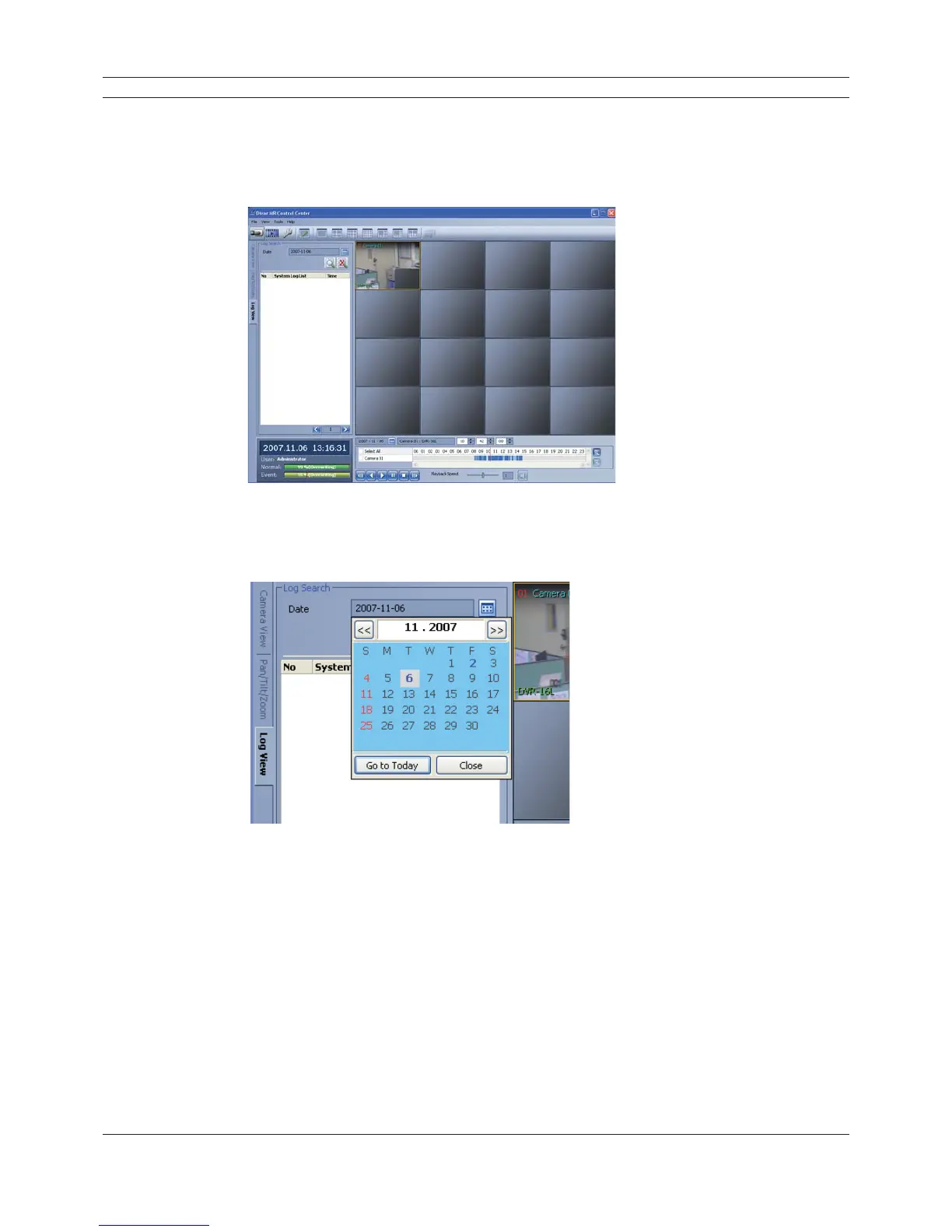
6.5.4 Using the Log View function
You can see the system log list of selected site names in the remote setup tab via the network.
1. Select the log view tab.
Log search menu appears.
Figure 6.11 The log search menu window
2. Click the date icon and select the day for the log search.
(The selectable days are displayed in blue text color.)
Figure 6.12 The day select window
3. Click the search icon.
The system log is displayed in the list.



 To Next Page