AirborneM2M™ User Guide
15
ETHERNET PORT
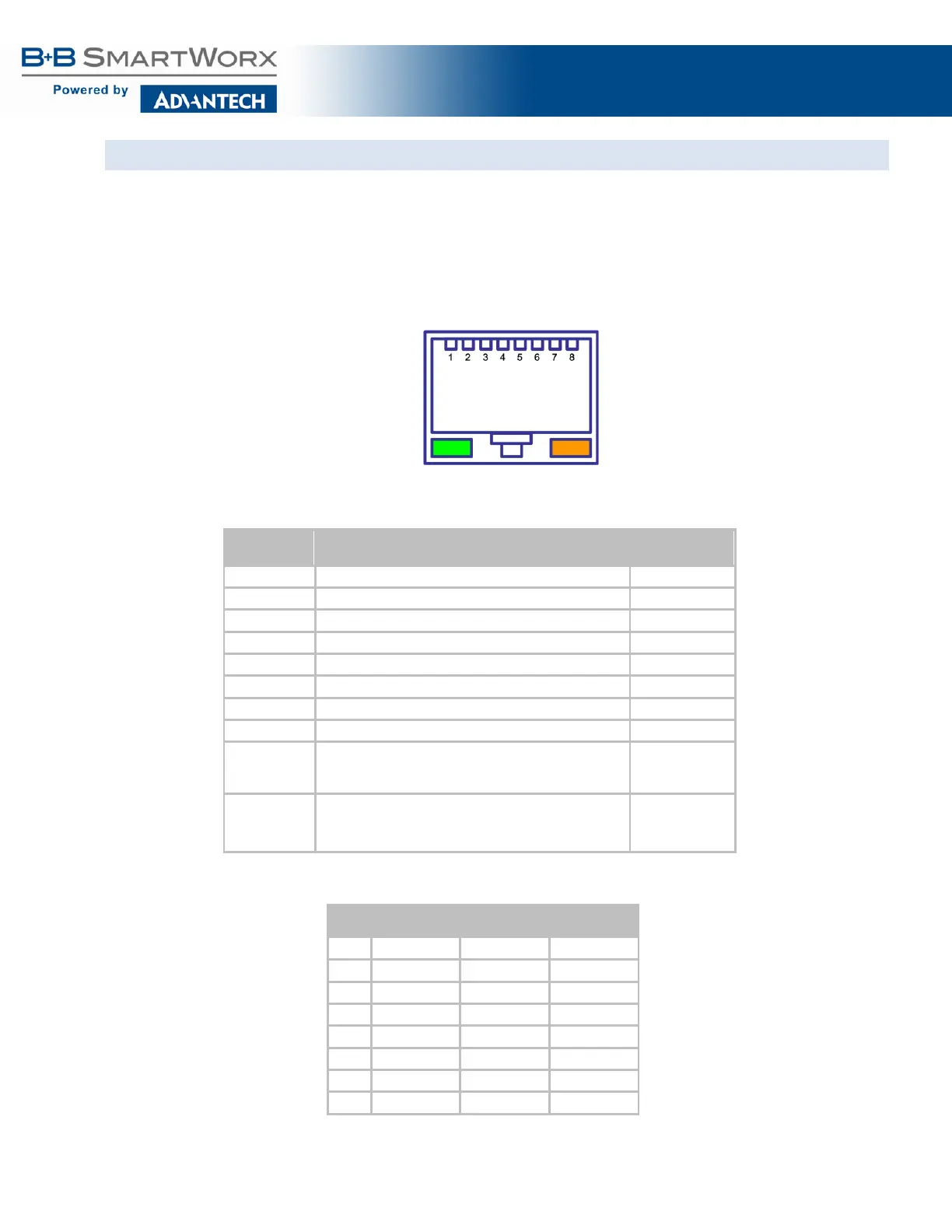
The AirborneM2M™ Ethernet devices support a single interface. This is a 10/100Mbps interface that
supports auto-negotiation and cross-over cabling. The interface also supports both half and full duplex for
10Mbps and 100Mbps. Table 3 shows the interface pin out.
In some Industrial models, the Ethernet port supports Power-over-Ethernet (PoE) when connected to an
802.3af Class 1 PSE device. Both Mode A (MDI and MDI-X) and Mode B powering schemes are supported
(Table 3a).
Figure 6 - Ethernet Jack Pin Out
Table 3 - Ethernet Connector Pin Out
Pin RJ45 Socket (Industrial)
1 TxD+ RxD+
2 TxD- RxD-
8 NC NC
Green LED
Valid TCP/IP connection made with Airborne Adapter:
Off No TCP/IP connection
On Valid TCP/IP Connection
N/A
Yellow LED
Power-on Self Test (POST):
Off Not powered or has failed POST
On Passed POST
N/A
Table 3a - PoE Pinout Alternatives
Pin
PSE
PSE
2 Negative V
PSE
Positive V
PSE
PSE
PSE
PSE
PSE
PSE
PSE
7 Negative V
PSE
8 Negative V
PSE



 To Next Page
 Loading...