3
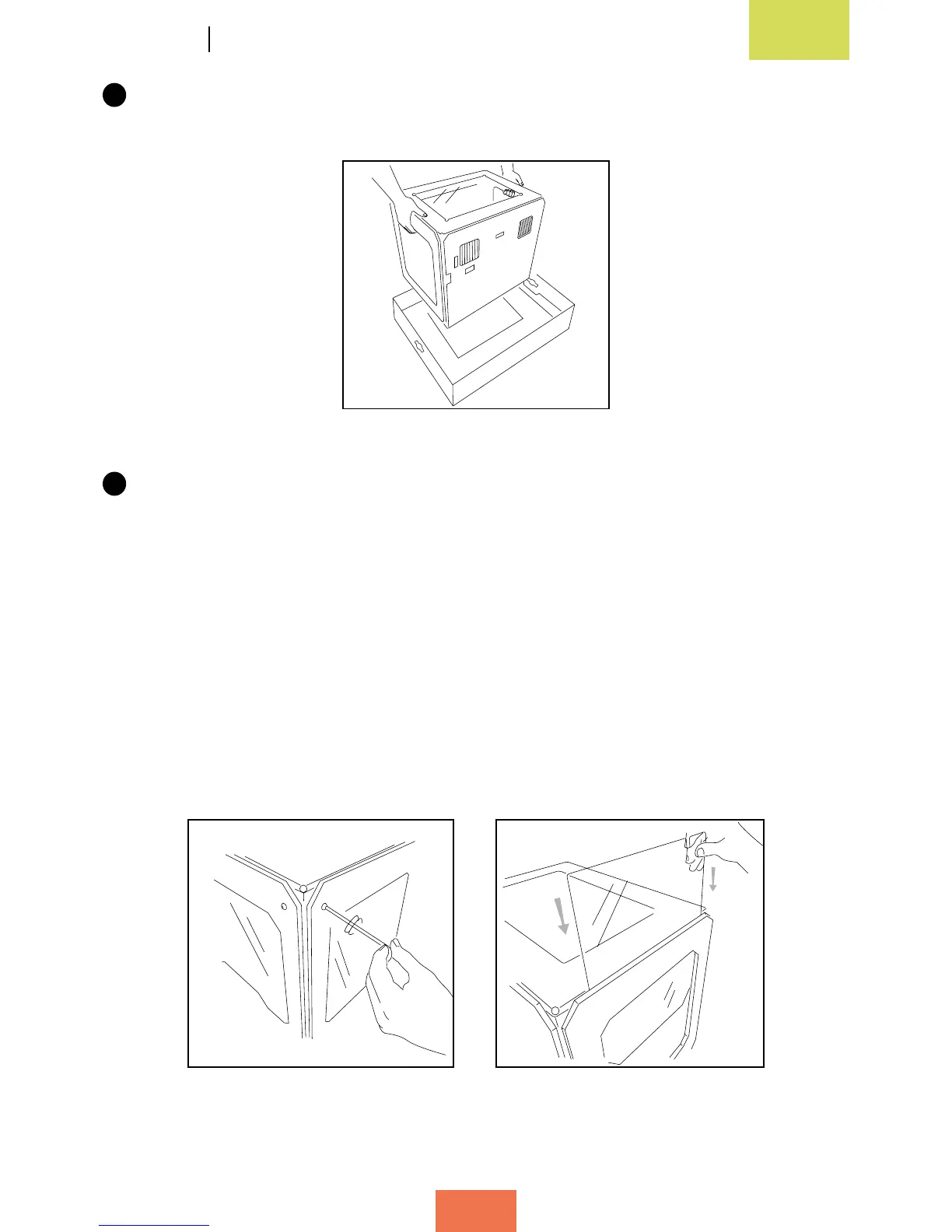
After taking the printer out of its protective bag, grasp it rmly by the sides and
lift it onto a table (g. 2.5).
4
The Witbox sits on four metal underside supports that are designed to allow one
printer to be stacked on top of another. These are packaged along with the Witbox
and can be attached immediately in order to protect it. To avoid scratching the
table, take care when moving the printer and try not to drag it.
Attaching the side panels
Remove the plastic protectors from both sides of the side panels.
Gently loosen the eight screws (four on each side) located on either side of the printer
(g. 2.6) using one of the Allen keys included in the maintenance kit. Then slide the
panels in as far as they will go and tighten the screws (g. 2.7).
Figure 2.5 Lift out the 3D printer
Figure 2.6 Loosen the side screws Figure 2.7 Slide in the side panels



 To Next Page