How to replace the Hot-End
Sometimes it is necessary to replace your printer’s Hot-End, due to blockages in the
nozzle or faults in the thermistor or heater cartridge.
In this section we provide you with a step-by-step explanation of how to replace the
Hot-End quickly and easily. You can also watch an instructional video by following the
link below:
http://goo.gl/Qnw6ou
For this operation, you will need:
• Replacement Hot-End
• 1.5 mm Allen key
• 2.5 mm Allen key
You can nd all these in the box of accessories that came with your Witbox. Below we
explain the procedure step by step:
1
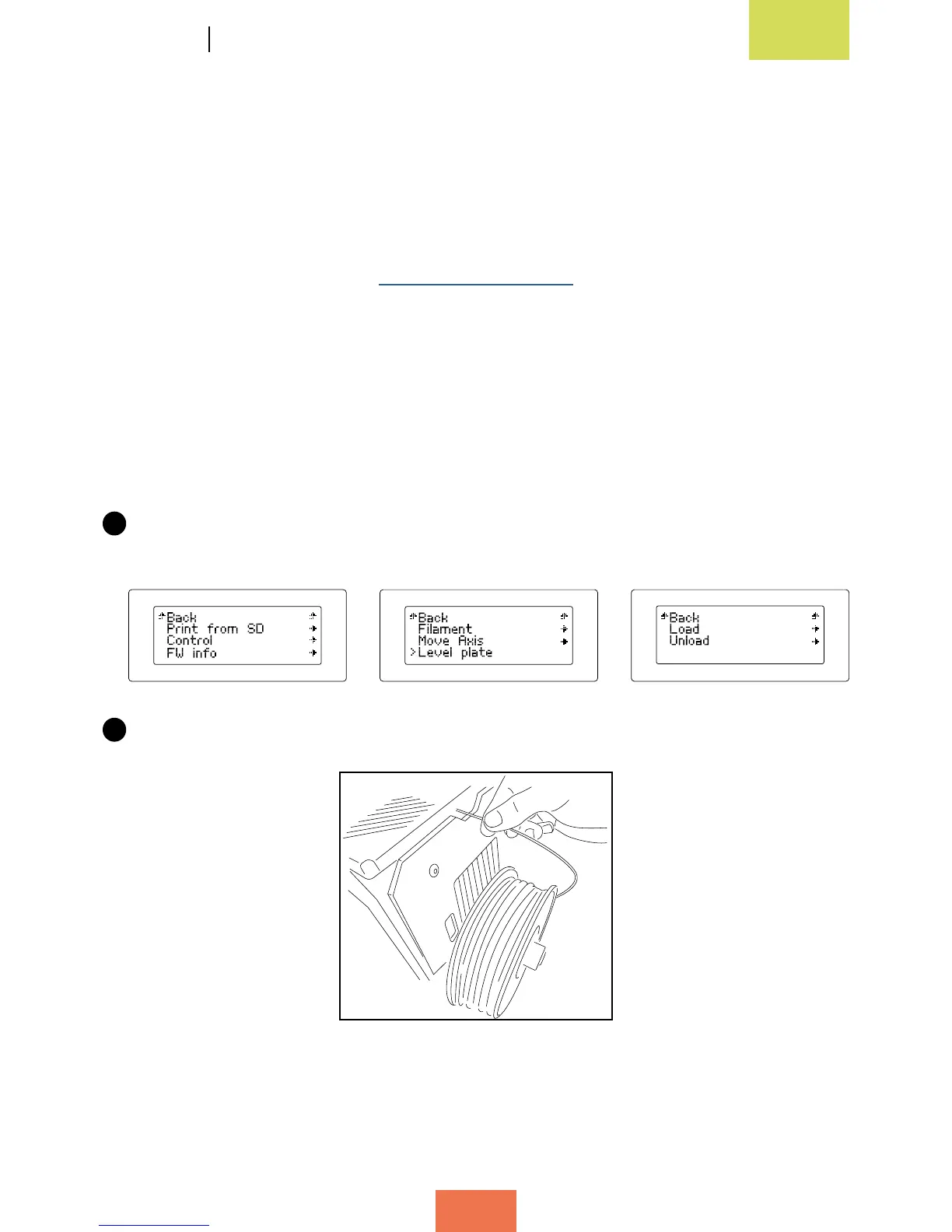
Unload the lament from the extruder. To do so, switch on the Witbox and select
the options Control > Filament > Unload.
2
Pull the lament out via the rear of the printer. Make sure you have removed it all.



 To Next Page