4
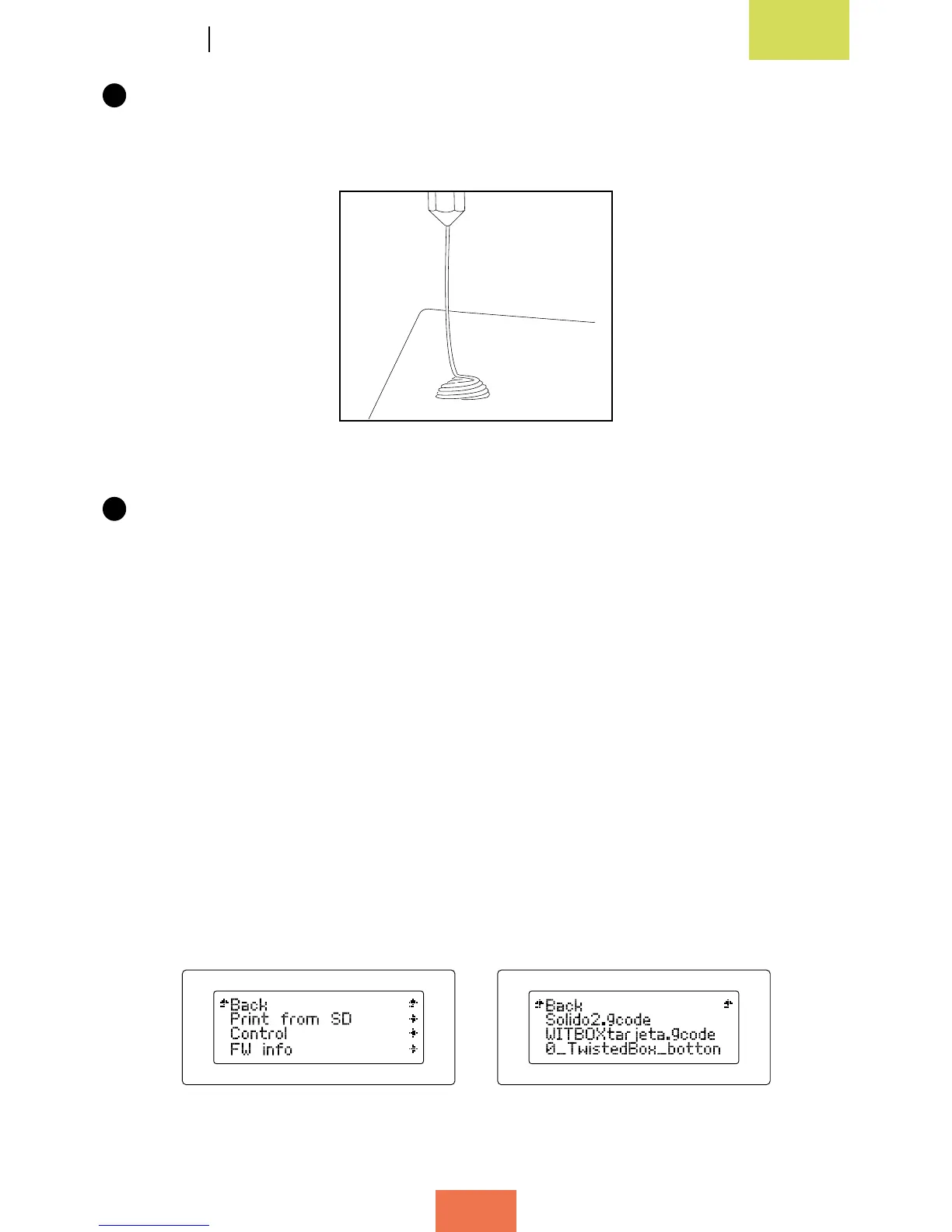
Press the control wheel. After a few seconds, a small stream of melted plastic
will appear in the extruder nozzle. Each time you press the wheel, plastic will be
extruded for a few seconds.
5
Let the extruded plastic cool for a few minutes before opening the printer door.
First test print
The SD card that came with your Witbox has been pre-loaded at the factory with a
number of les for printing test objects. All our printers are tested before they leave
our facility.
In the box of accessories you will nd a plastic object (of medium quality); this was
printed using your printer before it left the factory in order to make sure the printer
was working correctly.
Go to the main menu and select the option Print from SD (g. 3.20). The screen will
display the names of the various different objects that are available to be printed:
select the one named Twisted Box (g. 3.21). After you have selected an object, the
printer will initiate the printing process automatically. On the LCD screen you can
monitor the progress of the printing operation and check the extrusion temperature.
Figure 3.19 Test extrusion to check
thesystemisfunctioningcorrectly
Figure 3.20Mainmenu Figure 3.21Selectthe.gcodele



 To Next Page