15
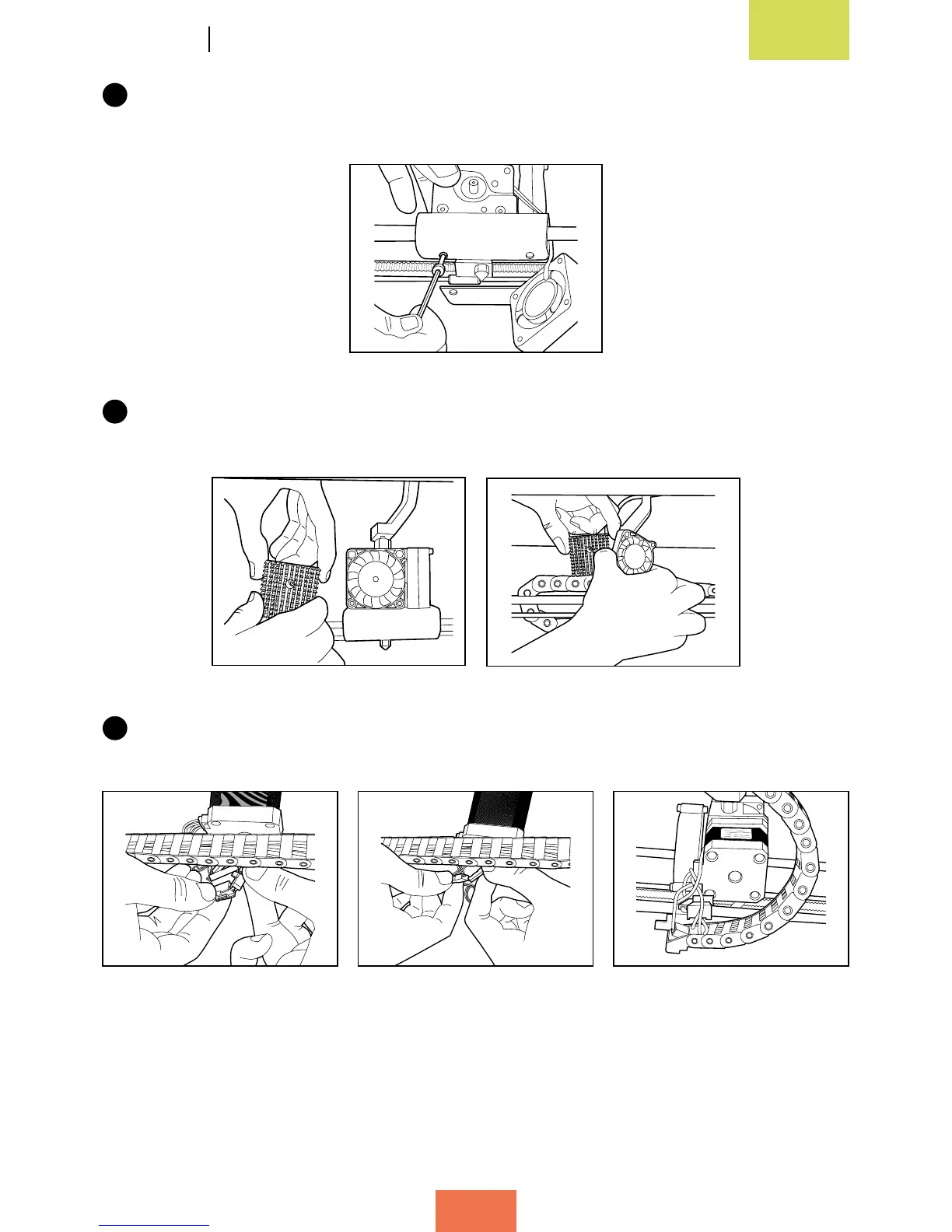
Position the extruder on the carriage and screw it back in carefully, taking care
not to damage the cables.
16
Put the fan and heat sink back into place. The heat sink must be positioned between
the fan and the extruder.
17
Connect the cables. Position the thermistor cable underneath the motor and place
the others next to the carriage, to prevent them from moving.



 To Next Page