BradyPrinter i3300 4
Setup
Unpacking and Setting up Printer
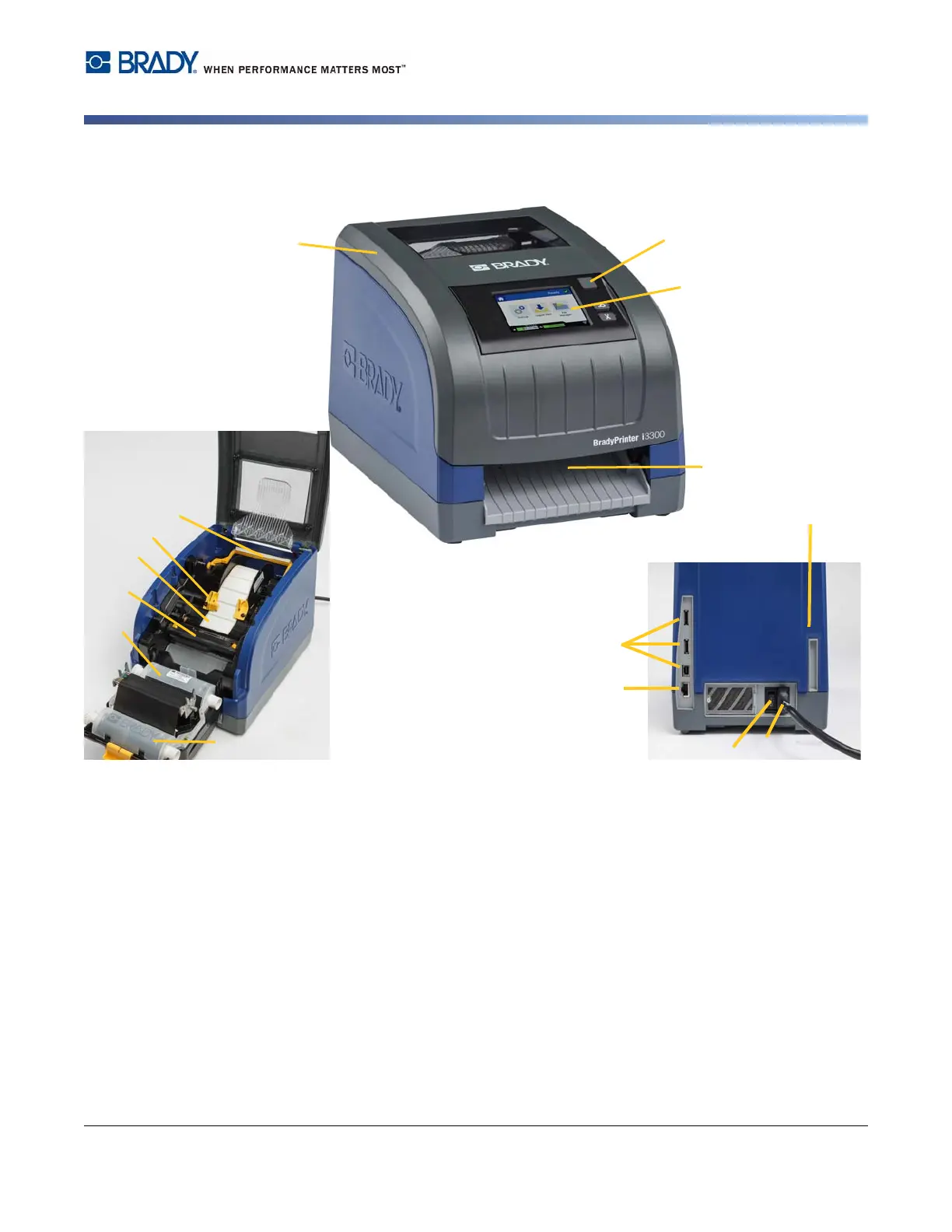
Printer Components
Figure 2-1. Printer Components
Note: The printer is equipped with a universal power supply and can be operated with a voltage of
100 to 240 V~, 50- to 60 Hz. The printer senses the voltage type and automatically adjusts
for the power source.
1 Display (with touchscreen) 2 Power Button
3 Enclosure Cover 4 Label Exit Chute
5 Supply Wiper 6 Supply Guides
7 Label Supply Roll 8 Cutter
9 Ribbon Cartridge 10 Print Head Door
11 (a) USB Ports, (b) Ethernet Port,
(c) Power Cord Connector and
(d) Power Switch















 To Next Page