BradyPrinter i3300 12
Setup
Recycling the Label and Ribbon Cartridges
Dismantling the Label Cartridge
1. Using your thumbs, simultaneously apply
pressure to the release tabs while pushing
the center cylinder forward until the tabs
release and unlock the center cylinder.
2. Pull the loose cylinder free from the label
cartridge.
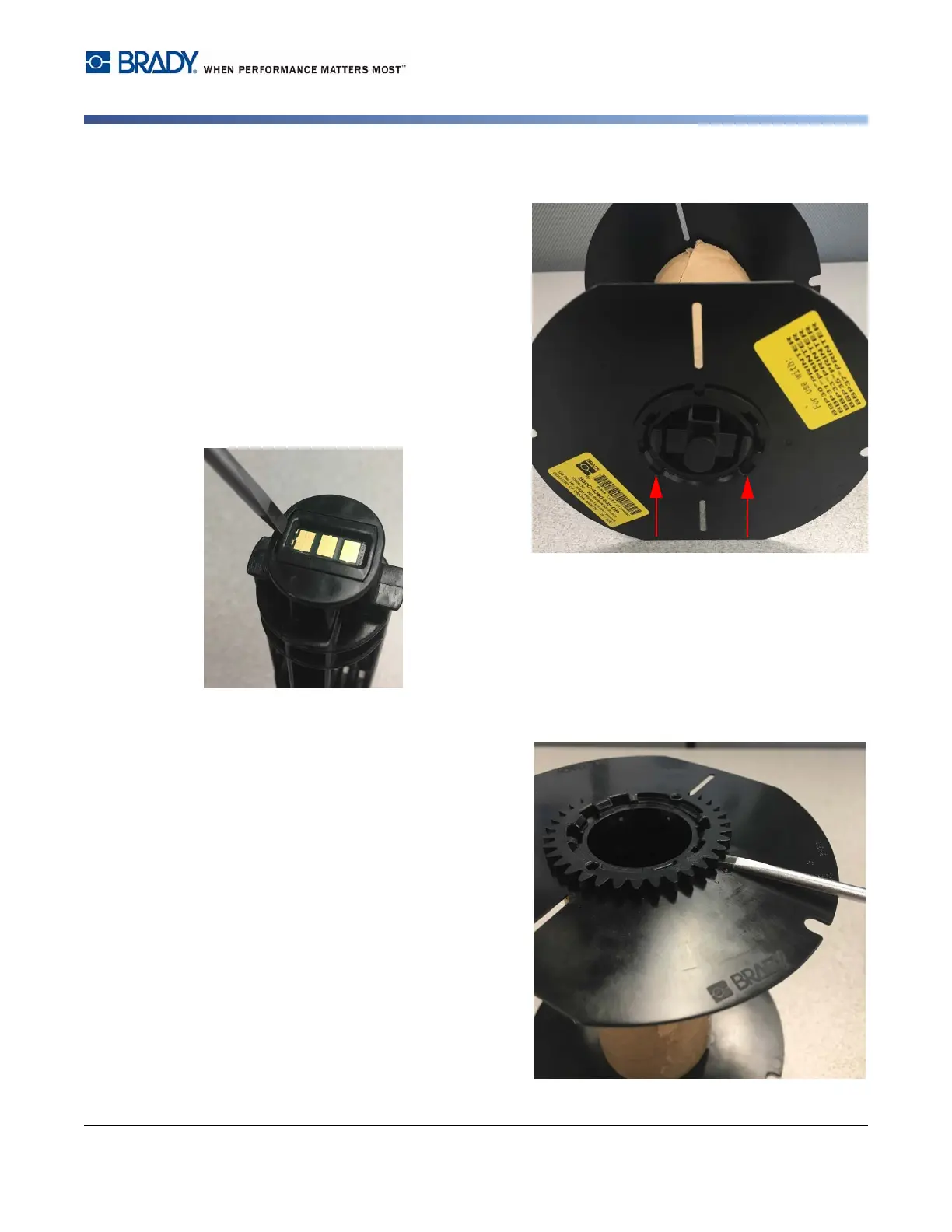
3. Using the screwdriver, place the blade in
the gap next to the smart cell holder and
pry the holder from the cylinder.
4. Remove the smart cell from the plastic
holder.
5. Push the screwdriver blade between the flat cartridge guides and locking end cap. Twist the
screwdriver and continue this process around the end cap until comes off.
6. Repeat this process on the other side of the
cartridge.
7. Remove the cardboard tube by pushing the
center core out from the tube or by cutting
the tube off of the core.















 To Next Page