BradyPrinter i3300 5
Setup
Power
Power
Setup
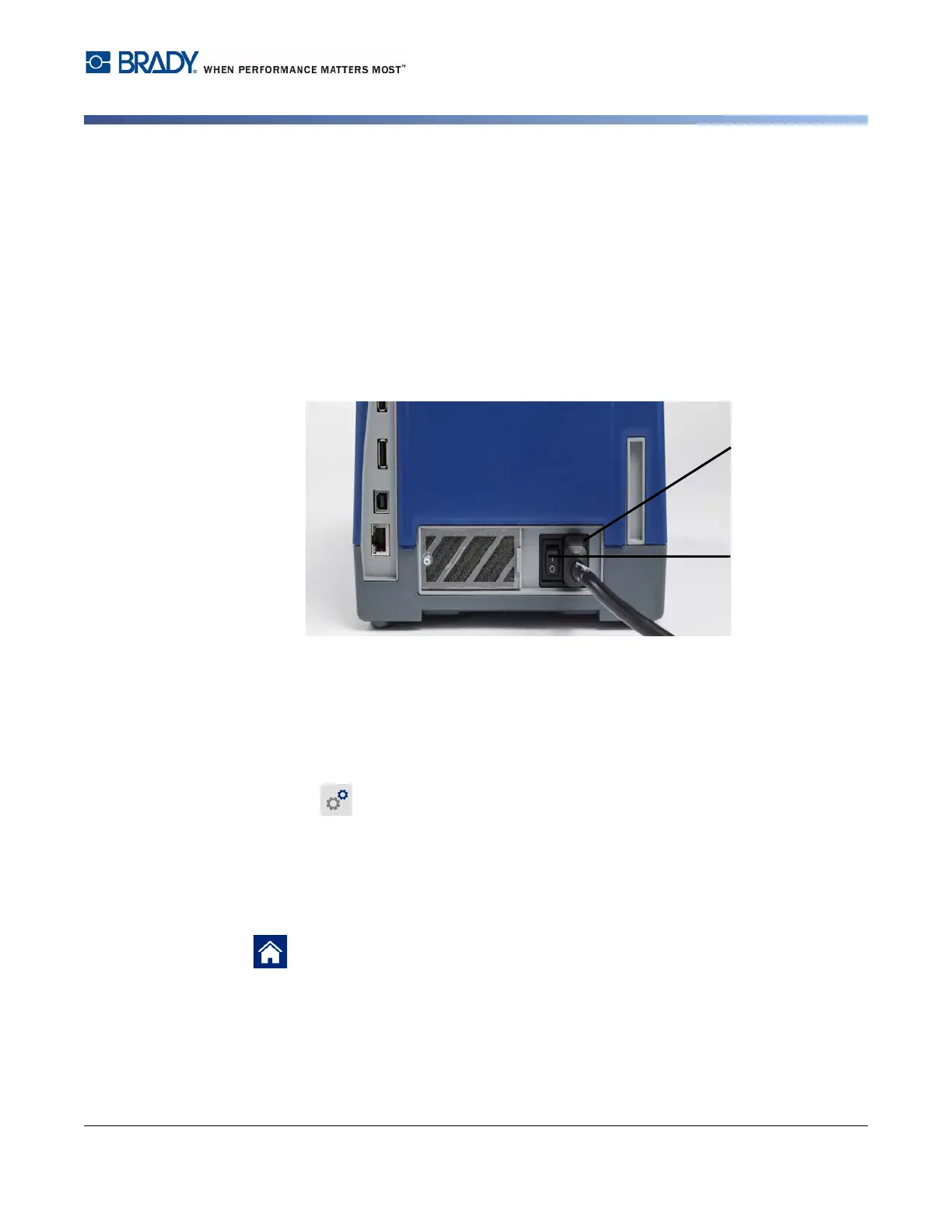
1. Plug the power cord into the printer at the location shown.
2. Plug the other end of the power cord into an AC power outlet.
3. Turn the power switch on. The printer turns on and displays the Home page. The size and
color of the currently installed supplies and other status indicators are shown.
Note: If there is no ribbon or labels installed, the system defaults to black ribbon and
4 inch [101.6 mm] wide continuous white labels.
Power Save Mode
When the printer is plugged in, you can leave it in a state of readiness all the time so that software can
find the printer. Or you can choose to conserve power so that the printer automatically turns off after a
period of inactivity.
1. Make sure the printer is turned on.
2. Tap Settings .
3. Press System Configuration > Power Save Mode.
4. Choose AC Power.
5. Slide the time indicator dot left (decrease) or right (increase) for the amount of inactive time
that can elapse before the printer automatically shuts down. Alternatively you can press the
minus (-) button to decrease or the plus (+) button to increase the time.
6. Tap to return to the home screen.
Power Cord
Connector
Power
Switch















 To Next Page