Personnel:
n
Operator
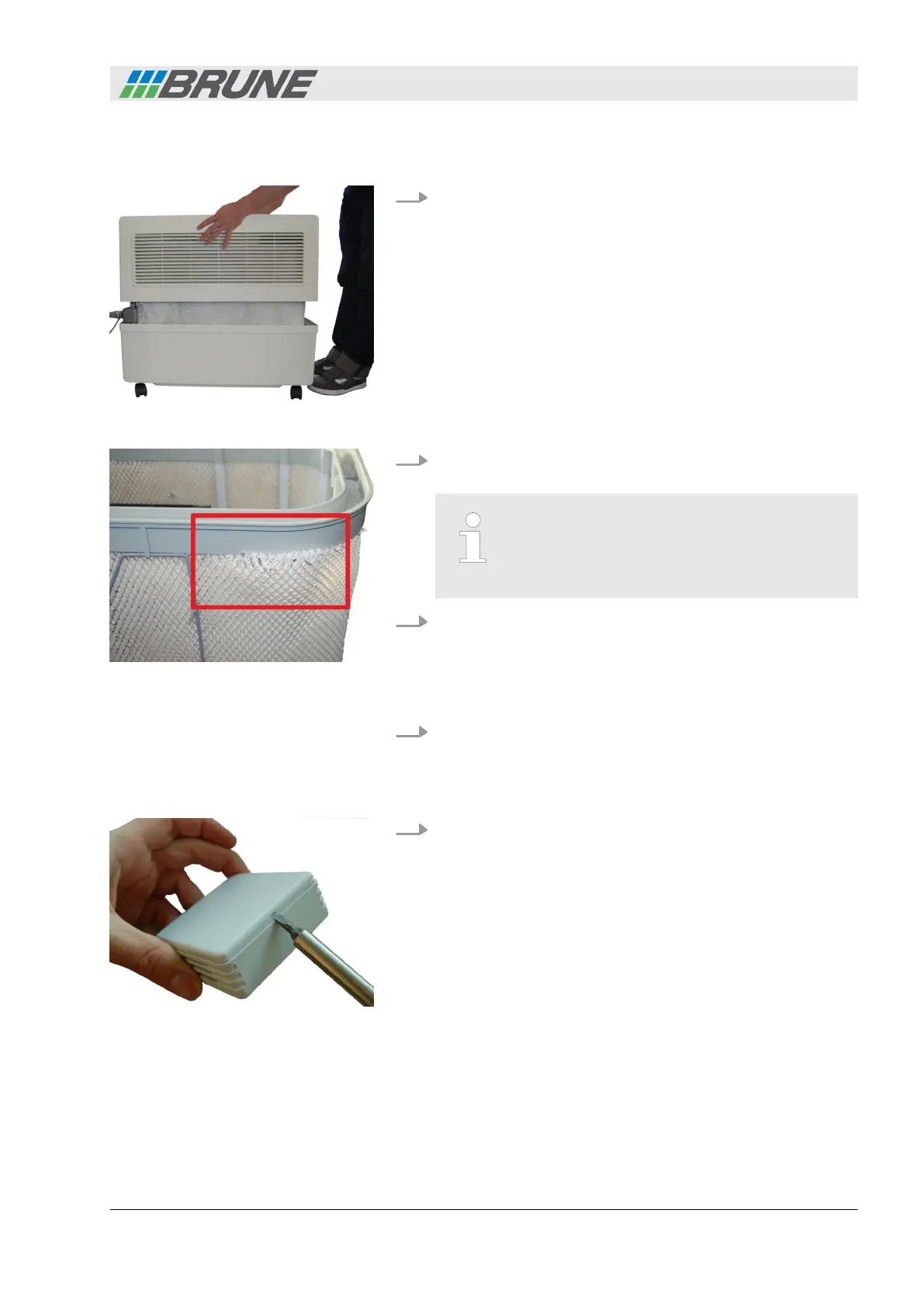
1. Lift the cover of the humidifier upwards and place to the side
(Fig. 9).
2. Check the device visually for defects and correct filter place-
ment.
Ensure that the filter fits against the entire length
of the water distribution within the U-shaped rail
(Fig. 10). If individual fibers of the filter protrude,
water may leak from the device.
3. Remove the following items from the compartment at the
side:
n Power plug
n Wireless sensor system
n Remote control
4. Replace the device cover.
Personnel:
n
Operator
1. Carefully lift and remove the cover of the wireless sensor
system using a small screwdriver.
Preparation
Fig. 9: Removing the cover
Fig. 10: Incorrect filter placement
Commissioning the wireless
sensor system
Fig. 11: Opening the cover
Start-up
Evaporation Humidifier B500 Professional 25



 To Next Page