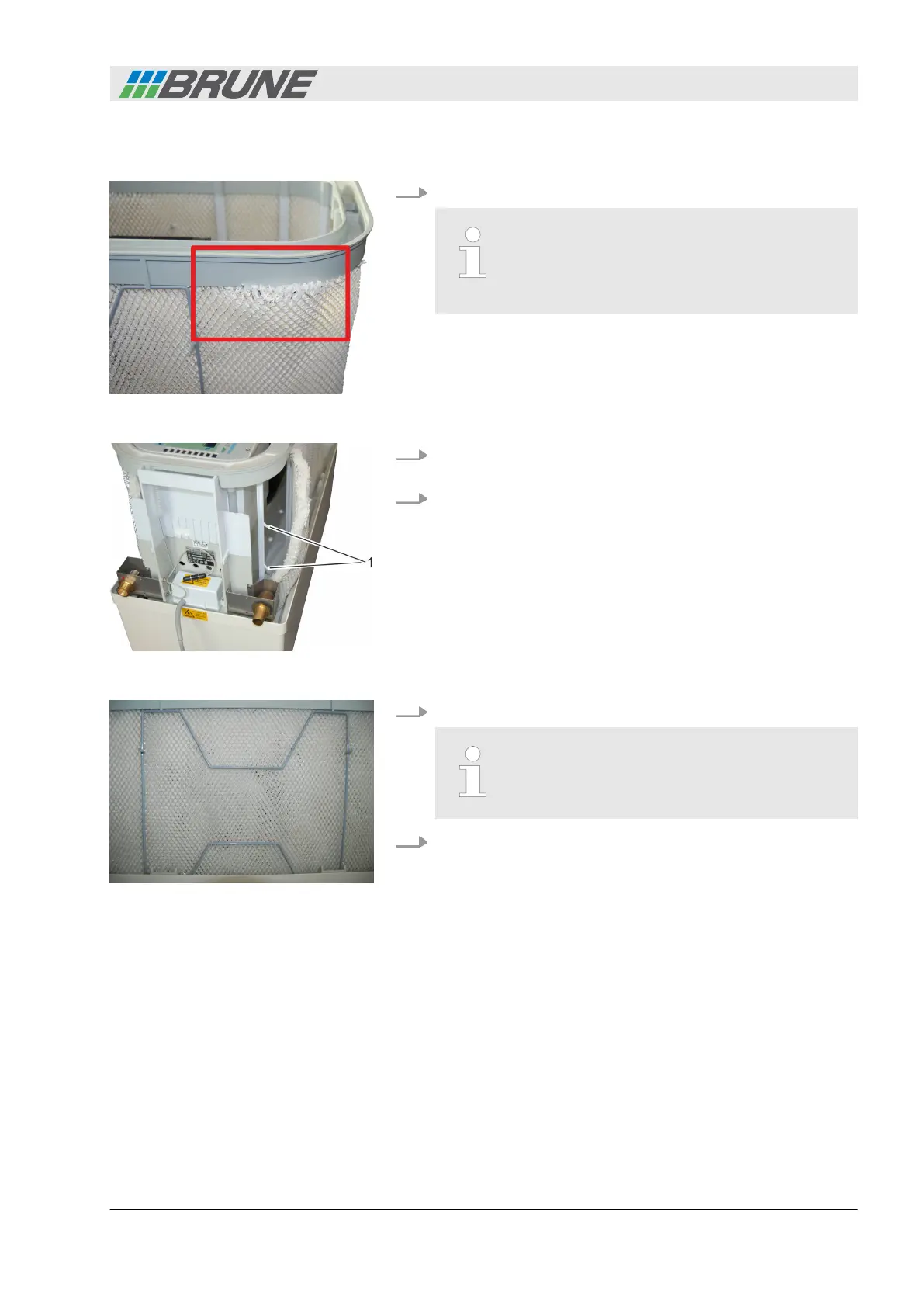
5. Insert the new filter and fasten along the water distribution.
Ensure that the filter fits against the entire length
of the water distribution within the U-shaped rail.
If this is not the case, water could leak from the
device (Fig. 30).
6. Fasten the filter to the attachment hooks (Fig. 31/1) on both
sides.
7. Check that the filter sits securely in the rail of the water distri-
bution and that no fibers protrude.
8. Insert the clamping brackets again.
Ensure correct fit of the clamping brackets. The
filter should not touch the housing, as this could
cause water leakage.
9. Replace the cover of the humidifier.
Inserting the new filter
Fig. 30: Incorrect filter placement
Fig. 31: Fastening the filter
Fig. 32: Inserting the clamping
brackets
Cleaning and servicing the humidifier
Evaporation Humidifier B500 Professional 43



 To Next Page