and start-up
9.3 Ventilating the cooling system
Trapped air in the cooling duct along with generally insufficient cooling of the device will lead to
overheating of the device and increased wear and tear!
Ensure that no air is trapped in the cooling system! The ventilation may also be carried out by means
of pressure or vacuum filling. Ensure that the admissible maximum system pressure is not exceeded.
Ensure that the cooling circuit is fault-free!
ILLUSTRATION / OTHER INFORMATION
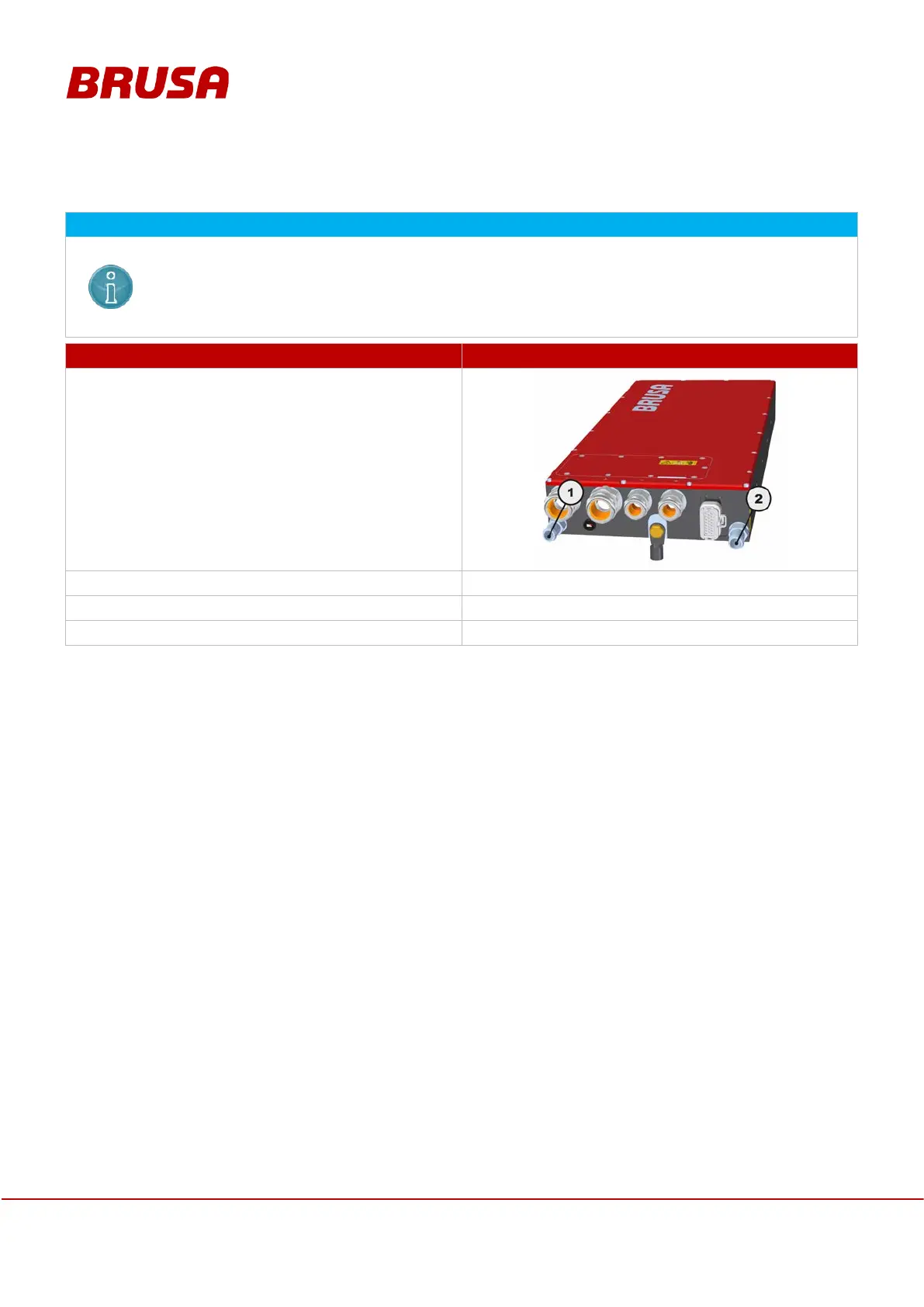
Check the cooling water connections on the device
for water tightness and proper fit.
Always check for correct connection of the
water inlet (1) and cooling water outlet (2)!
Switch on the cooling circuit.
---
Leave the cooling circuit turned on for around 30 s.
---
Switch off the cooling circuit.
---


 To Next Page