T401S Indicator User Instructions 11
2.3 Numeric entry procedure
2.3 Numeric entry procedure
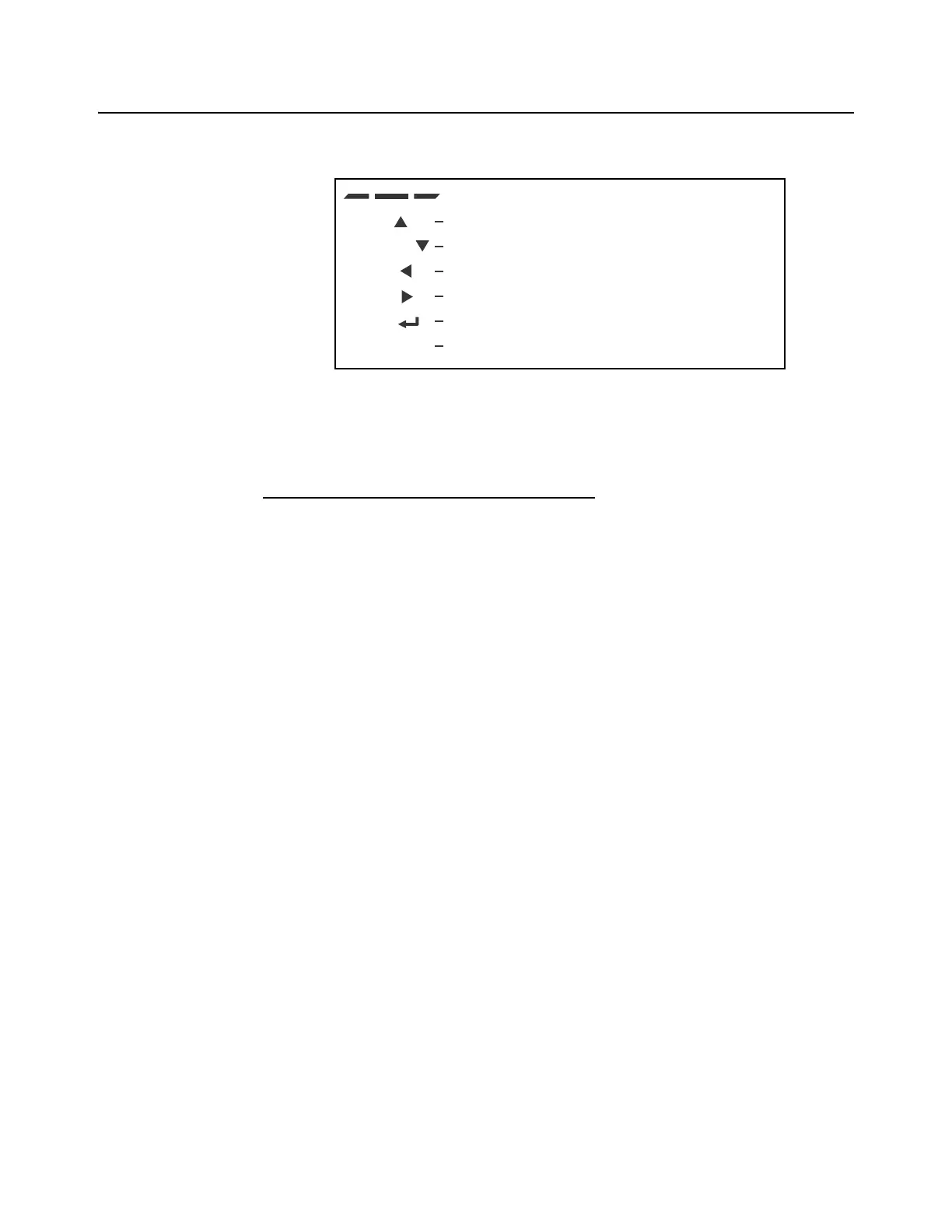
The keys in Figure 2.3 have alternate functions in numeric entry screens.
Figure 2.3 Key function during numeric entry
In numeric entry screens, the center segments shown in Figure 2.3 flash. Use the keys,
as described in Figure 2.3, to enter a value on the display. Following is an example:
Example: To key in the number 507:
Repeatedly press the TARE() or SELECT() key until 5 appears on the display.
Press the UNITS() key once to move cursor one space to the right.
Repeatedly press the TARE() or SELECT() key until 0 appears on the display.
Press the UNITS() key once to move cursor one space to the right.
Repeatedly press the TARE() or SELECT() key until 7 appears on the display.
Press the ZERO key to enter or accept the value.
Press the PRINT() key to move the entry function one digit to the left. This effectively
deletes the current value in that position and allows you to enter a new value in that
position.
TARE /
SELECT /
PRINT /
UNITS /
ZERO /
F1 /
ESC
These segments flash in numeric entry mode
Press to increment the flashing number
Press to decrement the flashing number
Press to backspace cursor in a number
Press to advance cursor in a number
Press to accept a value
Press to escape an entry screen



 To Next Page