T401S Indicator User Instructions 27
4.5 User menu
4.5 User menu
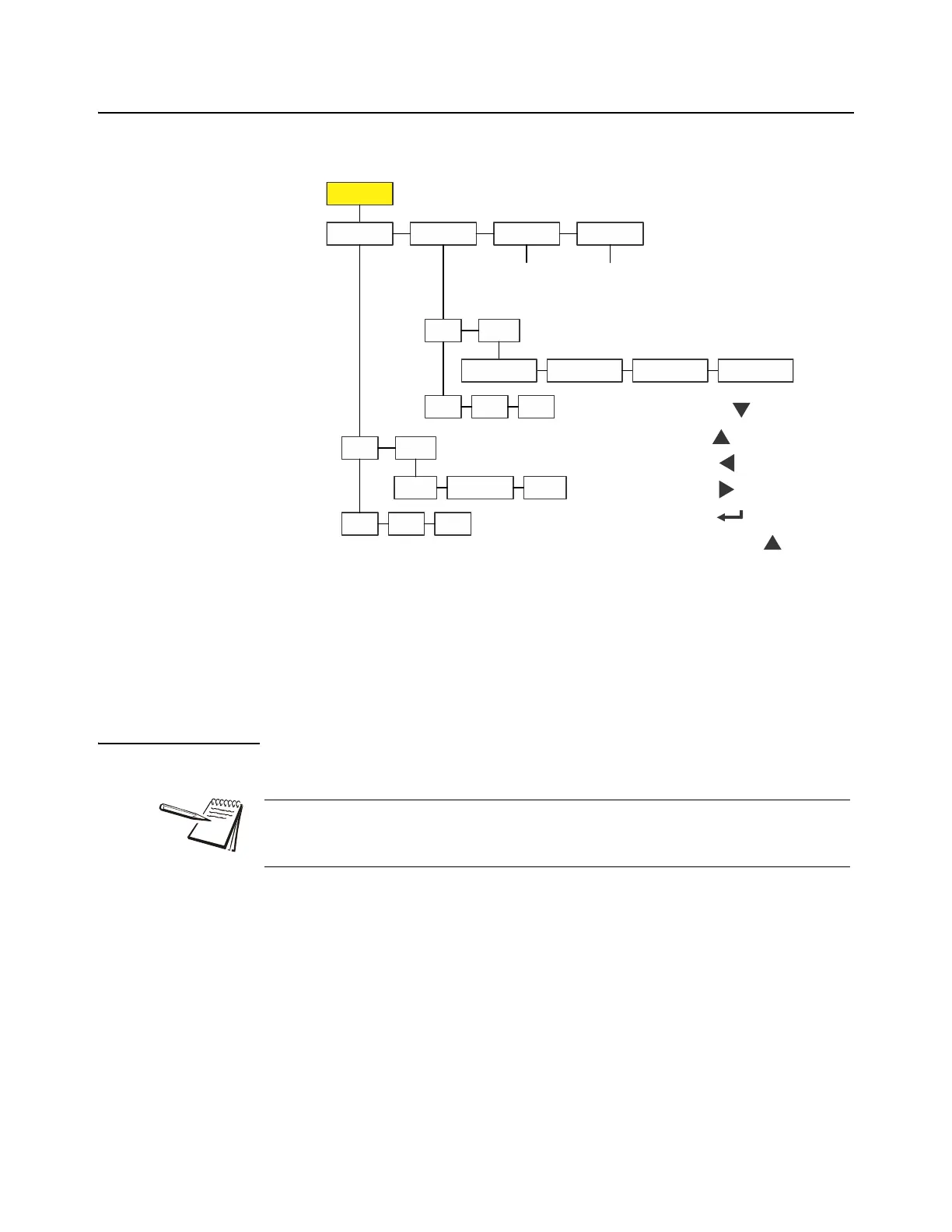
The User menu is shown in Figure 4.2.
Figure 4.2 User menu
Use this menu to set the time and date, to enter a site ID, and view the physical seal
status. Each is explained below. Use the Numeric entry procedure on page 11 when
you need to enter values.
4.5.1 Time
User Time
1. Access the User menu (see Accessing the menus on page 25) and press
SELECT …
tiME is displayed. Use this to set the time and clock style.
2. Press SELECT …
SEt is displayed.
3. Press SELECT …
h- x is displayed, with the x flashing. This is a numeric entry screen for
the hour value.
User
Site ID
Seal
Time
Date
Set
Style
h- m- s-
12hr 12hr-AP 24hr
Set
Style
y- m- d-
MMDD4YMMDD2Y DDMM2Y
Enter
Site ID
View
Seal
Status
SELECT =
TARE =
PRINT =
UNITS =
ZERO =
F1 = Escape or
The and symbols used in this section stand for direction moved in the menu. So
User Time, shown above, illustrates that you move down from uSEr to tiME. This
will help you keep track of where you are in the menu structure.



 To Next Page