T401S Indicator User Instructions 23
3.6 Peak hold application
3.6 Peak hold application
This section applies if your indicator has the Peak Hold application active.
3.6.1 SELECT key default function
In the Peak Hold application you can view the gross peak weight display value by
pressing SELECT.
3.6.2 Special key functions
The following key has an extra function in this application:
F1 F1 resets the max peak weight to the current gross weight.
3.6.3 Peak hold operation
Only the highest weight applied to the scale is displayed when the peak weight value
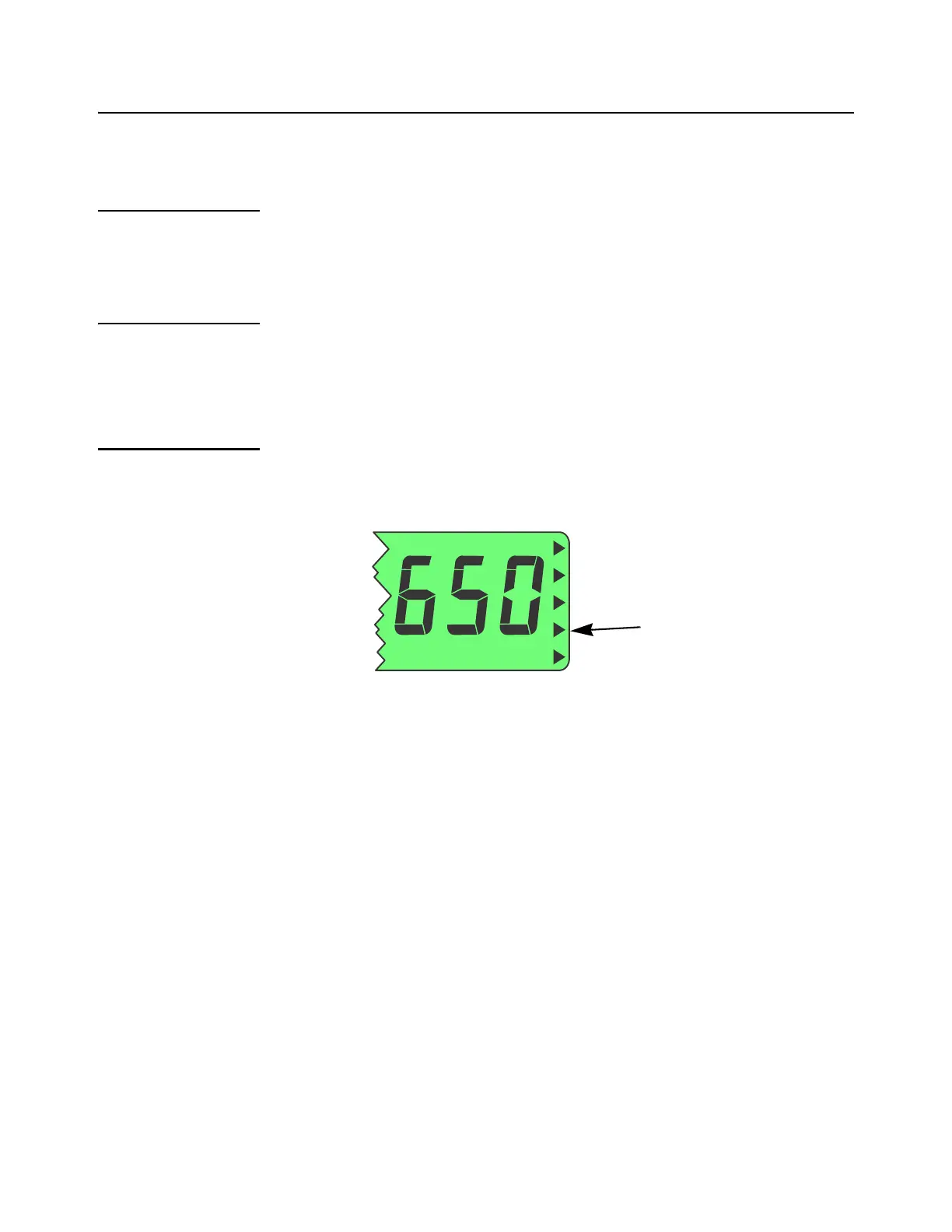
is selected to be displayed. Peak weight is designated by the annunciator shown in
Figure 3.2.
Figure 3.2 Min/Max annunciators
With the Peak application active, follow these steps to perform and view peak
weighments.
1. Repeatedly press SELECT until the annunciator shown in Figure 3.2 lights. This
means you are now viewing the peak weight.
2. With no weight on the scale, press ZERO, if necessary press F1 to reset any
previous peak value on the display.
3. Place weight on the scale and then remove it …
The display will show the peak weight recorded during the weighment.
4. To reset the peak, press F1 …
The peak weight is reset to the current gross weight.
5. Repeat the steps to perform another peak weighment.
This annunciator
lights for peak
weight



 To Next Page