T401S Indicator User Instructions 25
4.1 Accessing the menus
4 Menus
Password protected menus are available to configure the indicator and/or view
information.
4.1 Accessing the menus
Follow these steps to access the menus in the T401S.
1. With the indicator powered up and in normal operating mode, press and hold
F1 …
Pass is displayed, prompting you to enter the password.
2. Key in the password for the menu you want and press the ZERO key …
The first item in the top level of the menu you accessed is displayed.
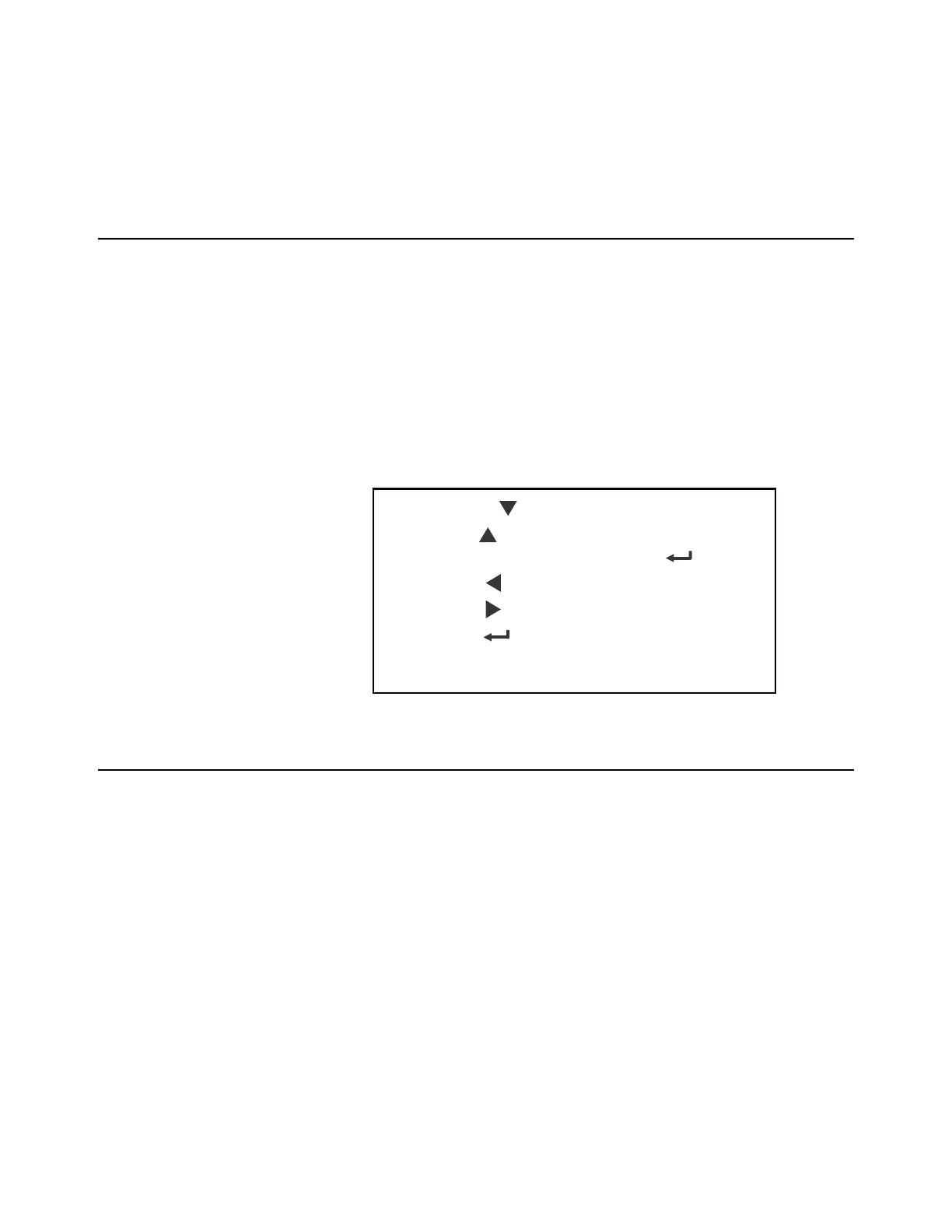
3. Use the navigation keys, shown below, to navigate through the menu
structure. The symbols in the chart appear on the bottom of the keys.
4.2 Menu annunciators
The menu structure is made up of menu items, parameters, value entry screens and
lists from which you choose one item. To help you know where you are in the menu,
the bargraph at the top of the display is on while the indicator is in the menus and will
change appearance according to the following rules:
All segments flashing This means you are in the menu structure but not
in any of the following screens.
Center flashing / others solid This means you are in a parameter prompt
screen.
Center flashing / others off This means you are in a numeric entry screen.
Enter a number and press ZERO to accept.
Right flashing / others off This means you are in a list. Scroll through the
choices with the PRINT and UNITS keys and
press ZERO to accept.
Press SELECT/ to move down in a menu
Press TARE/ to move up in a menu, except at the
bottom item in a menu, then use ZERO/ or F1
Press PRINT/ to move left in a menu
Press UNITS/ to move right in a menu
Press ZERO/ to accept a value or choice and
move up in the menu.
Press F1 to escape and move up in the menu



 To Next Page