4.3. Managing App Updates
CAUTIONS!
• Butterfly supports the current and two previous releases of the app. Upgrading across multiple
versions of the app may require you to uninstall and reinstall the app resulting in possible data
loss.
• If the system has not been connected to a wireless or cellular network in the last 30 days, the
system prompts you to connect to the Internet for important updates.
• If you ignore the mandatory updates, the system may lock you out.
Butterfly iQ App updates are available in the Apple App Store or Google Play Store.
In your device's settings, you can configure the Butterfly iQ App to update automatically or manually.
If your mobile device is configured to automatically update applications, the Butterfly iQ App updates automatically
when an update is available.
If your mobile device is not configured to update automatically, periodically check for updates in the Apple App Store
or Google Play Store.
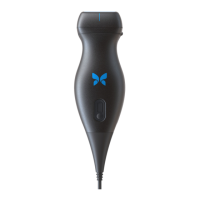
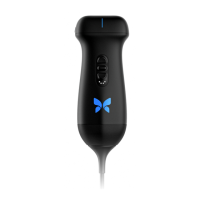
4.4. Charging the Probe
WARNINGS!
• Use only cables, probes, chargers and accessories specified for use with Butterfly iQ/ iQ+/ iQ3.
Substitution of non-approved accessories may cause the system to perform improperly or cause
injury to the patient or operator.
• If the probe seems unusually hot, produces an odor or smoke, or leaks, stop use immediately.
Unplug the probe from the mobile device or disconnect it from the wireless charger (if
applicable). Contact support at support.butterflynetwork.com.
• The probe is designed to remain sealed. Do not attempt to open the probe or tamper with the
device internals, including the battery. Doing so may cause injury to the patient or operator.
• The cable on the Butterfly iQ is not designed to be removed by the user. The cable on the
Butterfly iQ+/ iQ3 is designed to be removed by the user, but the user should check that the
cable is fully installed to ensure the probe is protected from the external environment.
• The probe battery is not user-replaceable. Replacement of the battery by parties other than
Butterfly Support may result in a hazard such as higher temperatures, fire, or explosion.
• A non-medical grade power supply must be used outside of the patient environment so that it is
at least 1.5 meters from the patient.
CAUTIONS!
• The probe battery should be charged at least monthly to ensure proper functionality.
• If the probe will not power on after charging, it could indicate a battery failure. Contact Support
at support.butterflynetwork.com.
Managing App Updates
Setting Up the System 26


 To Next Page