15.3. Updating the Probe and App Software
Updates to the Butterfly iQ App and probe are handled through the Apple App Store or Google Play Store.
Keep your mobile device’s operating system and the Butterfly iQ App updated to ensure you have the most
up-to-date version.
CAUTION!
Only download the Butterfly mobile application from the Apple app store, the Google Play app
store, or via your organization's Mobile Device Management Solution (MDM) (If applicable).
CAUTION!
When the application is no longer going to be used on the applicable mobile device, please
uninstall the application according to the iOS or Android workflow in order to remove any
applicable user data from the device.
NOTE
When use of the application is no longer neccessary, navigate away from the Butterfly iQ
application to disable use.
15.4. Performing the Probe Diagnostic Test
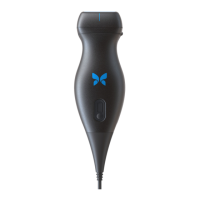
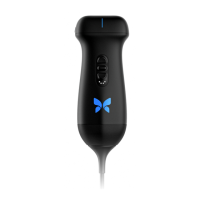
Butterfly iQ/ iQ+/ iQ3 is capable of performing user-initiated diagnostic self-tests designed to assess the system’s
readiness for use.
Perform the diagnostic test periodically. With normal use, monthly testing is best practice.
The diagnostic test is only for the Butterfly iQ/ iQ+/ iQ3 ultrasound probe. The app does not have the ability to
assess the mobile device’s screen integrity.
The diagnostic test runs through a series of diagnostic tests and notifies you when all tests have been successfully
completed.
To perform the probe diagnostic test:
1. Make sure the probe is connected to a supported mobile device with the Butterfly iQ App installed.
2. Log in to the app using your login credentials.
3. Enter the Settings menu.
4. Tap My iQ to display the My iQ screen.
5. Tap Run Diagnostics and then select Start Probe Diagnostics to perform the test.
Probe Diagnostic Test
The Probe Diagnostic Test performs a test of the digital and acoustic performance of the transducer elements. If the
Probe diagnostic test indicates a failure, the user should contact Butterfly Network for further support [91].
Additionally, each time the probe is turned on, and while it is running, the system tests the analog and digital
subsystems, safety sensors, battery level, etc. and detects and reports failures should there be any concern.
Updating the Probe and App Software
Maintenance 81


 To Next Page