• Because the measurements on the Spectrum could be used for any of the peaks, the velocities are generic; v
1
and v
2
.
• Following the convention used in Cardiac Pulsed Wave Doppler, only the absolute value of the measured
velocities is shown.
6.5. Using Biplane Imaging
TM
(Butterfly iQ+/ iQ3 only)
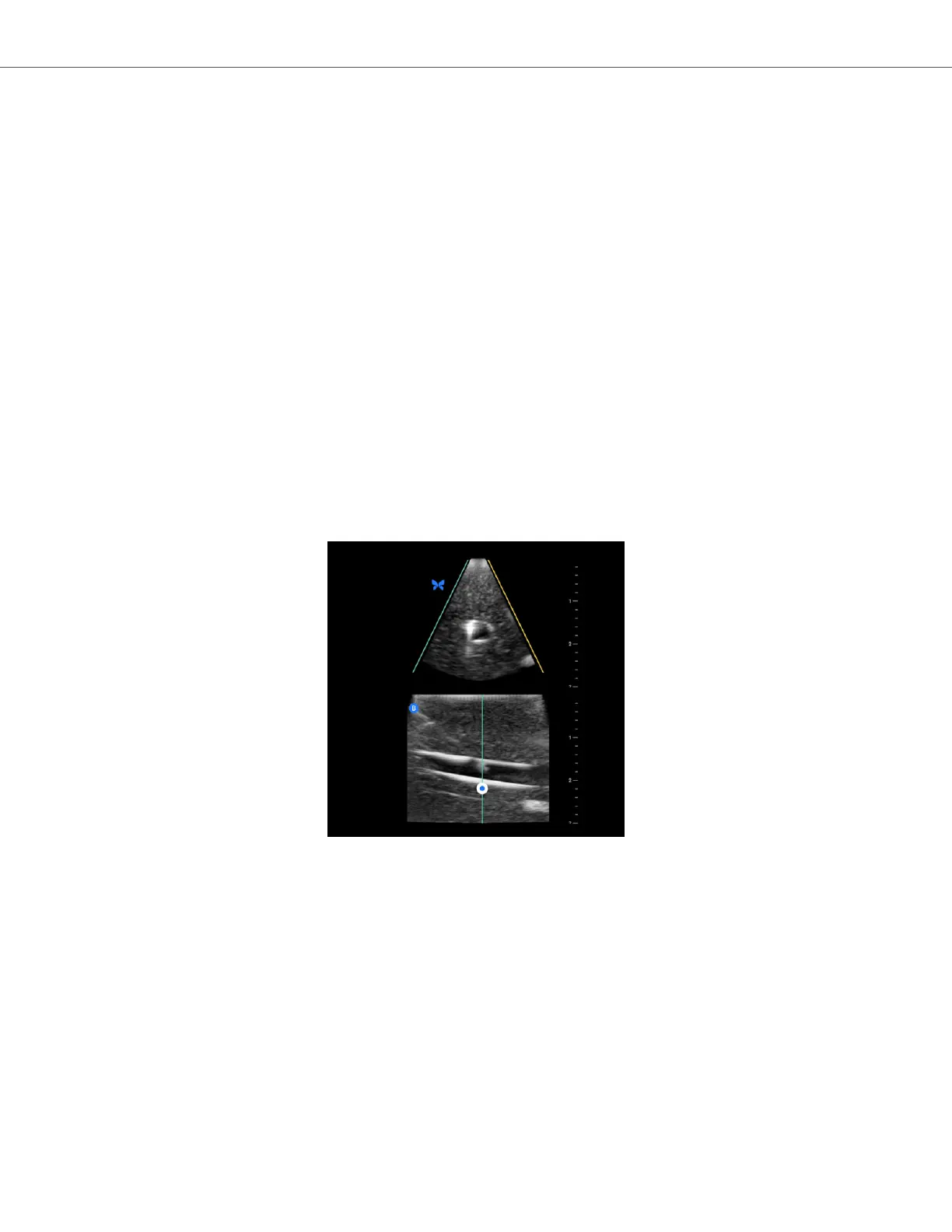
Biplane Imaging is a qualitative mode that displays two planes of imaging, along the longitudinal axis of the probe
and the transverse axis of the probe. The longitudinal axis is displayed on the bottom of the screen, called the
“reference plane” and the transverse axis is displayed on the top of the screen, called the “perpendicular plane”.
Biplane Imaging is available in the Cardiac Standard, Cardiac Coherence, Musculoskeletal, MSK-Soft Tissue, Nerve,
and Vascular: Access presets.
When using Biplane, you can:
• View and adjust the position of the perpendicular plane with respect to the reference plane
• Optimize the gain and depth simultaneously in both planes
• Freeze still images and measure in either viewport
• Capture cines and stills
• Activate Needle Viz (In-Plane) tool
In order to start using Biplane Imaging:
1. Enter a preset in which Biplane Imaging is available. Activate Biplane from the actions menu
2. Apply gel to the probe and start scanning
3. To adjust the position of the perpendicular plane, touch and drag the white dot side-to-side in the longitudinal
(bottom) plane
4. Freeze, measure, annotate, and capture tools, as well as gain and depth adjustment, are available within
Biplane
5. To simultaneously use the Needle Viz (in-plane) tool, activate the tool from the actions menu. The reference
plane will display the region-of-interest within which an in-plane needle will be highlighted. Additionally, if the
needle crosses the perpendicular plane indicator, the position of the needle in the out-of-plane view will be
projected upon the perpendicular plane. To flip the position of the region-of-interest, tap the flip button
Biplane in Cardiac presets
Using Biplane Imaging
TM
(Butterfly iQ+/ iQ3 only)
Using Modes 35


 To Next Page