190 5-1 Air Conditioning System
5-1 AirConditionin gSystem
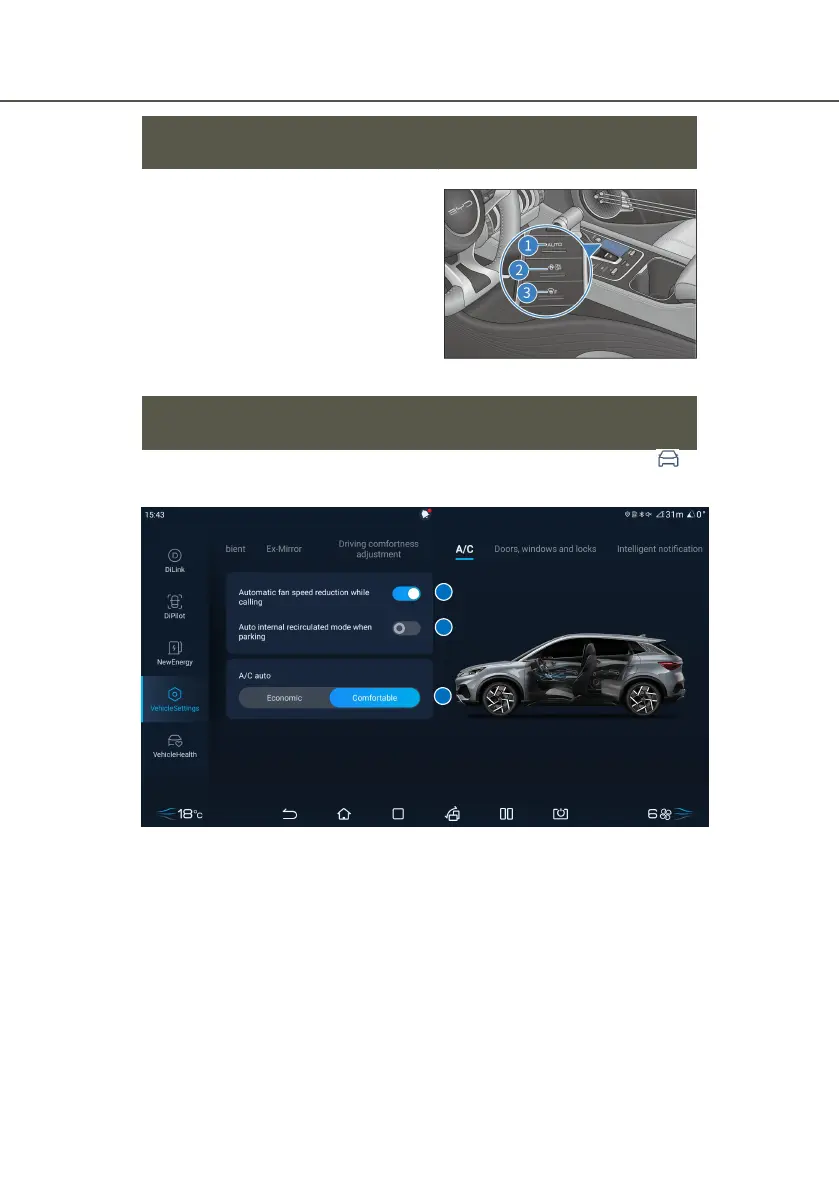
View of A/C Control Panel
Front A/C button:
① AUTO button
② A/C ON/OFF button
③ Front windshield defrosting button
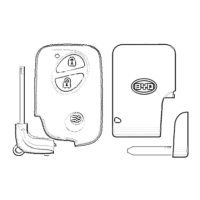
A/C Operating Interface
■ The user can enter the A/C setting interface through Multimedia →
Vehicle settings → A/C.
① Fall speed reduction during calls
② Auto air recirculation when parking
Fall speed reduction during calls
■ Tap this button to turn on the setting of automatic wind reduction while
calling with Bluetooth.
■ Tap this button again to turn off the setting of automatic wind reduction
while calling with Bluetooth.



 To Next Page