92 3-4 Switches
② Unlocking
By pressing the unlock button on the console door lock, all the four doors will be
unlocked at the same time and the red locking indicator will go out.
■ When the vehicle suffers strong impact, all doors will unlock automatically.
Automatic unlocking will depend on the impact strength and the type of
accident.
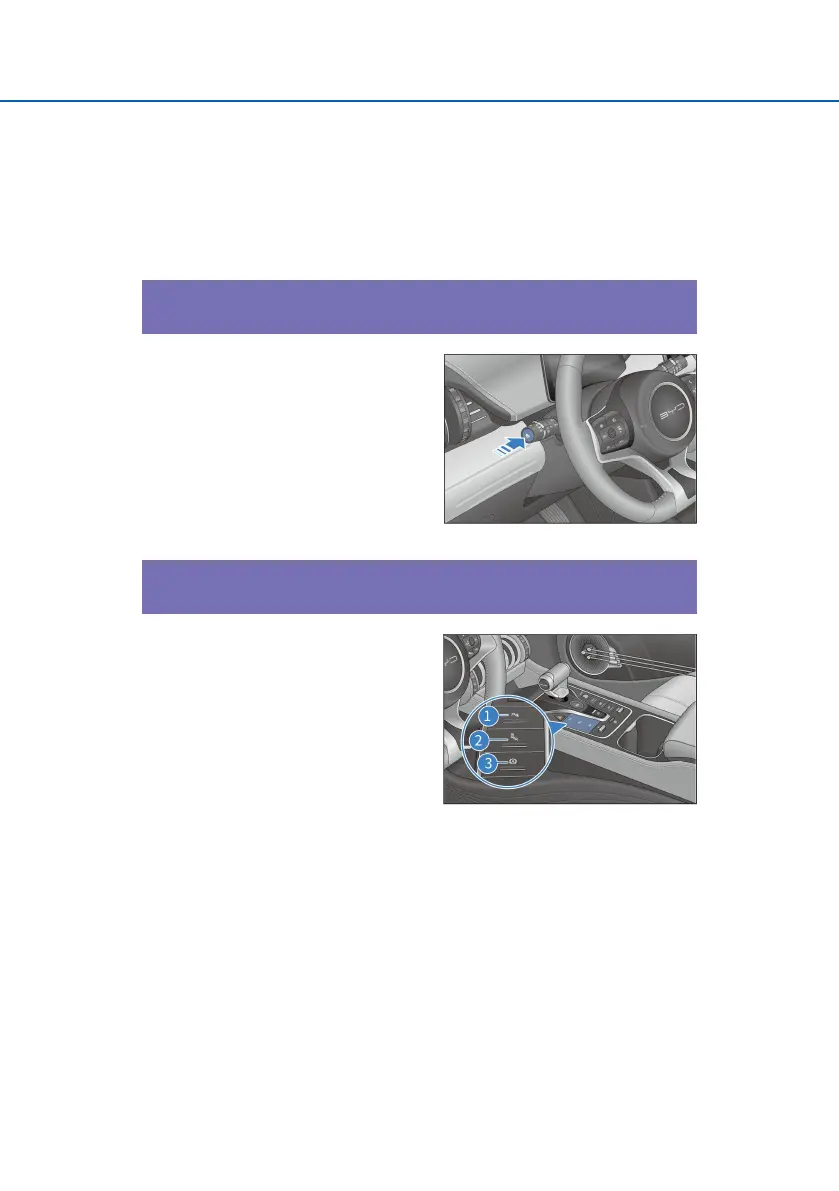
ODO/TRIP button
■ Press the ODO/TRIP button to
switch in the circulation of ODO —
TRIP A — TRIP B — ODO. In
addition, the corresponding
information switching state will be
displayed on the instrument.
■ Press and hold the button to reset
the TRIP A and TRIP B to zero.
Driving assist switch set
The central control switch group
consists of reversing radar switch *,
automatic parking switch * and
automatic vehicle hold switch *.
① Reversing sensor switch
Press this button to turn on the
reversing sensor system function. (For
details, please see-Power switch of
reversing radar)
② Blind spot monitoring system button*
Press this switch to turn on the blind spot monitoring function. (For details,
please see- Blind spot monitoring system button setting*)
③ AVH switch*
Press this switch to turn on the automatic vehicle hold function. (For details,
please see-Automatic vehicle hold switch)



 To Next Page