TOTAL LITE Revision 1
SERVICE MANUAL FOR INNOVATION TOTAL LITE Single-Cup Brewer
21
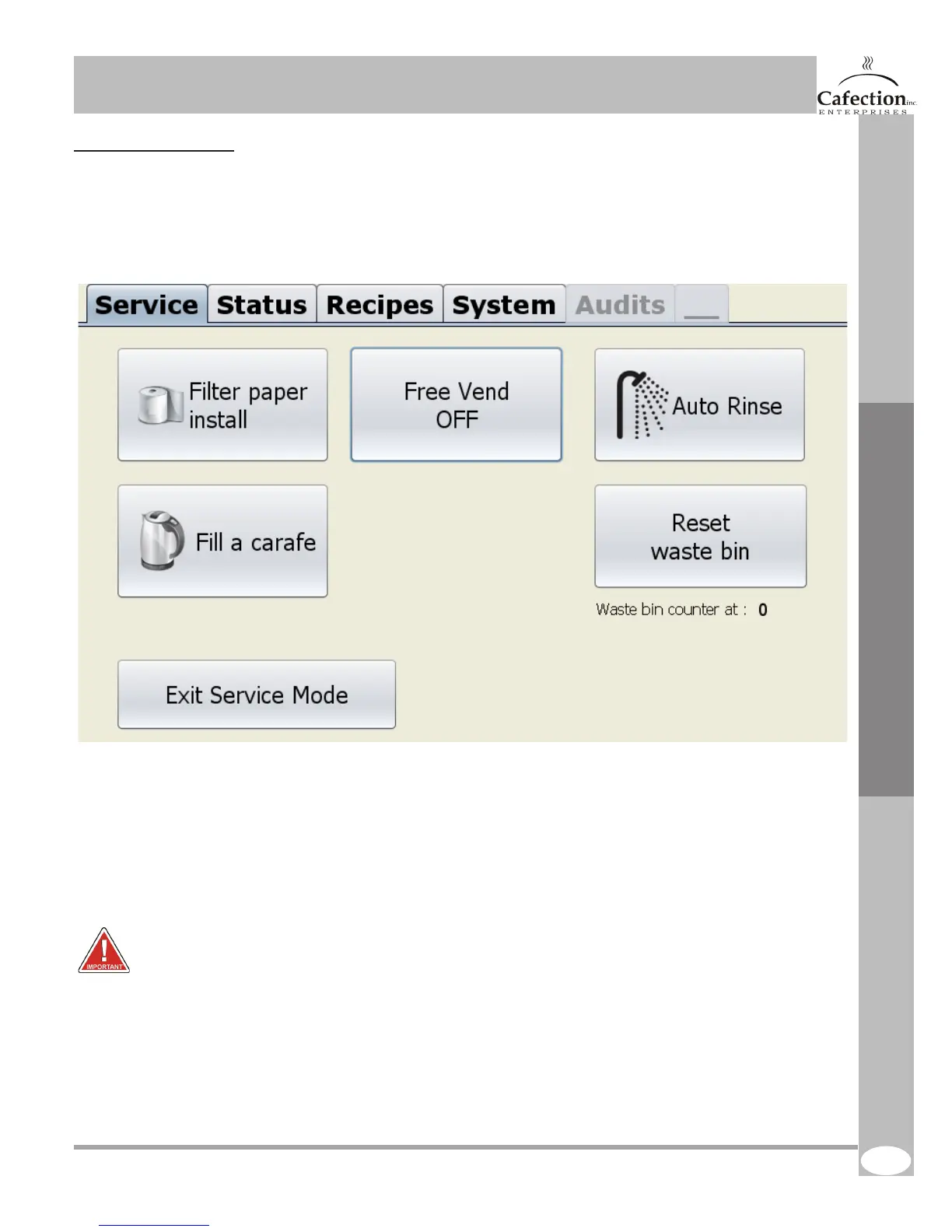
6.2 Service Screen
To get to the screen below press the setup (white) button (SW1 as shown in section 4.7) on the main
board inside the door. The service tab will be displayed on the screen.
1. This button is used to change the lter paper. Follow the instructions on the screen after pressing it.
2. This button is used to put the brewer in free vending mode. If the brewer is in free vending
mode the button will appear in green and show ON. If the brewer is not in free vending mode the
button will show OFF. When free vend is enable, the coin, bill and card devices will be disabled so
the customer can get product without paying. Please note, when free vend is ON, the optional
printer will not print any coupons.
3. This button is used to rinse the brewer and the whipper chamber. Follow the instructions on the
screen after pressing it. WARNING! make sure to place a container large enough (size is specied
on the screen) . BE CAREFUL because water is VERY HOT!
4. This button is used to enter carafe mode. For more information see next page.
5. This button is used to reset the waste bin counter.
6. This button is used to exit service mode.
1. 2. 3.
4.
5.
Service Software
6.



 To Next Page