TOTAL LITE Revision 1
SERVICE MANUAL FOR INNOVATION TOTAL LITE Single-Cup Brewer
27
Service Software
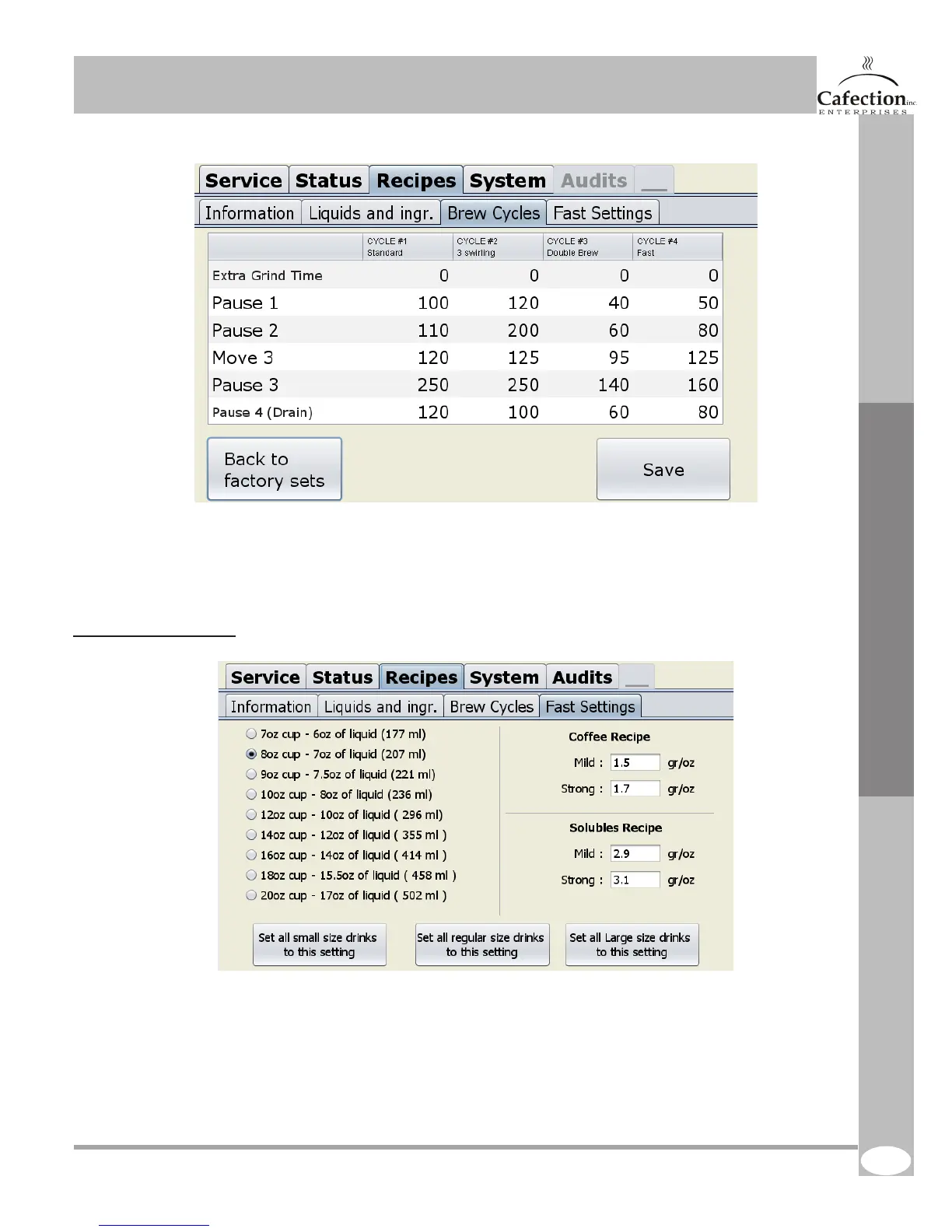
This image refers to the previous page.
1. Brings back all brew cycles setting to factory settings.
2. TO SAVE any parameters change press this button.
6.6.4 Fast settings tab
1. Select the cup size you want. (7oz to 20oz cup).
2. This table is used to set the amount of coffee grind per water onces. Set your coffee recipe.
3. This table is used to set the amount of soluble powder per water onces. Set your soluble recipe.
4. Assign your settings to a cup size (small, medium, large). Press one of the 3 buttons at the bottom
of the screen. All drinks will be automatically set in the liquids and ingredients tables.
N.B.: The fast settings does not take in charge the gourmet selection, which can only be edited
manually.
1. 2.
3.
4.
1. 2.



 To Next Page