About this Manual o***
The functions assigned to the joystick change according to the operation mode and the
camcorder's settings. Press (_)) to display/hide the joystick guide.
In the illustrations of the manual, When the joystick guide contains
positions other than those relevant to the multiple 'pages', [NEXT] and the page
function explained are marked with a ;_ number icon (v) will appear at the
striped pattern. Depending on the model bottom position. Push the joystick (y)
and the operation mode, these positions ,4_ EXT v', toward [NEXT] to display the next 'page'
may be empty or show a different icon of the guide.
than the one on the illustration.
About the Power Switch
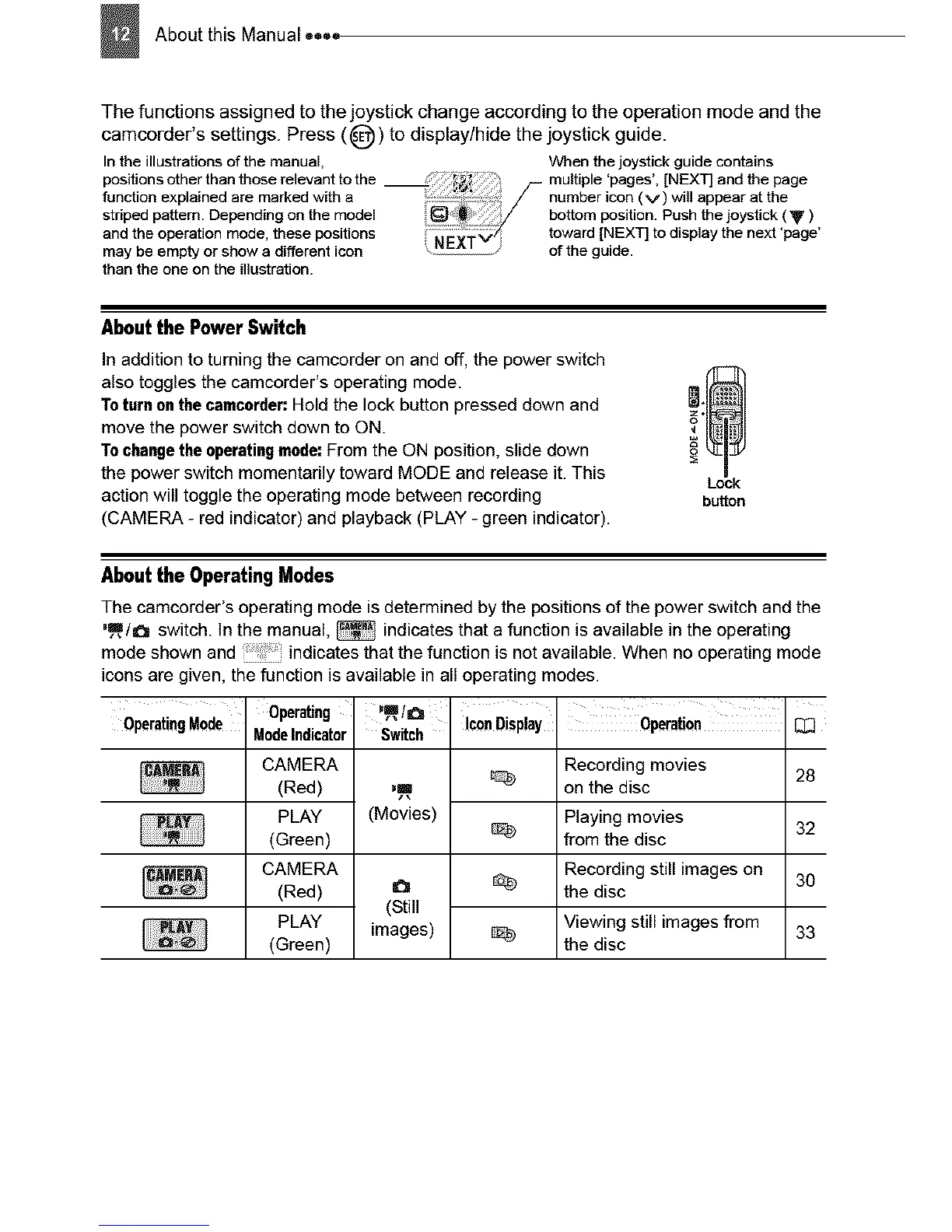
In addition to turning the camcorder on and off, the power switch
also toggles the camcorder's operating mode. !_[_1
Toturnonthe camcorder:Hold the lock button pressed down and =_:
move the power switch down to ON.
Tochangethe operatingmode:From the ON position, slide down
the power switch momentarily toward MODE and release it. This Lock
action will toggle the operating mode between recording button
(CAMERA - red indicator) and playback (PLAY - green indicator).
About the Operating Modes
The camcorder's operating mode isdetermined by the positions of the power switch and the
'_/_ switch. In the manual, _ indicatesthat a function is available in the operating
mode shown and indicates that the function is not available. When no operating mode
icons are given, the function is available in all operating modes.
OperatingMode Operating
ModeIndicator
CAMERA
(Red)
PLAY
(Green)
CAMERA
(Red)
PLAY
(Green)
',_,ta
Switch
,,m
(Movies)
(Still
images)
Icon Disp!ay Operation
Recording movies 28
on the disc
Playing movies 32
from the disc
Recording still images on 30
the disc
Viewing still imagesfrom 33
the disc



 To Next Page