Menu Options Lists _,=_
Menu Options Lists
Menu items not available appear grayed out
in the FUNC. menu or in black in the setup
menus. For details about how to select an
item, refer to Using the Menus (Q3 25).
FUNC. Menu
[ Recordingprograms ] (C_I43)
Mode switch: P
[_ PROGRAM AE],
[_SHUTTER-PRIO. AE],
Special scene recording programs:
[[_ PORTRAIT], [[] SPORTS],
[[] NIGHT], [[r;_SNOW], [[]BEACH],
[_SUNSET], [[]SPOTLIGHT],
[mFIREWORKS]
White balance ] (_ZJ 47)
Mode switch: P
[A_AUTO], [<_DAYLtGHT],
[_ TUNGSTEN], [_ SET]
Imageeffect ] (C[_ 48)
Mode switch: P
[,=_1_FIMAGEEFFECT OFF],
[4_v VIVID], [4_ NEUTRAL],
[4_ SOFT SKIN DETAIL]
I Digitaleffects I ([_] 52)
Mode switch: P
[ _ D.EFFECT OFF], [1_ FADE-T],
[(_ WIPE], [Sg BLK&WHT],
[_9 SEPIA], [_ ART], [_ MOSAIC]
Mode switch: P
[ _ D.EFFECT OFF], [SB BLK&WHT],
[[_ SEPIA]
IRecordingmode I
[_ HIGH QUALITY],
[r_ STANDARD PLAY], [I_ LONG PLAY]
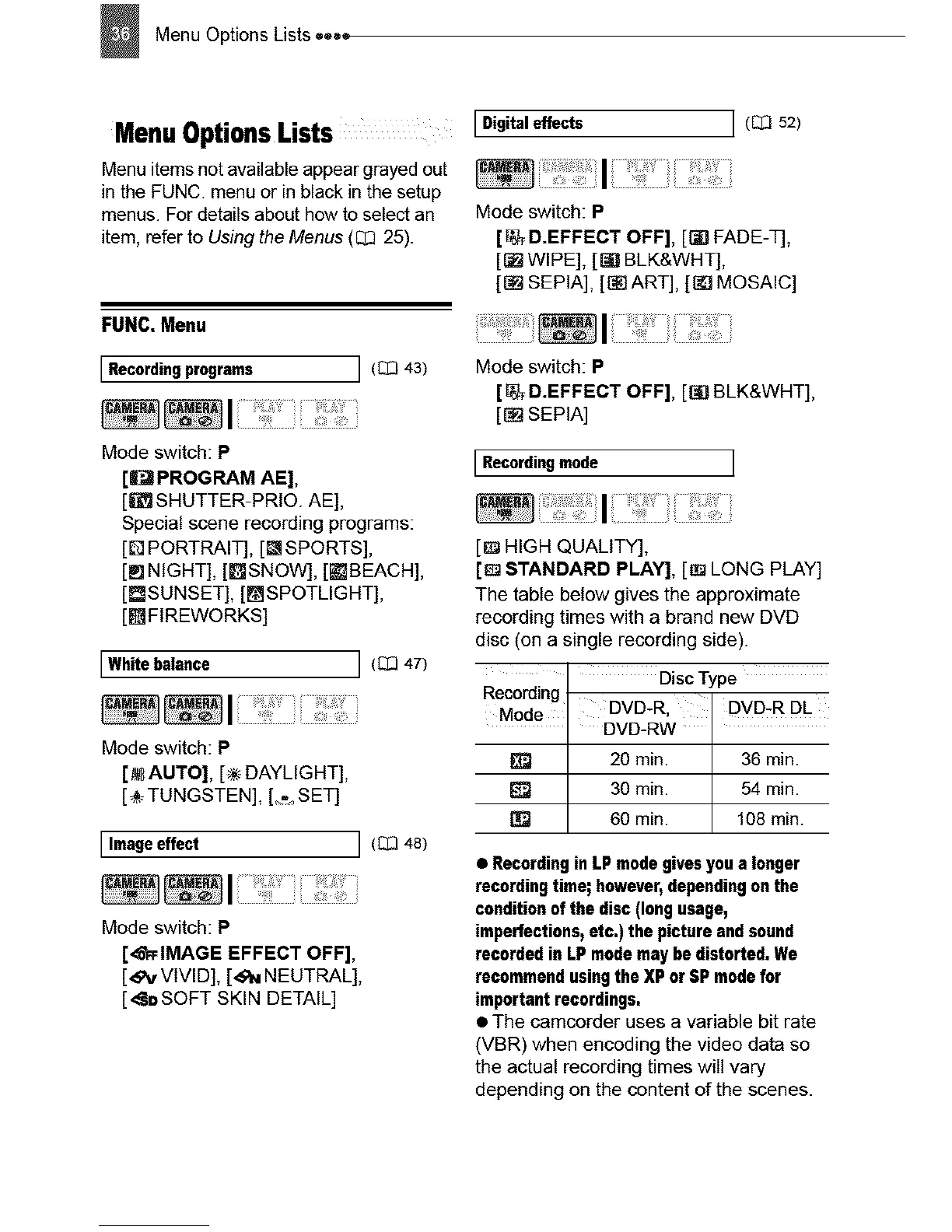
The table below gives the approximate
recording times with a brand new DVD
disc (on a single recording side).
Disc Type
Recording DVD-R, DVD-R DL
Mode DVD-RW I
[_ 20 min. I 36 min.
I
[] 30 min. 54 min.
60mn. 108 mn.
• RecordinginLP modegivesyou a longer
recordingtime;however,dependingon the
conditionof the disc (Ion9 usage,
imperfections,etc.) the picture andsound
recordedin LPmodemay be distorted.We
recommendusingthe XP orUP modefor
important recordings.
• The camcerder uses a variable bit rate
(VBR) when encoding the video data so
the actual recording times will vary
depending on the content of the scenes.



 To Next Page