GettingStartedo,_=®
Adjustingthe LCDScreen
Rotating the LCD Panel
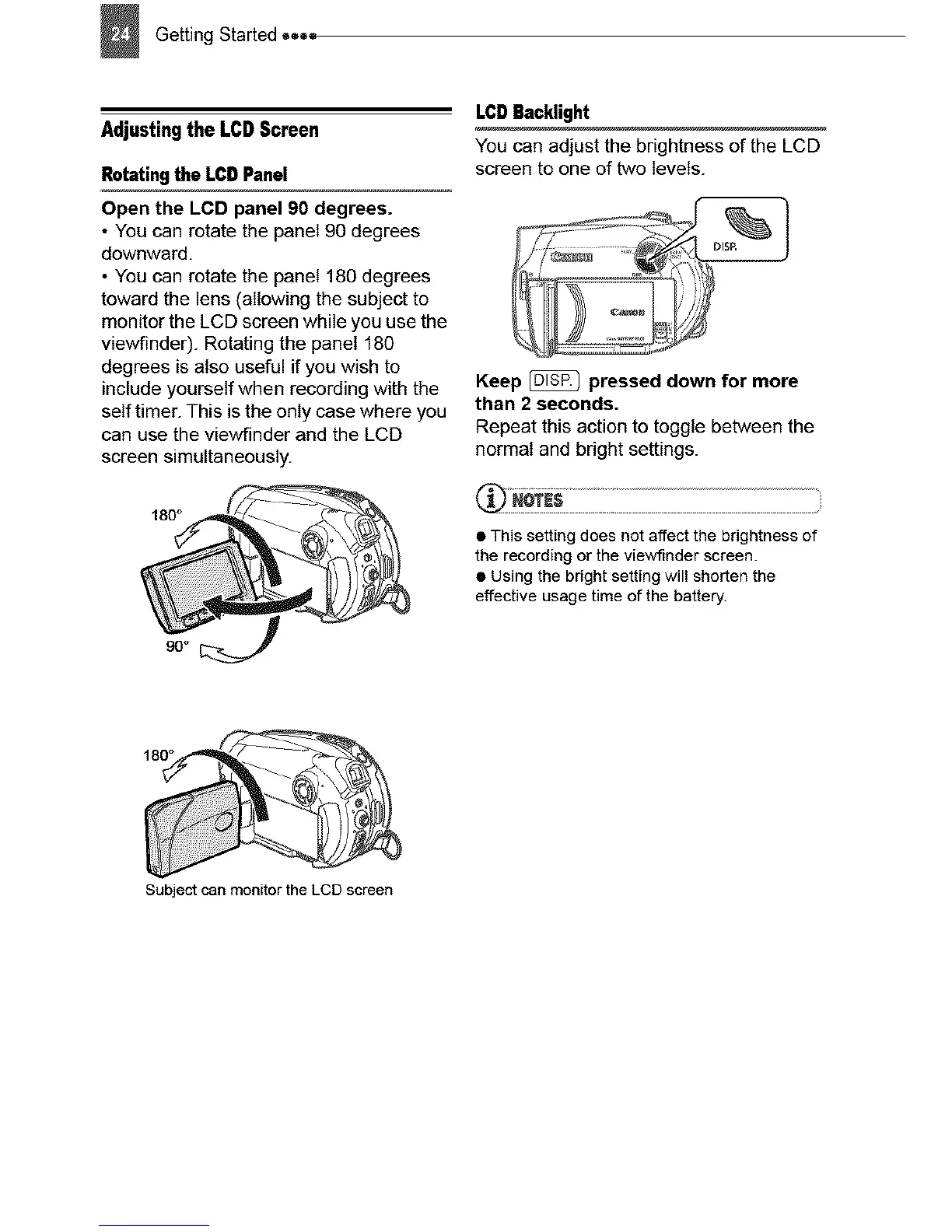
Open the LCD panel 90 degrees.
• You can rotate the panel 90 degrees
downward.
• You can rotate the panel 180 degrees
toward the lens (allowing the subject to
monitor the LCD screen while you use the
viewfinder). Rotating the panel 180
degrees is also useful if you wish to
include yourself when recording with the
self timer. This is the only case where you
can use the viewfinder and the LCD
screen simultaneously.
LCDBacklight
You can adjust the brightness of the LCD
screen to one of two levels.
Keep _ pressed down for more
than 2 seconds.
Repeat this action to toggle between the
normal and bright settings.
• This setting does not affect the brightness of
the recording or the viewfinder screen.
• Using the bright setting will shorten the
effective usage time of the battery.
180°
Subject can monitor the LCD screen



 To Next Page