Trouble?..o_
Troubleshooting
If you have a problem with your camcorder, refer to this checklist. Consult your dealer
or a Canon Service Center if the problem persists.
Power Source
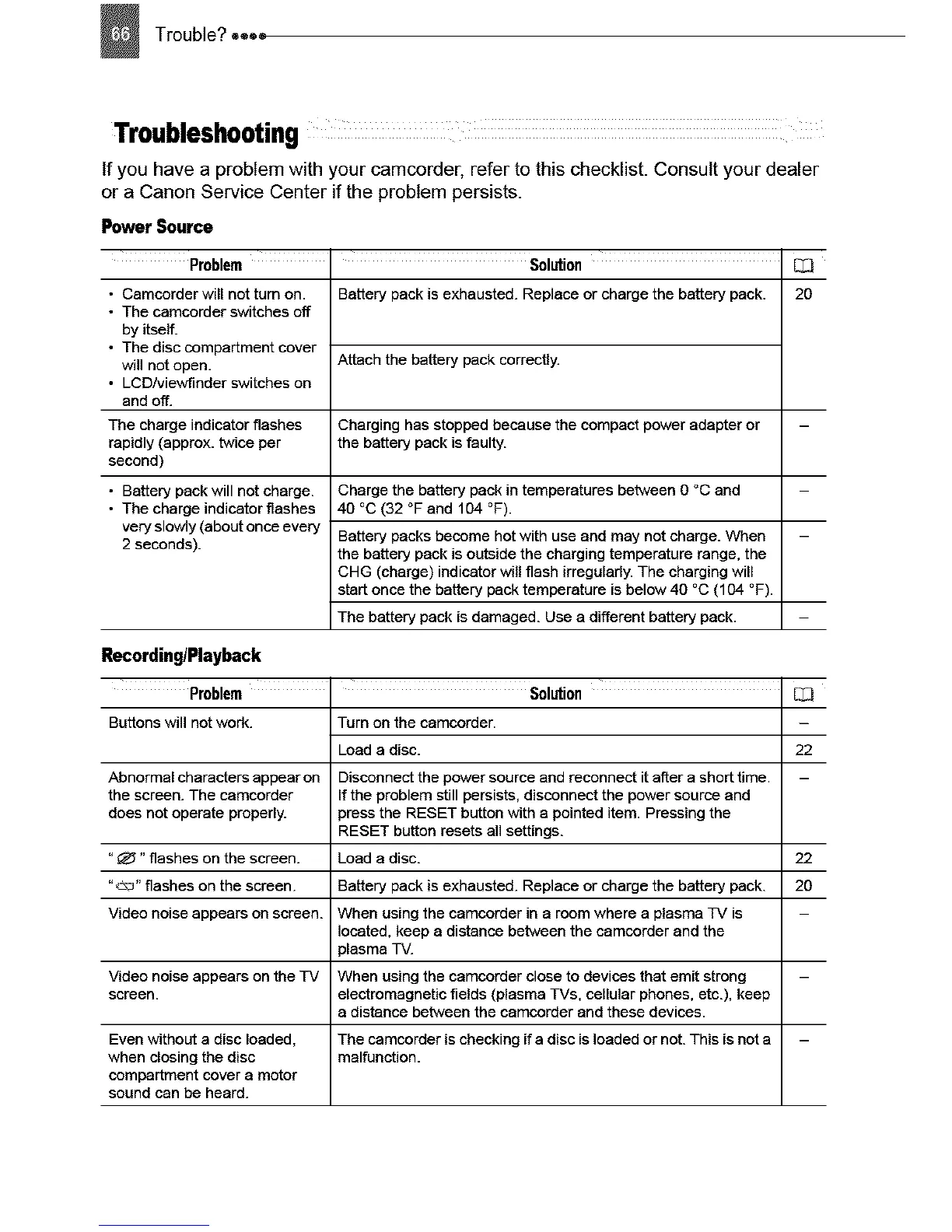
Problem
• Camcorder will not turn on.
• The camcorder switches off
by itself.
• The disc compartment cover
will not open.
• LCD/viewfinder switches on
and off.
The charge indicator flashes
rapidly (approx. twice per
second)
• Battery pack will not charge.
• The charge indicator flashes
very slowly (about once every
2 seconds).
Solution
Battery pack is exhausted. Replace or charge the battery pack.
Attach the battery pack correctly.
Charging has stopped because the compact power adapter or
the battery pack is faulty.
Charge the battery pack in temperatures between O °C and
40 °C (32 °F and 104 °F).
Battery packs become hot with use and may not charge. When
the battery pack is outside the charging temperature range, the
CHG (charge) indicator will flash irregularly. The charging will
start once the battery pack temperature is below 40 °C (104 °F).
The battery pack is damaged. Use a different battery pack.
2O
Recording/Playback
Problem
Buttons will not work.
Solution
Turn on the camcorder.
El3
22
Battery pack is exhausted. Replace or charge the battery pack.
When using the camcorder in a room where a plasma TV is
located, keep a distance between the camcorder and the
plasma TV.
Video noise appears on the TV When using the camcorder close to devices that emit strong
screen, electromagnetic fields (plasma TVs, cellular phones, etc.), keep
a distance between the camcorder and these devices.
Even without a disc loaded, The camcorder is checking if a disc is loaded or not. This is not a
when closing the disc malfunction.
compartment cover a motor
sound can be heard.
Load a disc.
Abnormal characters appear on Disconnect the power source and reconnect it after a short time.
the screen. The camcorder If the problem still persists, disconnect the power source and
does not operate properly, press the RESET button with a pointed item. Pressing the
RESET button resets all settings.
"_" flashes on the screen. Load a disc. 22
"_/_a" flashes on the screen. 20
Video noise appears on screen.



 To Next Page