.o..ManagingScenes
FUNC. Fu.c._
( _[_ 25)
MOVE
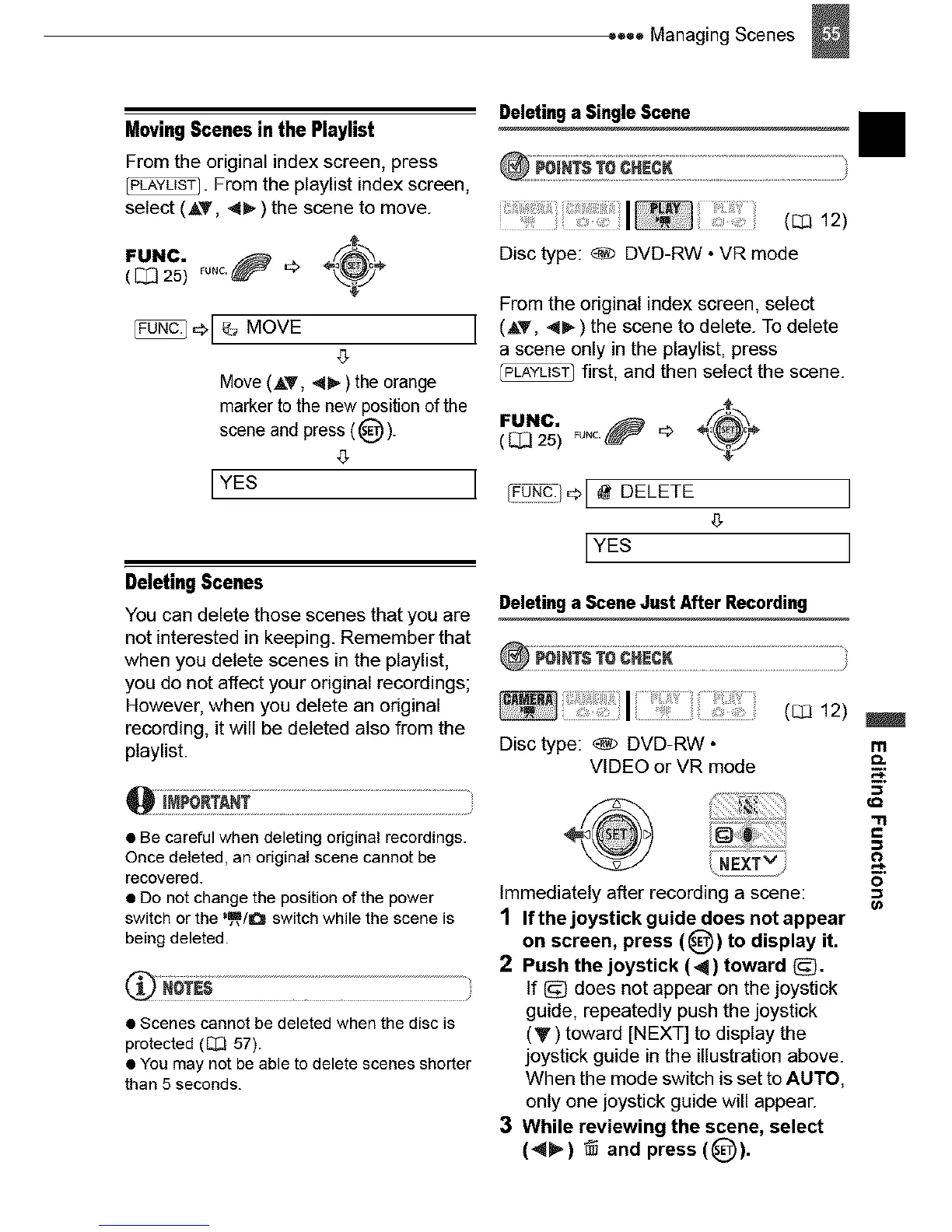
Moving Scenes in the Playlist
From the original index screen, press
_. From the ptaylist index screen,
select (AT, <_-) the scene to move.
J
Move (AT, 4_ ) the orange
marker to the new position of the
scene and press (@).
g
IYEs J
Deleting Scenes
You can delete those scenes that you are
not interested in keeping. Remember that
when you delete scenes in the ptaylist,
you do not affect your original recordings;
However, when you delete an original
recording, it will be deleted atso from the
playlist.
• Be careful when deleting original recordings.
Once deleted, an original scene cannot be
recovered.
• Do not change the position of the power
switch or the "_/O switch while the scene is
being deleted.
• Scenes cannot be deleted when the disc is
protected (_ 57).
• You may not be able to delete scenes shorter
than 5 seconds.
Deleting a Single Scene
II
(_ 12)
Disc type: _) DVD-RW • VR mode
From the original index screen, select
(AT, <_) the scene to delete. To delete
a scene only in the playlist, press
first, and then select the scene.
FUNC. _u.c._ '_ ÷_f_"
( _ 25) \_
DELETE I
LYEs I
Deleting a Scene Just After Recording
!:1
Disc type: _) DVD-RW • m
VIDEO orVR mode
Immediately afLer recording a scene:
1 Ifthejoystick guidedoesnot appear
on screen, press (_) to display it.
2 Push the joystick (4) toward (_.
If _ does not appear on the joystick
guide, repeatedly push the joystick
(V) toward [NEXT] to display the
joystick guide in the illustration above.
When the mode switch is set to AUTO,
only one joystick guide will appear.
3 While reviewing the scene, select
(_) @ and press (_)).
"11
c
&
0



 To Next Page