Managing Scenes oooo
Managing Scenes
Creating a Playlist
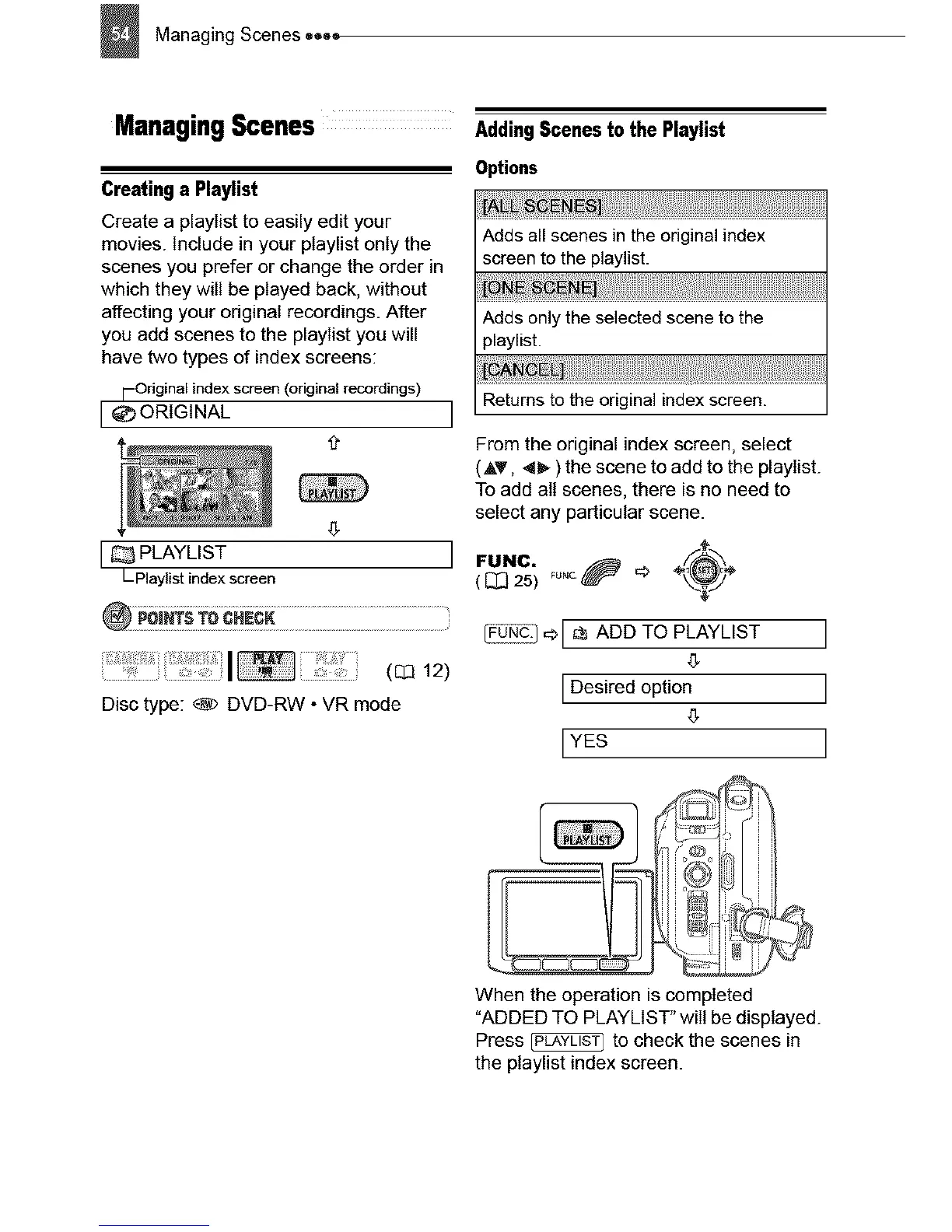
Create a playIist to easily edit your
movies. Include in your ptaylist only the
scenes you prefer or change the order in
which they will be played back, without
affecting your original recordings. After
you add scenes to the playIist you will
have two types of index screens:
i-Original index screen (original recordings)
[_) ORIGINAL J
I PLAYLIST I
L Playlist index screen
(Q2 12)
Disc type: _ DVD-RW • VR mode
AddingScenesto the Playlist
Options
Adds all scenes in the original index
screen to the playlist.
Adds only the selected scene to the
playlist.
Returns to the original index screen.
From the original index screen, select
(AT, <_ ) the scene to add to the playIist.
To add all scenes, there is no need to
select any particular scene.
FUNC. FUNC._ '_ _'_
( _ 25)
_-_1 q_[ _ ADD TO PLAYLIST ]
4_
[Desired option ]
[YES ]
When the operation is completed
"ADDED TO PLAYLIST" will be displayed.
Press _ to check the scenes in
the ptaylist index screen.


 To Next Page