ooooOtherFunctions
Recordsimagesinblackandwhite.
Recordsimagesinsepiatonesforan"old"
look.
Selectoneoftheotherdigitaleffectsto
addflavortoyourrecordings.
• When you apply a fader, not only the picture
but also the sound will fade in or out. When you
apply an effect, the sound will be recorded
normally.
• The camcorder retains the setting last used
even if you turn off the digital effects or change
the recording program.
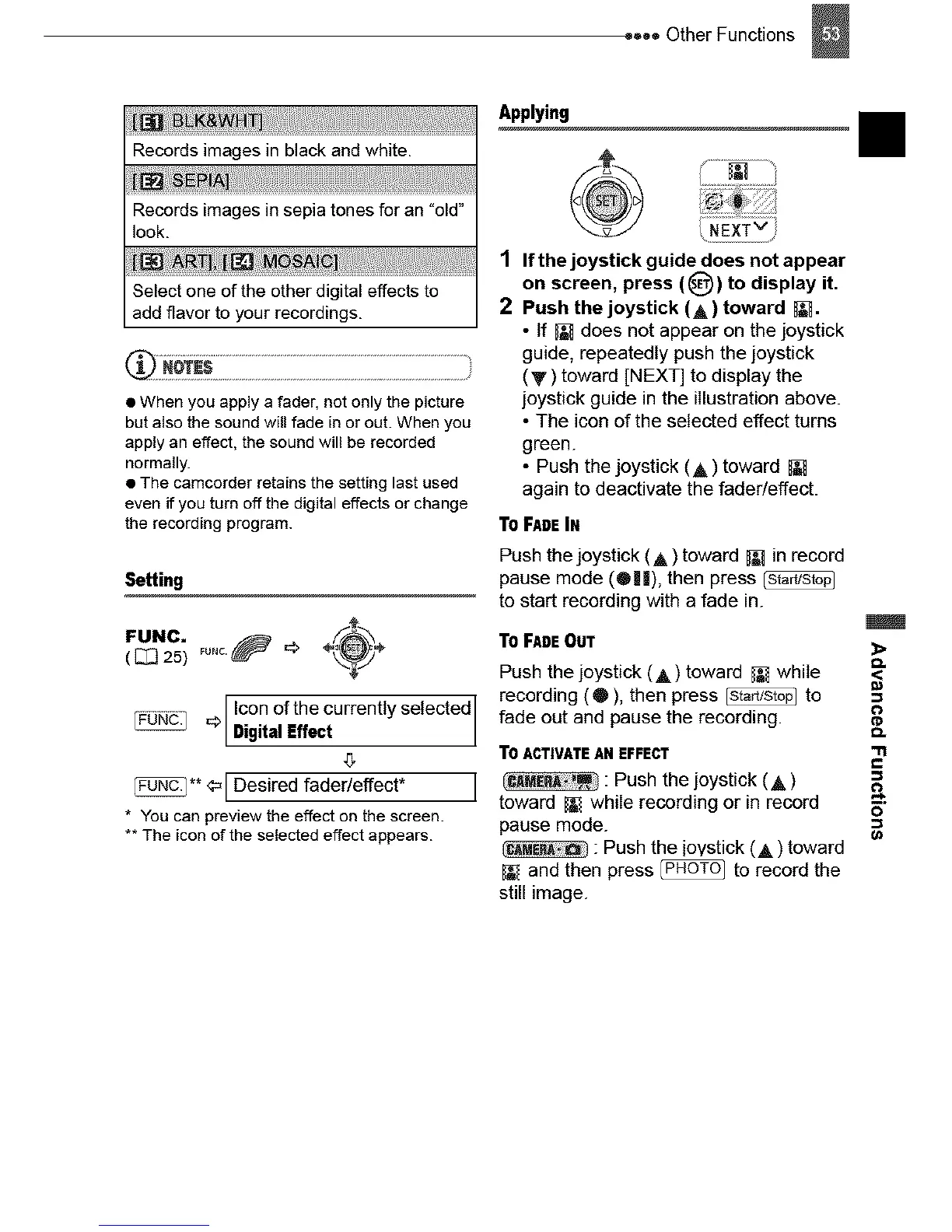
Setting
FUNC, _u.c._ _, _ ÷/"_÷
( [_ 25) \_
Icon of the currently selected I
_ Digital Effect
(;
_** ¢_ I Desired fader/effect* I
* You can preview the effect on the screen.
** The icon of the selected effect appears.
Applying
1
2
If the joystick guide does not appear
on screen, press (_)) to display it.
Push the joystick (A) toward _.
• tf _r_does not appear on the joystick
guide, repeatedly push the joystick
(V) toward [NEXT] to display the
joystick guide in the illustration above.
• The icon of the selected effect turns
green.
• Push the joystick (A) toward
again to deactivate the fader/effect.
TOFADEIN
Push the joystick (A) toward [_ in record
pause mode (®||), then press
to start recording with a fade in.
TOFADE OUT
Push the joystick (A) toward _ while
recording (®), then press _ to
fade out and pause the recording.
TOACTIVATEANEFFECT
: Push the joystick (A)
toward _ while recording or in record
pause mode.
: Push the ioystick (A) toward
and then press _ to record the
still image.
II



 To Next Page