Playback..,.
• When you wake up the camcorder from
standby mode, the following settings will be
changed automatically:
- Manual focus returns to automatic focus (AF).
Manual exposure adjustment returns to
automatic exposure.
- Zoom position returns to full wide angle W
• In standby mode, the camcorder consumes
only half the power used in record pause mode.
Using this mode you can save energy when
using a battery pack.
• The camcorder will shut off if left in the Quick-
Star[ ready mode for 10 minutes, regardless of
the [POWER SAVE] setting (_ 41). You can
select the length of time until shut-off with the
[(_ STANDBY OFF] setting (CC341).
To restore the power if the camcorder shut off,
slide the power switch toward MODE and
release it, or move the power switch to _ and
back to ON again.
• If you perform any of the following actions
while in standby mode (while the standby lamp
is on), the camcorder will return to record pause
mode.
- Open the disc compar[ment cover.
- Slide the power switch toward MODE.
- Change the position of the _/a switch.
Playback
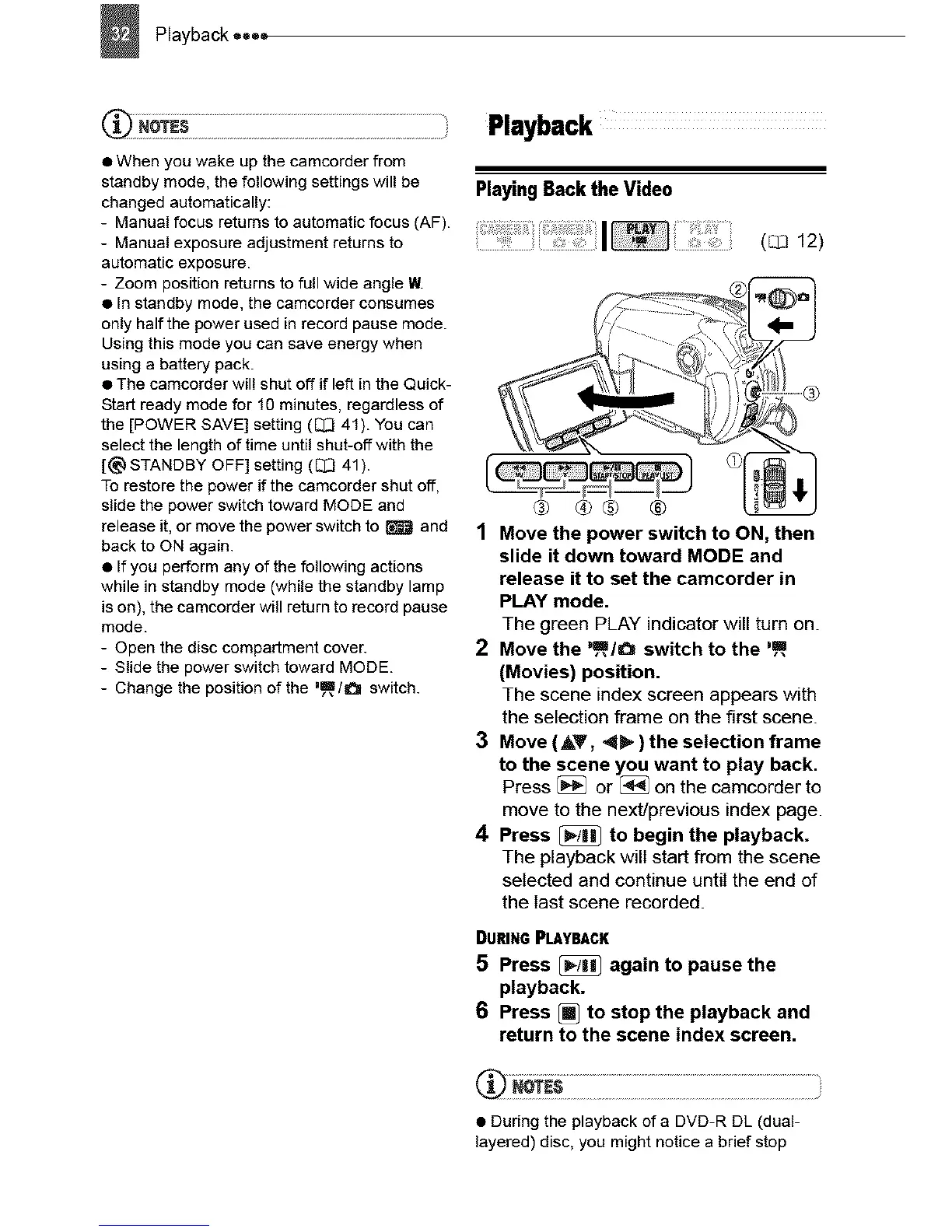
PlayingBacktheVideo
I
® ®® ®
1 Move the power switch to ON, then
slide it down toward MODE and
release it to set the camcorder in
PLAY mode.
The green PLAY indicator will turn on.
2 Move the %m,/O switch to the ,m
(Movies) position.
The scene index screen appears with
the selection frame on the first scene.
3 Move (&V, 4_ ) the selection frame
to the scene you want to play back.
Press _ or [_ on the camcorder to
move to the next/previous index page.
4 Press [_ to begin the playback.
The playback will start from the scene
selected and continue until the end of
the last scene recorded.
DURINGPLAYBACK
5 Press _ again to pause the
playback.
6 Press _ to stop the playback and
return to the scene index screen.
• During the playback of a DVD-R DL (dual-
layered) disc, you might notice a brief stop



 To Next Page