Unfinalizing the Disc '
Additional Recordings on a
Finalized Disc
Unfinalize a disc to allow recording
additional movies on the disc even after it
was finalized.
• Be sure to unfioolizothe discin normalroom
temperatures, If the procedurewas notcompleted
correctly duoto high temperature, lotthe camcordor
cooloff beforeresumingoperation,
• Place the camcorder ona table or other stable
surface beforestarting theprocedure. Subjecting
thecamoordorevento slight impacts (for exampleto
place it on a table orto disconnectthe AVcable)
afterthe unfinalizationprocess started mayresult in
permanent data loss,
• Always power the camcorder using the
compact power adapter. The operation cannot
be started if the camcorder is powered only with
the battery pack.
• Avoid the following actions while the
operation is in progress. Failing to do so can
interrupt the process and result in permanent
data loss.
- Do not move the camcorder.
- Do not disconnect the compact power
adapter.
• Only discs that were finalized using this
camcorder can be unfinalized with it.
Discs that Can be Unflnalized
DVD-R/DVD-R DL
in VIDEO mode
DVD-RW
in VIDEO mode Q
You can record
DVD-RW
additional scenes even
in VR mode
without unfinalizing the
disc
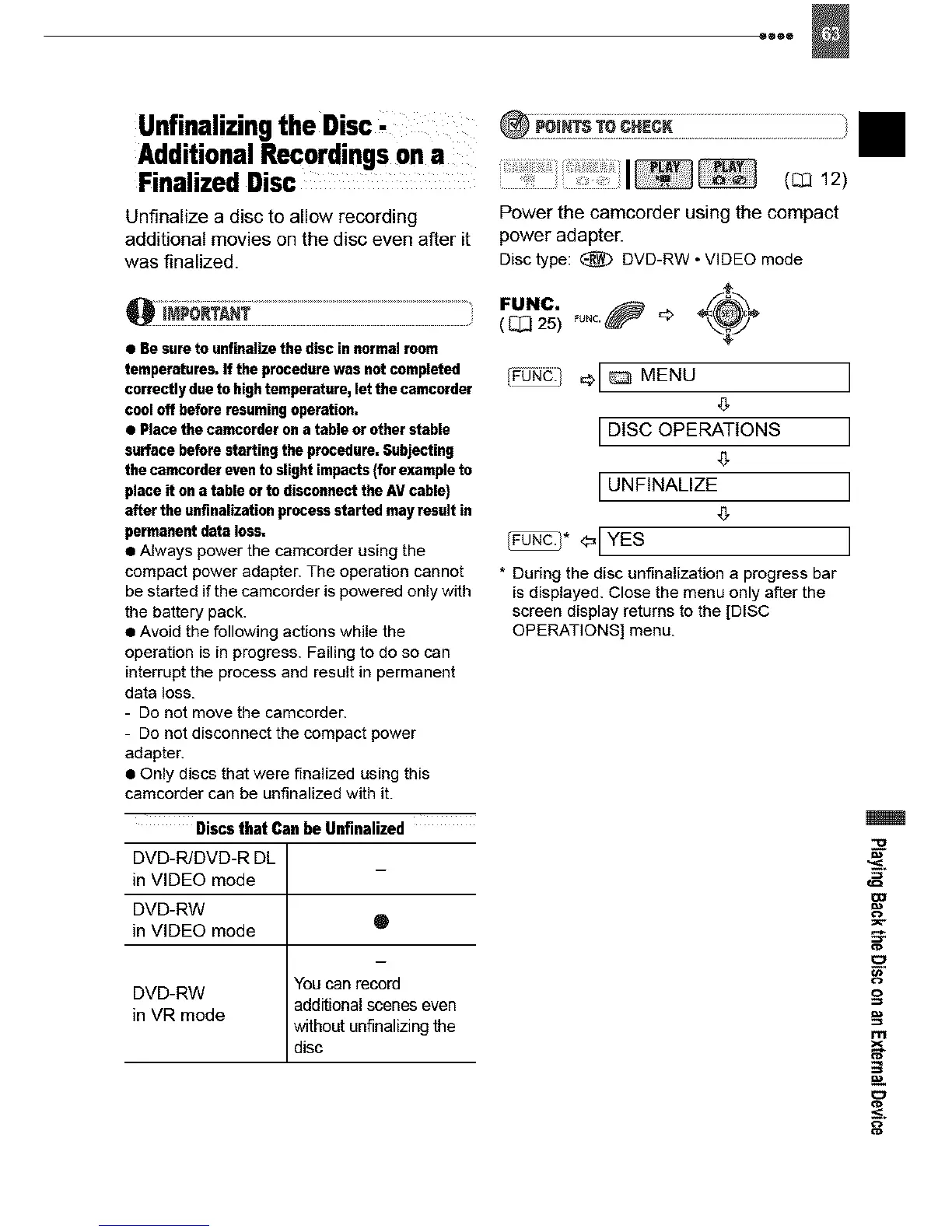
Power the camcorder using the compact
power adapter.
Disc type: _ DVD-RW • VIDEO mode
( _ 25)
_¢0N_i 1 _[ _ MENU
,5
DISC OPERATIONS
UNFINALIZE
_* <=[YES
• During the disc unfinalization a progress bar
is displayed. Close the menu only after the
screen display returns to the [DISC
OPERATIONS] menu.
II



 To Next Page