,C·.::;_"._' .
,i'":--.;'.
Thank you for purchasing the Canon DC330. Please read this manual carefully before
you use the camcorder and retain it for future reference. Should your camcorder fail
to
operate correctly, refer
to
Troubleshooting (OJ 79).
Conventions
Used
in
this
Manual
• 0 IMPORTANT: Precautions related
to
the camcorder's operation.
•
CD
NOTES: Additional topics that complement the basic operating procedures.
••
POINTS TO CHECK: Restrictions that apply if the function described is not
available
in
all operating modes (the operating mode
to
which the camcorder
should be set, the type
of
disc required, etc.).
• QJ: Reference page number.
• The following terms are used
in
this manual:
"Screen" refers to the LCD and the viewfinder screen.
"Scene" refers
to
one movie unit from the point you press
[StartlSt~
to
start
recording until you press again
to
pause the recording.
The terms
"photo"
and "still image" are used interchangeably with the same
meaning.
• The photos included
in
this manual are simulated pictures taken with a still camera.
I
Changing
the
Language
Options
• Default value
ICESTlNA]
IMAGYAR]
I>.,,""']
(DEUTSCH]
IMELAYUJ
I--'"J
IEMHNIKA]
IPOLSKI]
In",,'.,u]
[ENGLISH]'
(ROMANA]
[;i,*tt'Jt1
han the joystick
IESPANOLJ
[TORKCEJ
Ilm9>:]
IFRANCAIS]
IpYCCK"~1
[:S-!~Oi]
IITALIANO]
[YKPATHCbKAI
[S,*,1li1
Rilit.
(_~"
~UNC.
.~.
I
(l.lJ29)
llC>
~c
to
refer
to
menu
I
II:
~1~~~Y~ETUPJlD
.
In
menu option
[LANuUAue
® I C
is shown in
Desired language
E)
t.FU~C:1
~
-
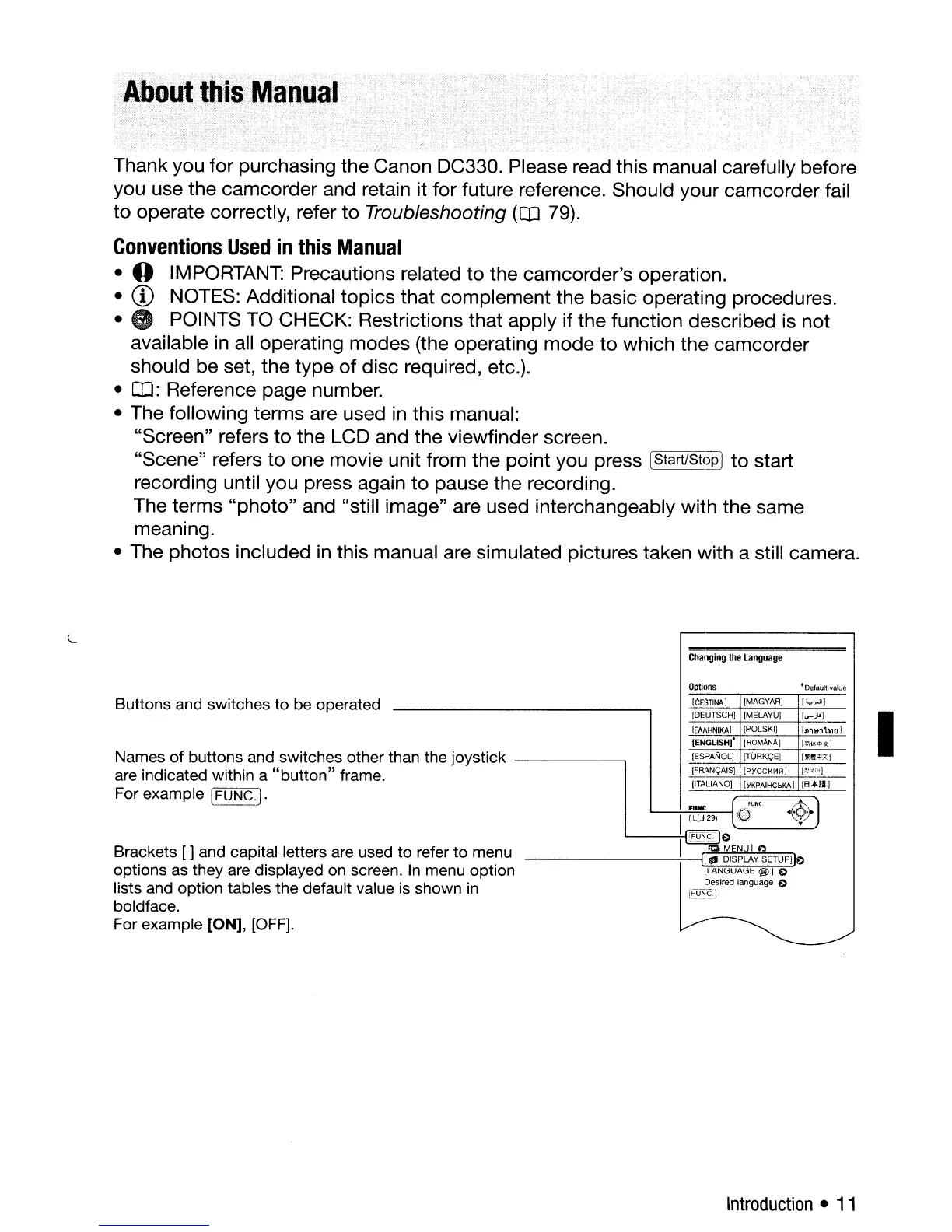
Brackets [ ] and capital letters are used
options as they are displayed on screen
lists and option tables the default value
boldface.
For example [ON], [OFF].
Names
of
buttons and switches other t
are indicated within a
"button"
frame.
For example
[FUNC.).
Buttons and switches
to
be operated
l.
Introduction
•
11



 To Next Page