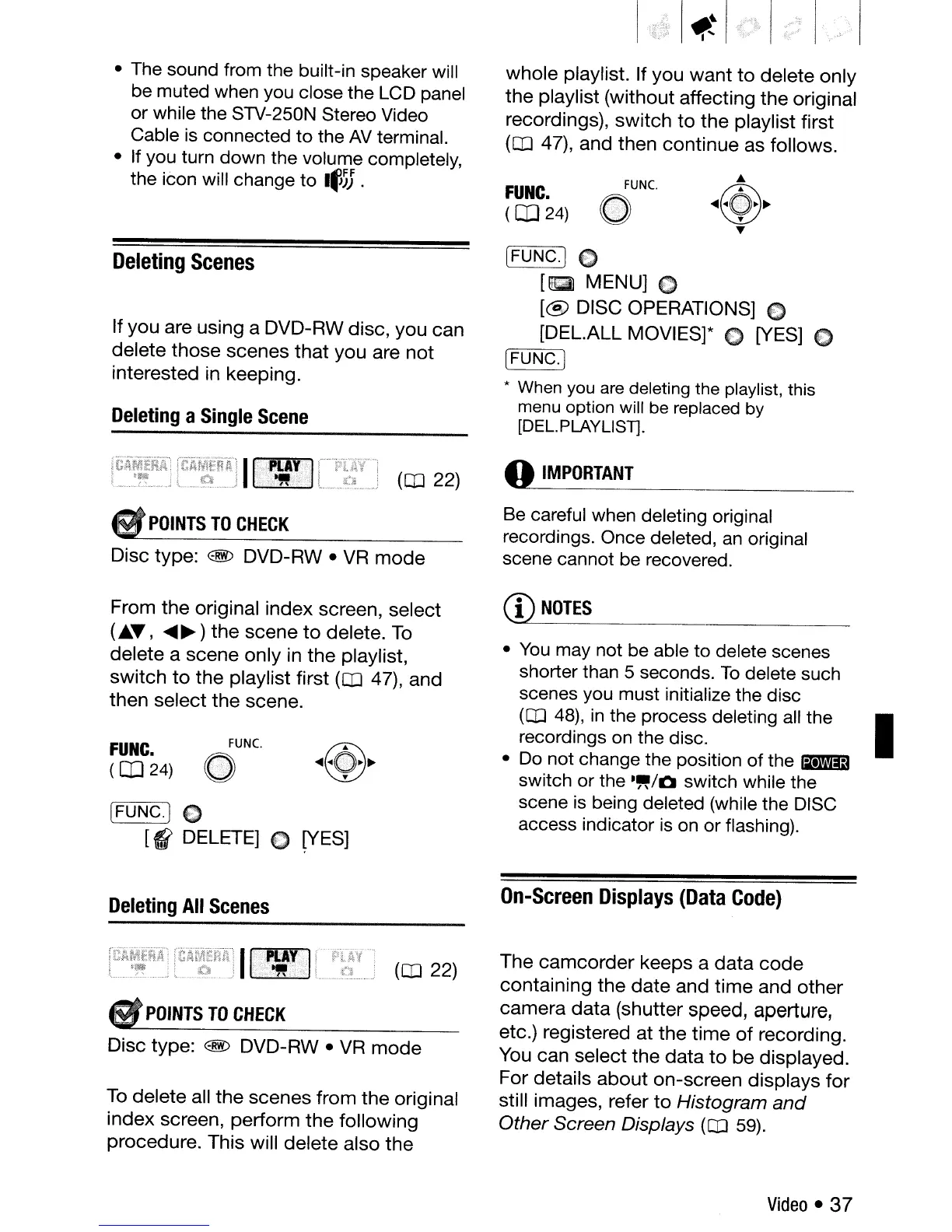
whole playlist. If you
want
to
delete only
the
playlist (without affecting
the
original
recordings), switch
to
the
playlist first
(OJ 47), and then continue as follows.
• The sound from the built-in speaker will
be muted when you close the LCD panel
or while the STV-250N Stereo Video
Cable is connected to the
AV
terminal.
• If you turn down the volume completely,
the icon will change to
I~~;
.
FUNC.
(OJ
24)
FUNC.
~
Deleting
Scenes
If
you
are using a DVD-RW disc, you can
delete those scenes
that
you are
not
interested in keeping.
Deleting
a
Single
Scene
[FUNG.) C
[g
MENU] 0
[@
DISC OPERATIONS] C
[DEL.ALL MOVIES]* C [YES]
{)
~----,~
[FUNG.j
* When you are deleting the playlist, this
menu option will
be
replaced
by
[DEL.PLAYLlST].
(OJ 22)
o
IMPORTANT
POINTS
TO
CHECK
Disc type: @ DVD-RW •
VR
mode
Be careful when deleting original
recordings. Once deleted,
an
original
scene cannot be recovered.
[FUNG.] C
[((
DELETE] 0
~ES]
From
the
original index screen, select
(£.T,
.....
~)
the
scene
to
delete.
To
delete a scene only in
the
playlist,
switch
to
the
playlist first (OJ 47), and
then select the scene.
FUNC.
(CD
24)
FUNC.
o
CD
NOTES
•
You
may not be able to delete scenes
shorter than 5 seconds.
To
delete such
scenes you must initialize the disc
(OJ
48),
in
the process deleting
all
the I
recordings on the disc.
•
Do
not change the position of the
liI.I'M';)
switch or the
.~/Q
switch while the
scene
is
being deleted (while the
DISC
access indicator
is
on
or flashing).
Deleting
All
Scenes
(OJ 22)
•
POINTS
TO
CHECK
Disc type: @ DVD-RW •
VR
mode
To
delete all
the
scenes from
the
original
index screen, perform
the
following
procedure. This will delete also
the
On-Screen
Displays
(Data
Code)
The
camcorder
keeps a
data
code
containing
the
date
and
time
and
other
camera
data
(shutter speed, aperture,
etc.) registered at the
time
of
recording.
You can select the
data
to
be displayed.
For details
about
on-screen displays
for
still images, refer
to
Histogram
and
Other
Screen Displays
(CD
59).
Video
• 37



 To Next Page