~
To
PAUSE/STOP
PLAYBACK
jji
0;
5
If
the
joystick
guide
does
not
appear
on
screen,
press
@
to
display
it.
6 Push
the
joystick
(
..
)
toward
~
III
to
pause
the
playback.
7 Push
the
joystick
( T )
toward
•
to
stop
the
playback
and
return
to
the
scene
index
screen.
ill
NOTES
• Depending
on
the recording conditions,
you may notice brief stops
in
video or
sound playback between scenes.
• This camcorder can play back discs
recorded with this camcorder. Discs
recorded with other camcorders or discs
created with a computer may not play
back correctly.
•
Be
sure
to
finalize discs to play them
back on external
DVD
devices
(OJ
49).
I
TO
ADJUST
THE
VOLUME
f;{¥
During
the
playback
of
a scene:
[FUNC.]
0
[II»>
SPEAKER VOL.] 0
Adjust
(
.....
~
)
the
volume
0
\r=F:-:-:U
N""7":c""'.1
..
:
Push
the
joystick
(
.....
)
toward
~
or
(~
)
toward
~.
ITITIJll):
Press
I
~
SEARCH I
or
ISEARCH
~
I.
Perform
operation
again
to
increase
playback
speed
5x
---).
15x
the
normal
speed.
Playback
pause
..:
Push
the
joystick
(
.....
)
toward
.....
or
(~
)
toward
1.-
.
.
ITITIJI)):
Press
I"".
SLOW)
or
[SLOW
I~
].
Perform
operation
again
to
increase
playback
speed
1/8x
---).
1/4x
the
normal
speed.
!
Slow
playback
Special
playback
modes
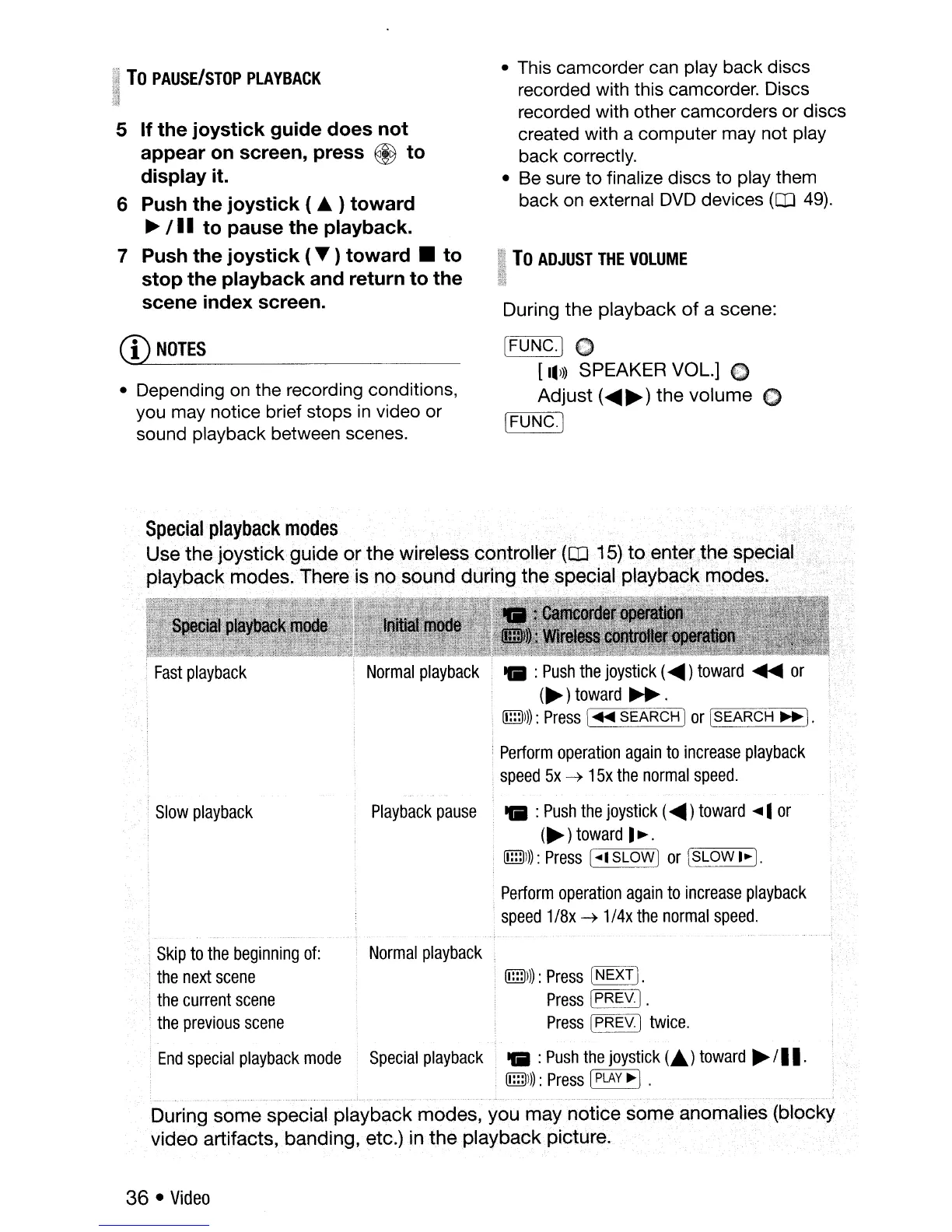
Use the joystick guide or the wireless controller
(OJ
15)
toent~r,thespecial
playback modes. There is no sound during the specialplaybacl<mQdes. .
Skip
to
the
beginning
of:
the
next
scene
the
current
scene
.
the
previous
scene
Normal
playback
ITITIJ)))
:
Press
~.
Press
~YJ.
Press
[PREY.)
twice.
:
End
special
playback
mode
Special
playback
..
:
Push
the
joystick
(.)
toward
~
/II.
lTITIJ)l):
Press
[PLAY
~
1.
.
__
, , " ,.~ ····v··..····
..
__
._
.,
..
During some special playback modes, you may notice some anomalies (blocky
video artifacts, banding, etc.)
inthe
playbackpicture.
36 •
Video



 To Next Page