Video
This chapter covers functions related
to
shooting and playing
back
movies - from basic recording and zooming
to
more advanced manual
picture adjustments.
Basic
Recording
Shooting
Video
Before
You
Begin
Recording
Make a test recording first to check if
the camcorder operates correctly.
Since recordings made
on
a DVD-R or
DVD-R DL disc cannot
be
deleted, we
recommend you
use
a DVD-RW disc
to make the test recordings.
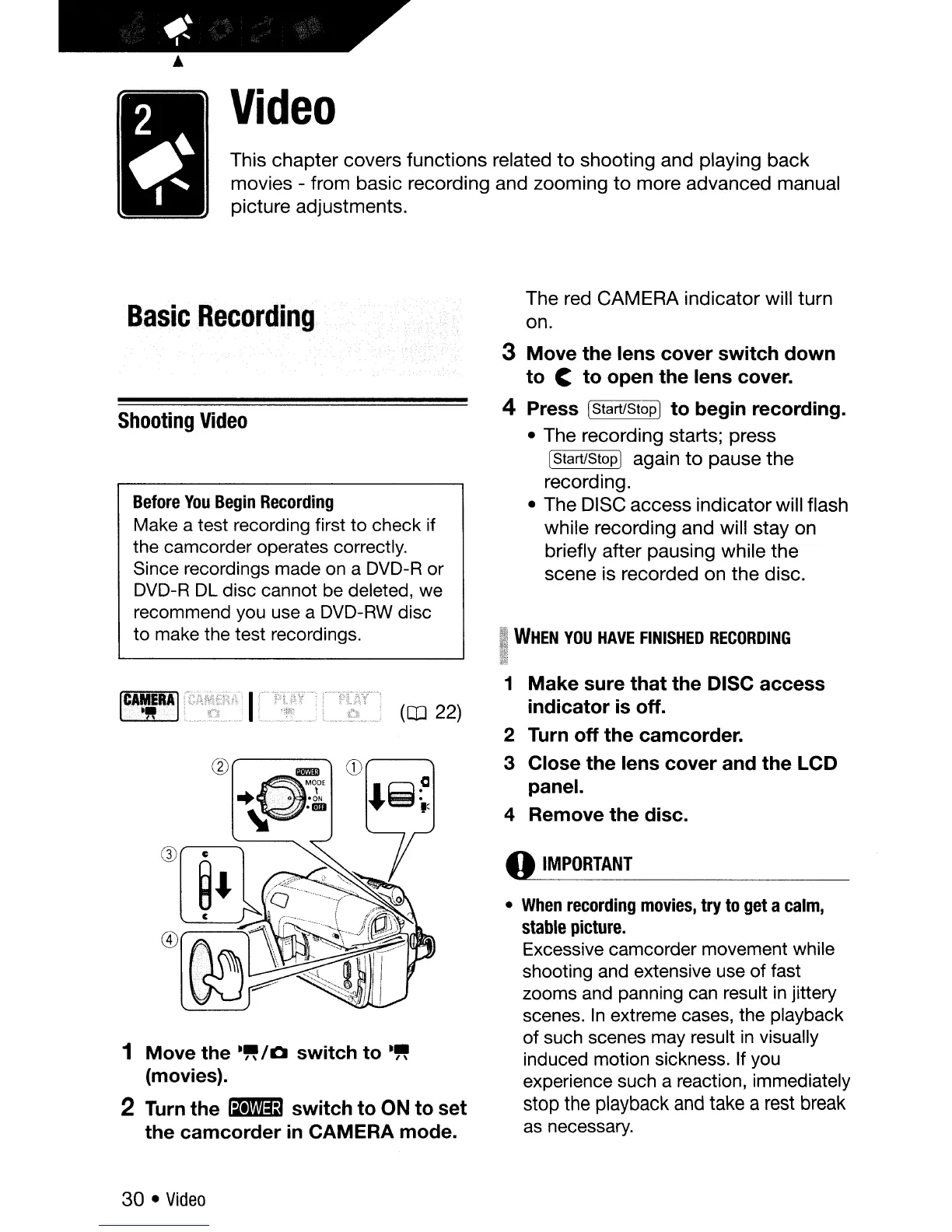
The red
CAMERA indicator will turn
on.
3 Move the lens cover switch down
to
C to open the lens cover.
4 Press [Start/Stop1 to begin recording.
• The recording starts; press
[Start/Stopl again
to
pause the
recording.
• The DISC access indicator will flash
while recording and will stay on
briefly after pausing while the
scene is recorded on the disc.
WHEN
YOU
HAVE
FINISHED
RECORDING
1 Move the
-"/0
switch to
-"
(movies).
2
Turn
the
~
switch to ON to set
the camcorder
in
CAMERA mode.
[C.A
.•..
~.rRA]
•••.
<
•.
(OJ
22)
1
Make
sure that the DISC access
indicator
is
off.
2 Turn off the camcorder.
3 Close the lens cover and the LCD
panel.
4 Remove the disc.
o
IMPORTANT
•
When
recording
movies,
try
to
get
a
calm,
stable
picture.
Excessive camcorder movement while
shooting and extensive use of fast
zooms and panning
can
result
in
jittery
scenes.
In
extreme cases, the playback
of such scenes may result
in
visually
induced motion sickness. If you
experience such a reaction, immediately
stop the playback and take a rest break
as
necessary.
30 •
Video



 To Next Page