Photos
Refer
to
this
chapter
for details on shooting
photos
- from capturing
and playing
back
images
to
printing them.
Basic
Recording
Taking
Photos
Before using a
memory
card
for
the
first time, be sure
to
initialize it with
this
camcorder
(OJ
60).
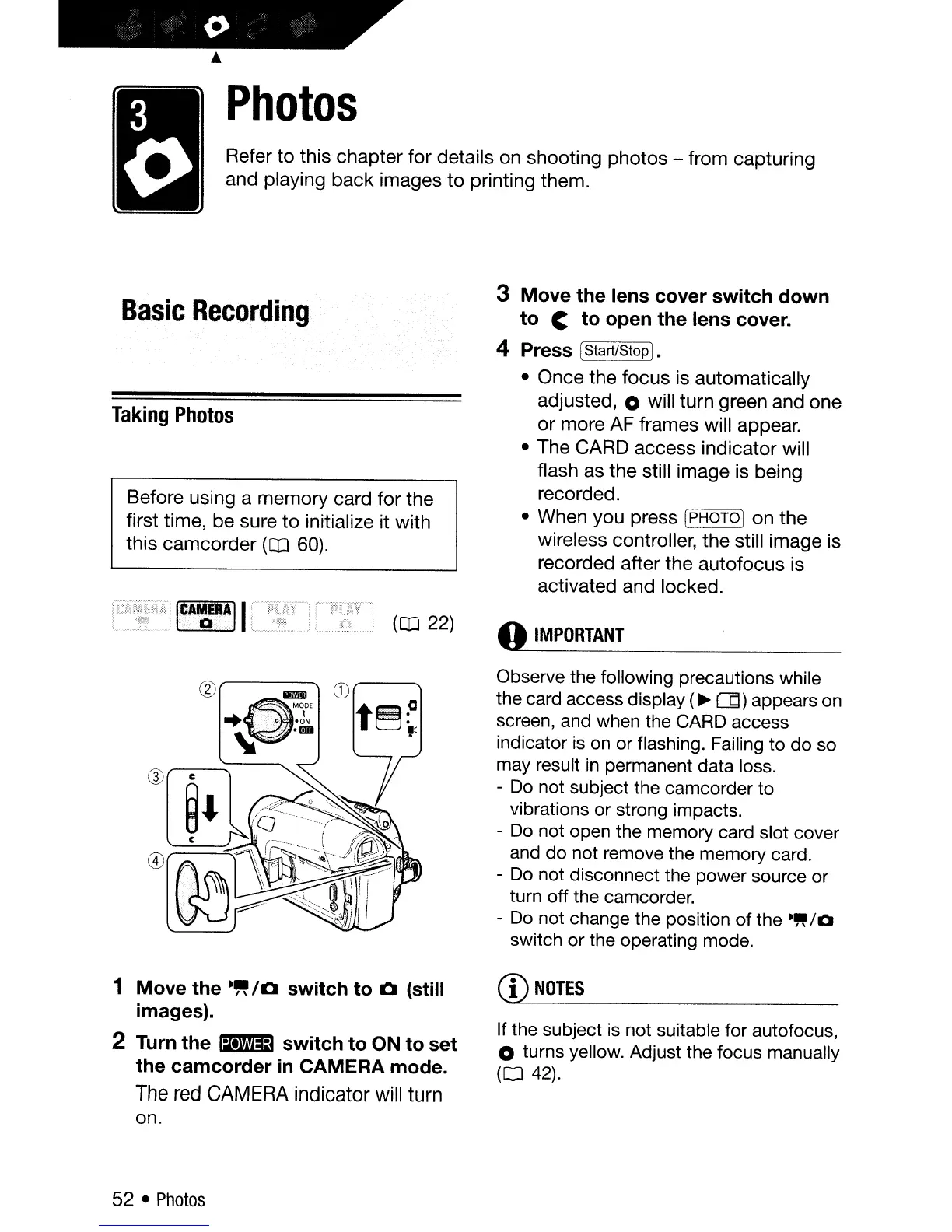
3 Move the lens cover switch down
to
C to open the lens cover.
4 Press IStarUStop
].
•
Once
the
focus
is automatically
adjusted, 0 will turn green and
one
or
more AF frames will appear.
• The CARD access
indicator
will
flash as
the
still image is being
recorded.
• When you press
[PHOTO] on
the
wireless controller, the still image is
recorded after
the
autofocus
is
activated and locked.
(OJ
22)
o
IMPORTANT
@
lED
"
"'00'
... I
+
-.
,:
.0'
-ON
"
.···0
Observe the following precautions while
the card access display
(~(Jj)
appears
on
screen, and when the CARD access
indicator
is
on
or flashing. Failing to do so
may result
in
permanent data loss.
-
Do
not subject the camcorder to
vibrations or strong impacts.
-
Do
not open the memory card slot cover
and do not remove the memory card.
-
Do
not disconnect the power source or
turn off the camcorder.
-
Do
not change the position of the
."
/0
switch or the operating mode.
1 Move the
·~/O
switch to 0 (still
images).
2
Turn
the _ switch to ON to set
the camcorder
in
CAMERA mode.
The
red
CAMERA
indicator
will
turn
on.
52 •
Photos
CD
NOTES
If the subject
is
not suitable for autofocus,
o turns yellow. Adjust the focus manually
(CD
42).



 To Next Page