I I I
~
I
Additional
Functions
Continuous
Shooting
and
Exposure
Bracketing
(Drive
Mode)
Options
• Default value
Mode
switch:
[EJ
(except for the
[IIFIREWORKS] recording program).
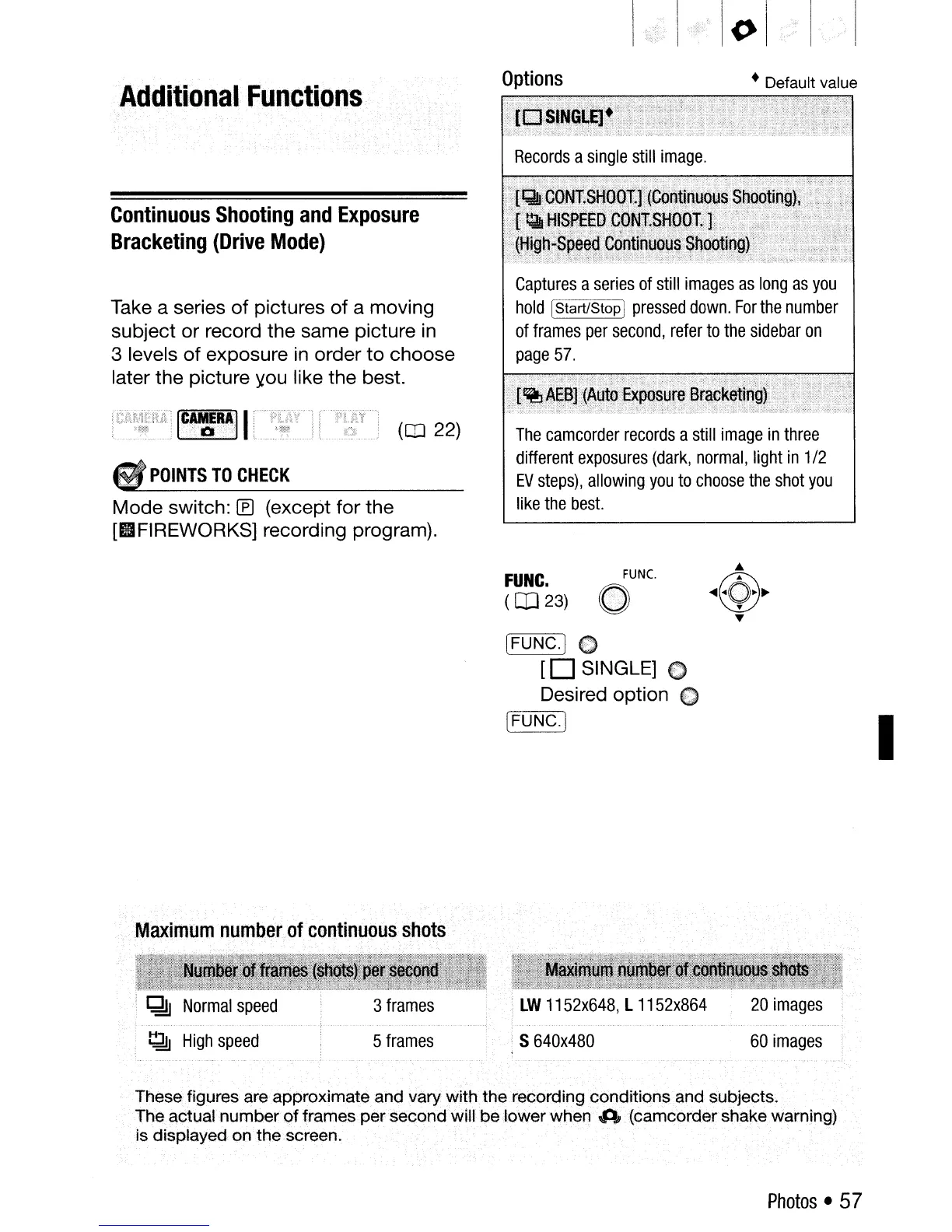
Captures
a
series
of
still
images
as
long
as
you
hold
IStart/Stop]
pressed
down.
For
the
number
of
frames
per
second,
refer
to
the
sidebar
on
page
57.
The
camcorder
records
a
still
image
in
three
different
exposures
(dark,
normal,
light
in
1/2
EV
steps),
allowing
you
to
choose
the
shot
you
like
the
best.
(CO
22)
ICA,::RAII
POINTS
TO
CHECK
Take a series
of
pictures
of
a moving
subject or record the same picture
in
3 levels
of
exposure
in
order
to
choose
later the picture )tau like the best.
FUNC.
(CD
23)
FUNC.
o
[FUNC.)
0
[0
SINGLE] C
Desired option
€)
[<=F:-:-::U
N-:-:C=--->.)
I
Maximum
number
of
continuous
shots
~
High
speed
5
frames
S
640x480
60
images
Thesefigures are approximate and vary
with
the recording conditions and sUbjects.
The actual number
of
frames per second will
be
lower when A (camcorder shake warning)
is displayed on the screen.
Photos
• 57



 To Next Page