• Observe the following precautions while
the DISC access indicator
is
on or
flashing. Failing to
do
so may result in
permanent data loss.
- Do not subject the camcorder to
vibrations or strong impacts.
-
Do
not open the disc cover and do not
remove the disc.
- Do not disconnect the power source or
turn off the camcorder.
- Do not change the operating mode.
CD
NOTES
•
About
the
recording
time:
By changing the
recording mode you can change the
recording time available on the disc
(CD
32).
•
About
the
Power
Save
mode:
To
save power
when the camcorder
is
powered by a
battery pack, the camcorder will
automatically shut off if left without any
operations for 5 minutes
(CD
77).
To
restore the power, turn the IBIiiJ switch
toward MODE and release it, or turn the
Iii'W1j'i1
switch to _ and back to
ON
again.
• When recording
in
very loud places (such
as
fireworks shows or concerts), sound
may become distorted or it may not be
recorded at the actual levels. This
is
not
a malfunction.
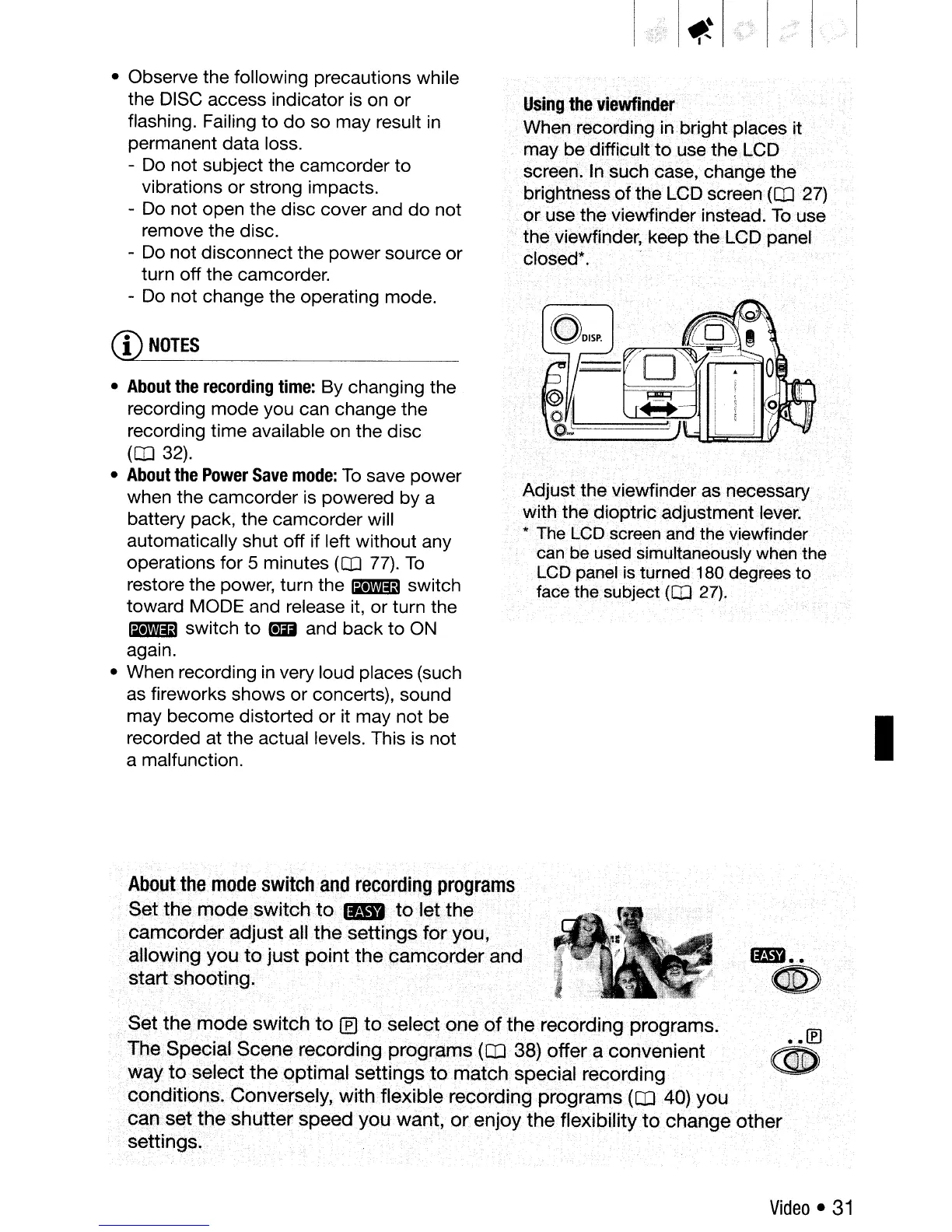
Using
the
viewfinder
. Whenrecording in bright places it
maybe
difficult
to
use
the LCD
screen.
In
such case, change the
brightness
of
the LCPscreen
(CD
27)
or use the viewfinder instead.
To
use
the viewfinder, keep the LCD panel
closed*.
Adjust the viewfinder as necessary
with the dioptric adjustment lever.
*
The
LCD
screen
and
the viewfinder
can betlsed simultaneously
when
the
LCD
panelisturned
••
180degrees
to
face
the subject
(CD
27).
I
.
.®
.~
About
the
mode
switch
and
recording
programs
.
Set
the
mode
switch
to
....
to
let
the
camcqrder
adjust
aU
the
settings
for
you,
allowingyoulo
just
point.thecamcorderand
start
shooting.
Set
the
mode
switch
to
If)
to
select
one
of
the
recording programs.
. The
Special
Scene
recording
programs
(CD
38)
offer
a
convenient
.
way
to
select
the
optimal
settings
to
match
special recording
conditions.
Conversely,
with
flexible
recording
programs
(CD·
40)
you
ca.o.
set
the
shutter
speed
you
want,
or
enjoy
the. flexibility
to
change..
other·
.
,"
...
,.
'
.',
..
. "
settings.
Video
•
31



 To Next Page