EasyManua.ls Logo

Canon DC330 - Page 18

Canon DC330
124 pages
Print Icon
To Next Page IconTo Next Page
To Previous Page IconTo Previous Page
Loading...
@
Disc
operation
Record,
II
Record
pause,
~
Playback,
..
Playback
pause,
~
Fast
playback,
~.
Fastreverse
playback,
I~
Slow
playback,
~
I
Slow
reverse
playback
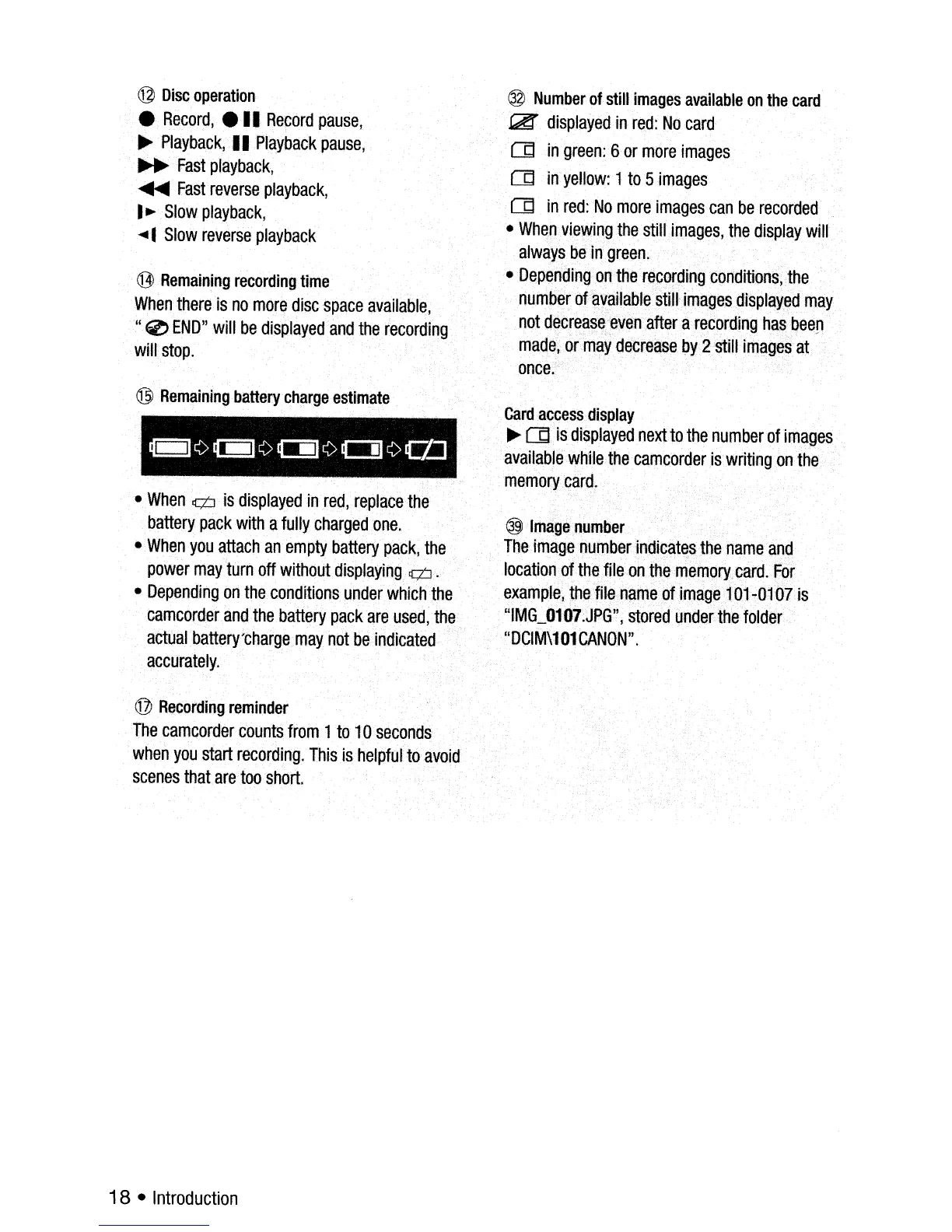
@Remaining
recording
time
When
there
is
no
more
disc
space
available,
"0
END"
will
be
displayed
and
therecording
will
stop.
@
Remaining
battery
charge
estimate
-
When¢
is
displayed
in
red,
replace
the
battery
pack
with
a
fully
charged
one.
-.When
you
attach
an·
empty
battery
pack,
the
power
may
turn
off
without
displaying¢ .
-Depending
on
the
conditions
under
which
the
camcorder
and
the
battery
pack
are
used,
the
actual
•.
battery'charge
may
not
be
indicated
'
accurately.
@
Hecording
reminder
The
camcorder
counts
from
1
to
10
seconds
when
you
start
recording.
This
is
helpful
to
avoid
Scenes
that
are
too
short.
18
-
Introduction
@
Number
of
still
images
available
on
the
card
~
displayed
in
red:
No
card
Od
in
green:
Bor
more
images
Od
in
yellow:
1
to
5
images
Od
in
red:
No
more
images
can
be
recorded
-
When
viewing
the
still
images,
the
display
will
always
be
in
green.
-
Depending
on
the
r~cordingconditions,the
number
of
available
still-
images
dIsplayed
may
not
decrease
even
after
a
recording
has
been
made,
or
may
decrease
py
2still
images
at
once.
Card
access
display
~Od
is
displayed
nextto
the
number
of
images
available
while
the
camcorder
is.writing
on
the
memory
card.
@l.
Image
number
The
image
number
indicates
the
name
and
location
of
the
file
onthe
memory,
card
..
For
example,the
file
,name
of
image
101-0107
is
"IMG_0107:JPG",
stored
under
the
folder
"DCIM\101CANON".

Table of Contents

Related product manuals