[FUNG.] 0
[g]
MENU]
0
[iiJ
CAMERA
SETUP]
0
[ZOOM
TYPE] 0 Desired
option
0
~-~
[FUNC.)
CD
NOTES
The zoom range
of
the
advanced
zoom
will
change depending on
the
aspect
ratio
of
the
scene (QJ 74).
(FUNG.j 0
[~
MENU]
0
[~CAMERA
SETUP]
0
[ZOOM
SPEED] 0
Desired
option
0
[FUNG.)
CD
NOTES
The fastest zoom speed can be achieved
with the
[~
VARIABLE] setting.
(QJ 22)
Zoom
in
T
W
Zoom out
+
W-T
•
+
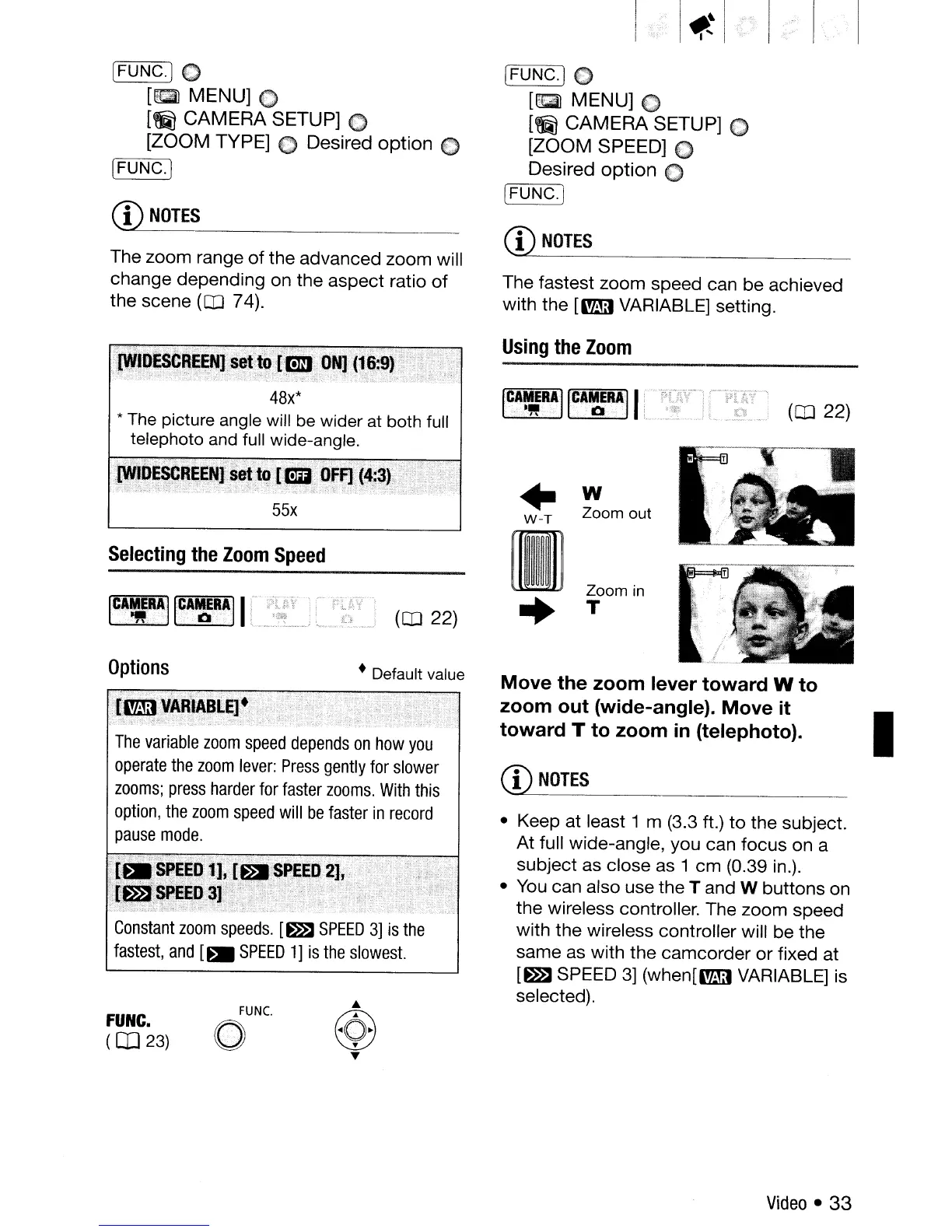
Move the zoom lever toward W to
zoom out (wide-angle). Move it
I
toward T to zoom
in
(telephoto).
• Keep at least 1 m (3.3 ft.)
to
the subject.
At full wide-angle, you can focus on a
subject as close as 1
cm
(0.39 in.).
• You can also use
the
T and W
buttons
on
the wireless controller. The zoom speed
with the wireless controller will be the
same as with
the
camcorder
or
fixed
at
[~
SPEED 3]
(when[~
VARIABLE] is
selected).
CD
NOTES
Using
the
Zoom
• Default value
FUNC.
o
FUNG.
(OJ
23)
Constant
zoom
speeds.
[~
SPEED
3]
is
the
fastest,
and
[.
SPEED
1]
is
the
slowest.
The
variable
zoom
speed
depends
on
how
you
operate
the
zoom
lever:
Press
gently
for
slower
zooms;
press
harder
for
faster
zooms.
With
this
option,
the
zoom
speed
will
be
faster
in
record
pause
mode.
:,
(~:'O~F1;'(,
55x
Options
Selecting
the
Zoom
Speed
Video
•
33



 To Next Page