Printing
after
Changing
the
Print
Settings
1 If the joystick guide does not
appear on screen, press
@ to
display it.
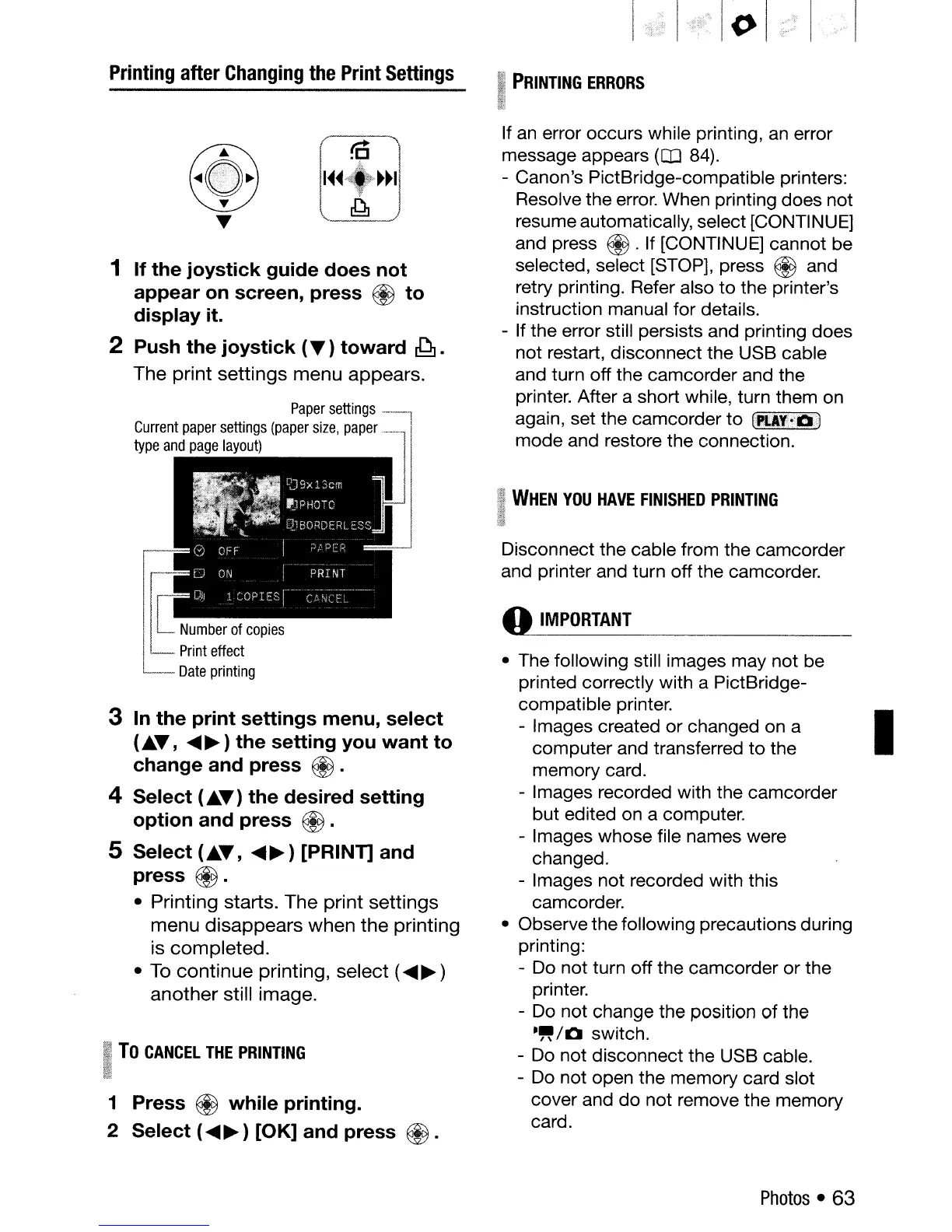
2 Push the joystick
(.)
toward
~.
The
print
settings
menu
appears.
Paper
settings
------]
Current
paper
settings
(paper
size,
paper
__
jl
type
and
page
layout)
JJ
I
rr
Number
of
copies
l
t=
Print
effect
---
Date
printing
3
In
the print settings menu, select
(
••
,
.....
~)
the setting you want to
change and press
@.
4 Select (
••
) the desired setting
option and press
@.
5 Select (
••
,
.....
~)
[PRINT] and
press
€iJ.
• Printing starts.
The
print
settings
menu
disappears
when
the
printing
is
completed.
• To
continue
printing,
select
(
.....
~
)
another
still image.
To
CANCEL
THE
PRINTING
1 Press
~
while printing.
2 Select (
.....
~
) [OK] and press
@.
I
()
I
PRINTING
ERRORS
If
an
error occurs while printing,
an
error
message appears
(OJ
84).
- Canon's PictBridge-compatible printers:
Resolve the error. When printing does not
resume automatically, select [CONTINUE]
and press
€iJ
.If [CONTINUE] cannot be
selected, select [STOP], press
® and
retry printing. Refer also
to
the printer's
instruction manual for details.
- If the error still persists and printing does
not restart, disconnect the USB cable
and turn off the camcorder and the
printer. After a short while, turn them on
again, set the camcorder
to
(PtA~o'a<)
mode and restore the connection.
I
WHEN
YOU
HAVE
FINISHED
PRINTING
;ltl
,ml
Disconnect the cable from the camcorder
and printer and turn off the camcorder.
o
IMPORTANT
• The following still images may not be
printed correctly with a PictBridge-
compatible printer.
- Images created
or
changed on a I
computer and transferred
to
the
memory card.
- Images recorded with the camcorder
but edited on a computer.
- Images whose file names were
changed.
- Images not recorded with this
camcorder.
• Observe the following precautions during
printing:
- Do not turn off the camcorder or the
printer.
- Do not change the position
of
the
-"/0
switch.
- Do not disconnect the USB cable.
- Do not open the memory card slot
cover and
do
not remove the memory
card.
Photos
• 63



 To Next Page